Operating & Maintaining the Objet24 3D Printer
6–4
DOC-34014 Rev. C
Loading Model and Support Cartridges
Objet24printersusetwocartridgesofModelmaterialandtwocartridgesof
Supportmaterial,eachweighingonekilogramwhenfull.Agraphical
representationofthecartridgesloadedandtheircurrentweightappearsin
theprinterinterface(seefigure 6‐3).
Note: The printer-control interface displays the type and weight of the
material cartridges loaded only if the materials drawer is closed.
To load Model and Support material:
1. Onthefrontoftheprinter(seefigure 6‐1),pushthematerialsdrawerto
releaseitandpullitopen.
2. Ifyouarereplacingacartridge,removetheoldonebypullingit
straightup.
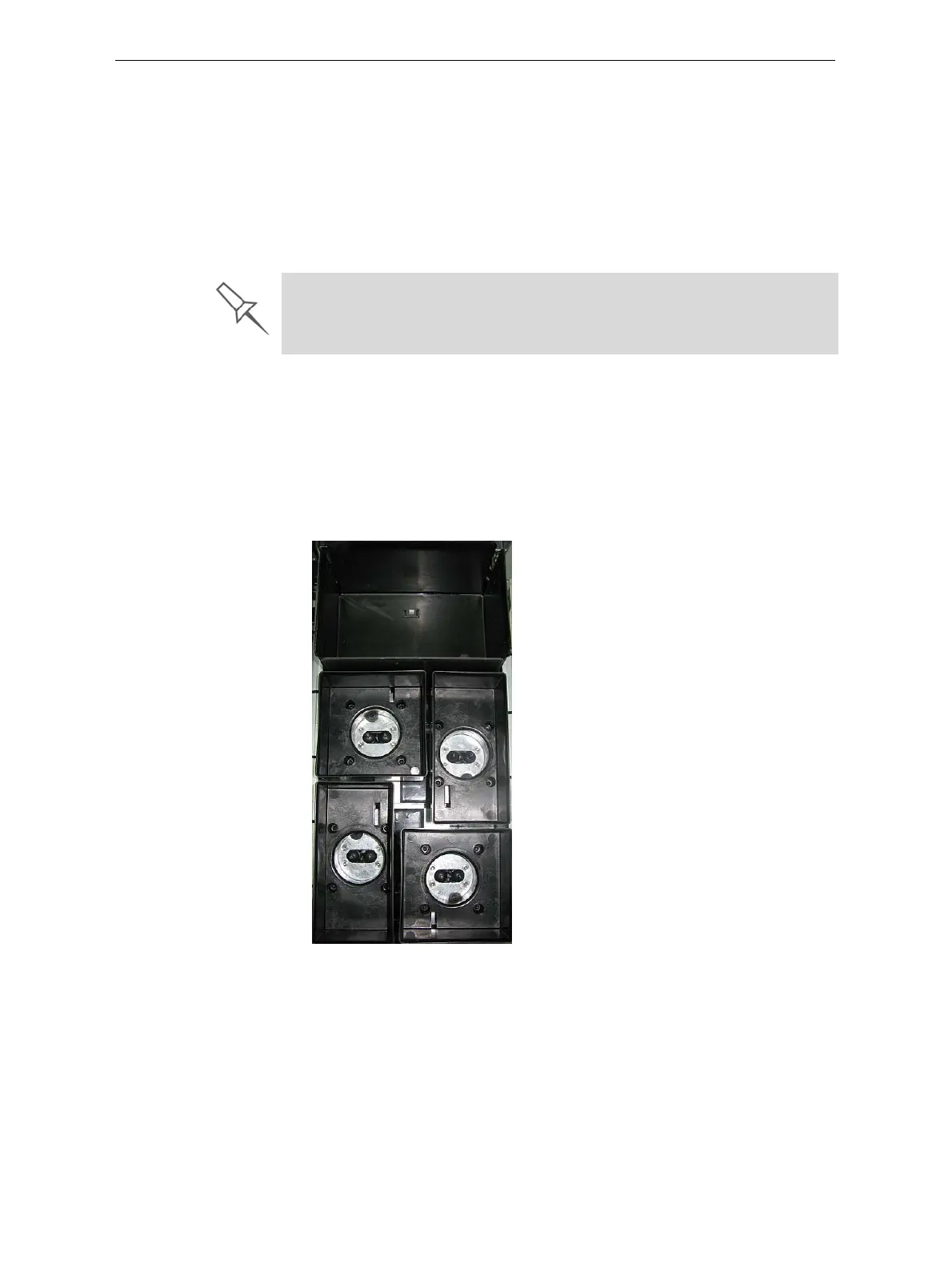
3. LoadModelandSupportcartridgesintotheirrespective
compartments(seefigure 6 ‐4).
Figure 6-4: Materials drawer
4. Closethematerialsdrawer.
5. Checktheprinterinterfacetomakesurethatthenewcartridgeis
detectedandthatitsweightisdisplayed(seefigure 6‐3).
The printer uses RFID technology to automatically identify cartridges of
printing material. For this purpose, an RFID module is part of the printer
hardware. Tampering with this module will render the printer inoperable and
may void Stratasys warranties and service contracts.
Waste
Model 1
Model 2
Support 1
Support 2













 To Next Page