Safety
2–2
DOC-34014 Rev. C
Safety Features
Objet3DprintersaredesignedtocomplywithCEandFCCstandards.
Theyareequippedwiththefollowingsafetyfeatures:
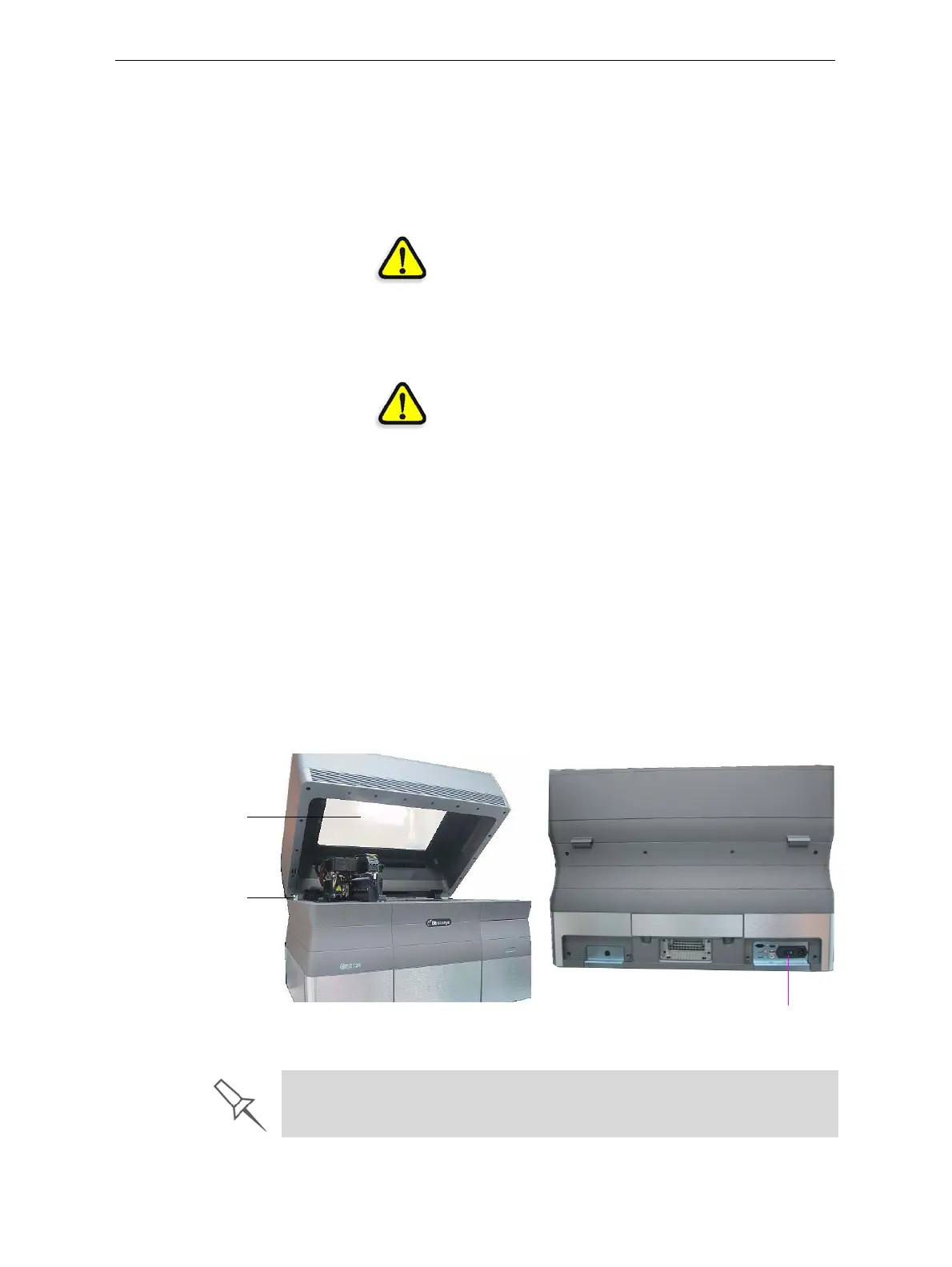
Figure 2-1: Front and back views of the Objet24 printer
CoverInterlock
Switch
ThepowersuppliedtotheUVlampandthe
motionmotorsisturnedoffwhenthecoveris
opened.
WARNING:Donotdefeat(override)the
interlockswitch.Doingsocouldresult in
seriouspersonalinjury.Iftheinterlockswitch
doesnotfunctioncorrectly,donotusethe
printer,
andcontactyourserviceprovider.
SafetyLock Thecoverislockedwhiletheprinteris
working.Thelockisreleasedwhentheprinter
revert stopauseorstopmode.
WARNING:Donotdefeat(override)the
safetylock.Doingsocould resultinserious
personalinjury.
Ifthesafetylockdoesnotfunctioncorrectly,
do
notusetheprinter,andcontactyourservice
provider.
UVScreening Thetransparentsectionofthecoverblocks
harmfulUVradiation,allowingtheoperatorto
viewthemodelasitisbeingmade.
CircuitBreaker Thepowertotheprinteristurnedoffincaseof
electricalovercurrent.
Note: The circuit breaker is only accessible to
service personnel.
GroundedChassis Thechassisoftheprinterisgrounded,to
preventelectricalshock.
Note: The power outlet must be properly
grounded, in accordance with the local
electric code, to provide this protection.
UV screen
Cover interlock switch
Circuit breaker
If the Objet 3D printing system is not used as specified in this guide, the
safety features may not provide adequate protection.













 To Next Page