DOC-34014 Rev. C 5–23
Objet24 User Guide
Using a Grid to
Position
Objects
Displayingagridontheimageofthebuildtraycanbeusefulwhen
positioningobjects.Tousethegridfeatures,selectthefollowingmenu
options.
Youcanreviewandconfiguregridsettings—andapplythem—fromthe
Optionsdialogbox.
To view and change grid settings:
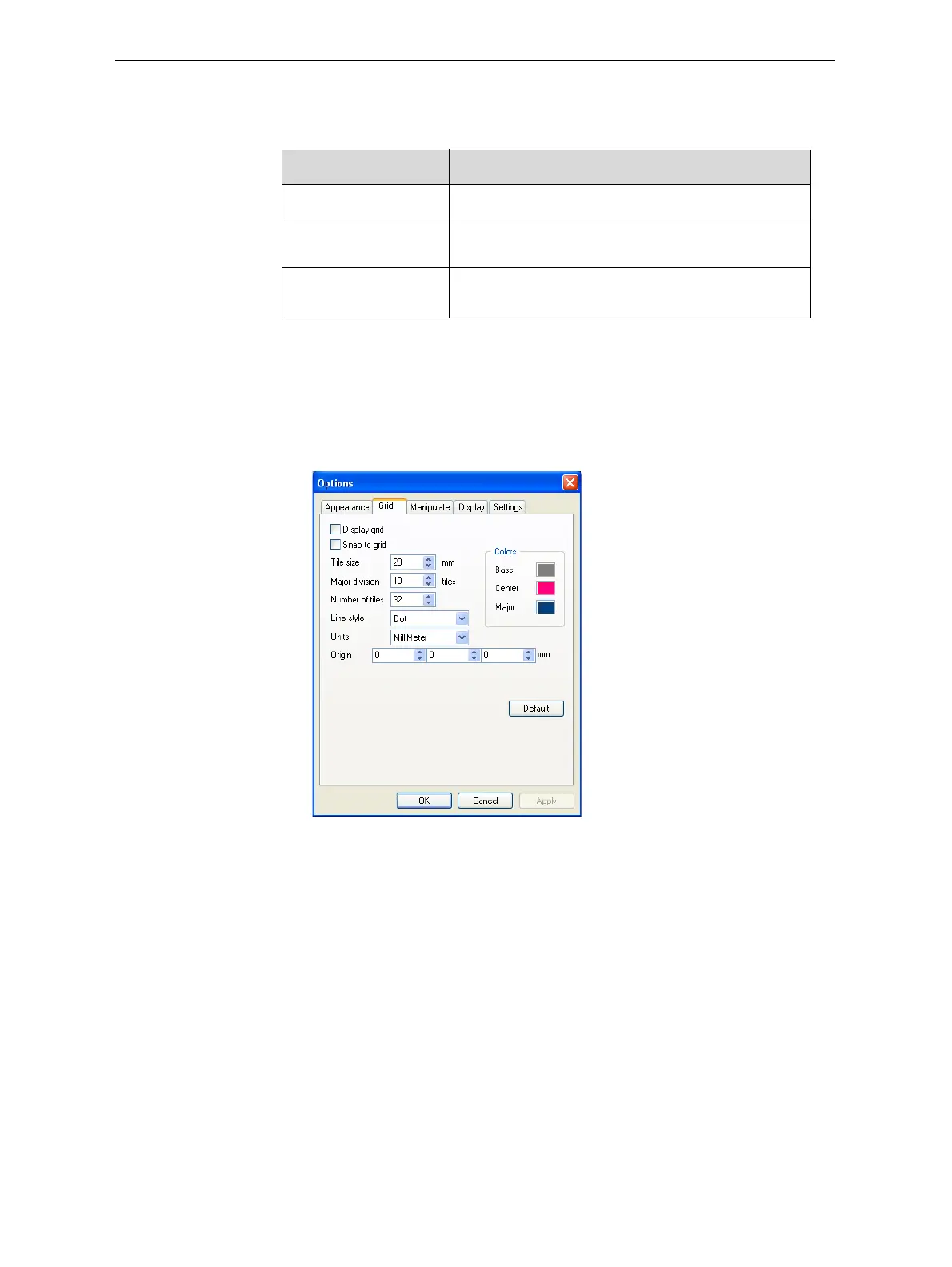
1. FromtheToolsmenu,selectOptions,anddisplaytheGridtab.
Thecurrentgridsettingsaredisplayed.
Figure 5-23: Options dialog box, Grid tab
2. Asrequired,changethesettings,andselectorclearthecheckboxes.
3. Click
ApplyorOK.
Menu Option Result
Tools>Grid Displaysagridonthebuildtray.
Tools>Snaptogri d Whenmovingtheobject,italignswiththenearest
gridline.
Tools>Options>
Grid
Enablesyoutochangethegridorigin
(X‐andY‐axismeetingpoint)andappearance.













 To Next Page