DOC-34014 Rev. C 6–9
Objet24 User Guide
Printing
Indicators
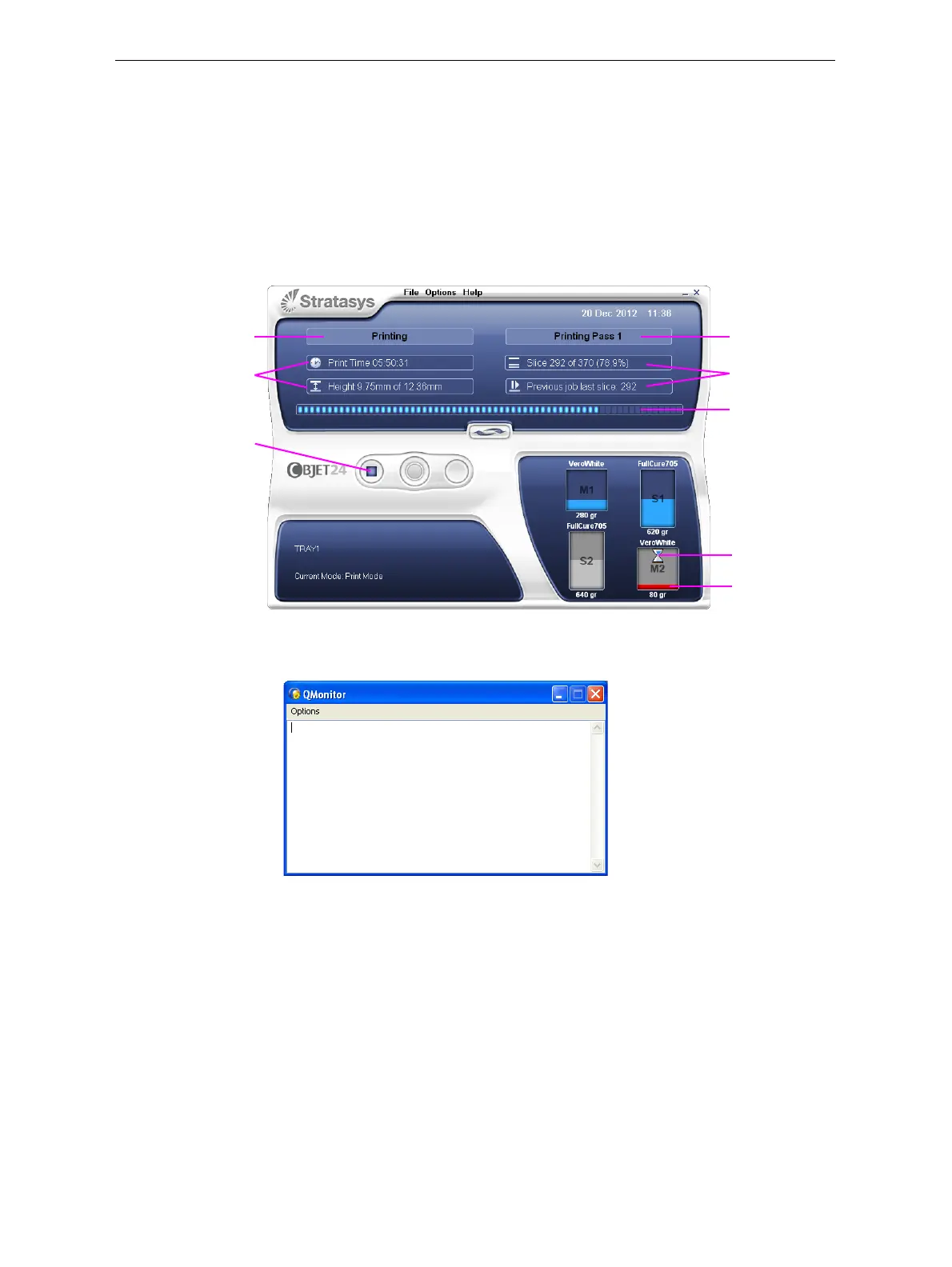
TheprinterinterfacescreenchangeswhenyousendaprintjobfromObjet
Studiototheprinter,andtheprinterisonline(seefigure 6‐8):
• ThemodechangesfromPre‐printtoPrinting.
• Thespecificactivitybeingperformedisshowninthe“currentactivity”
field.
• Currentjob‐printinginformationisdisplayed.
• Theprintingprogressbarisdisplayed.
• TheStopbuttonisenabled.
Figure 6-8: Printer interface during printing
Duringprinteroperation,thefollowingwindowmayoccasionallyappear.
Figure 6-9: Q-Monitor
Thiswindowrecordsinformationforservicepersonnelonly,anditdoes
notrequireyourattention.Youcancloseorminimizeittoremoveitfrom
view.
Progress bar
Stop button
Printer mode
Job information
Current Activity
Job information
Alternating
pumping
Almost empty













 To Next Page