DOC-34014 Rev. C 5–65
Objet24 User Guide
Configuring
User Alerts
ObjetStudiocanalertyou(andothers)tothestatusofjobssenttotheserver
forprinting.Thisisespeciallyusefulduringlongprintingjobs,whenthe
operatorisawayfromtheprinter.Thefollowingeventscanbereported:
• Thelevelofmodelorsupportmaterialislow.
• Thejobwasinterrupted.
• Thejobwascompletedsuccessfully.
Tosende‐mailandSMSalerts,makesurethate‐mailsoftwaresupporting
MAPIisinstalledontheservercomputer.TosendSMSalerts,thecellular
phoneservicemustsupportthetransmissionofe‐mailmessagesbySMS.
Onlythesubjectlineofthee‐
mailmessageistransmittedbySMS.
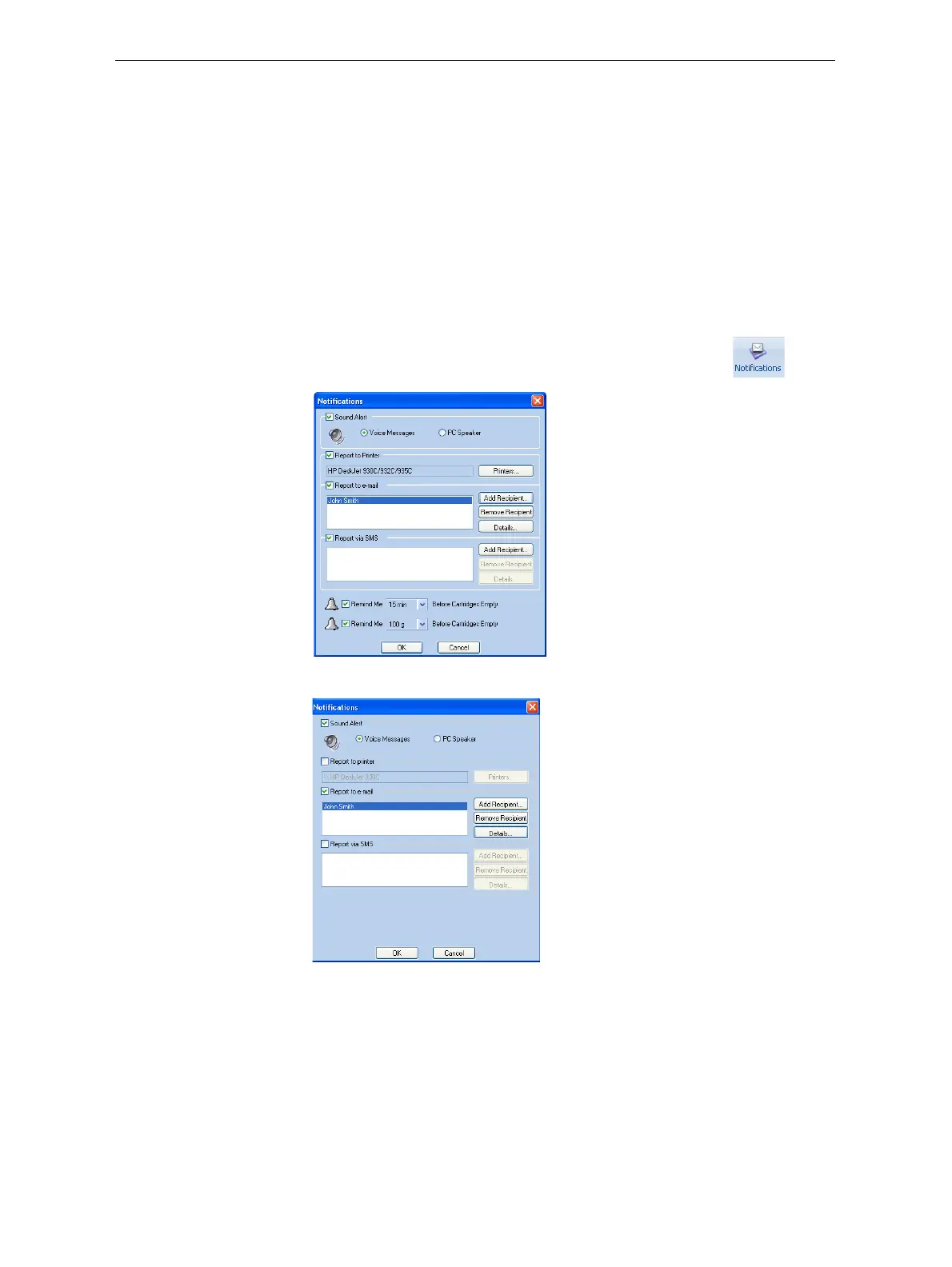
To configure Objet Studio to send notifications and alerts:
1. OntheJobManagerribbon,inthe3DPrintergroup,click .
Figure 5-95: Notifications dialog box (server)
Figure 5-96: Notifications dialog box (client workstation)
2. Setthedesiredreportingoptions.













 To Next Page