Using Objet Studio
5–62
DOC-34014 Rev. C
Setting the
Remote Printer
Connection
(Client Mode)
WhenyouopenObjetStudioforthefirsttimeinaclientinstallation,you
arepromptedtoconnecttoanObjetservercomputerthatsendsjobstoa3D
printer.Todothis,theservercomputermustbeoperatingandconnectedto
thelocalnetwork.
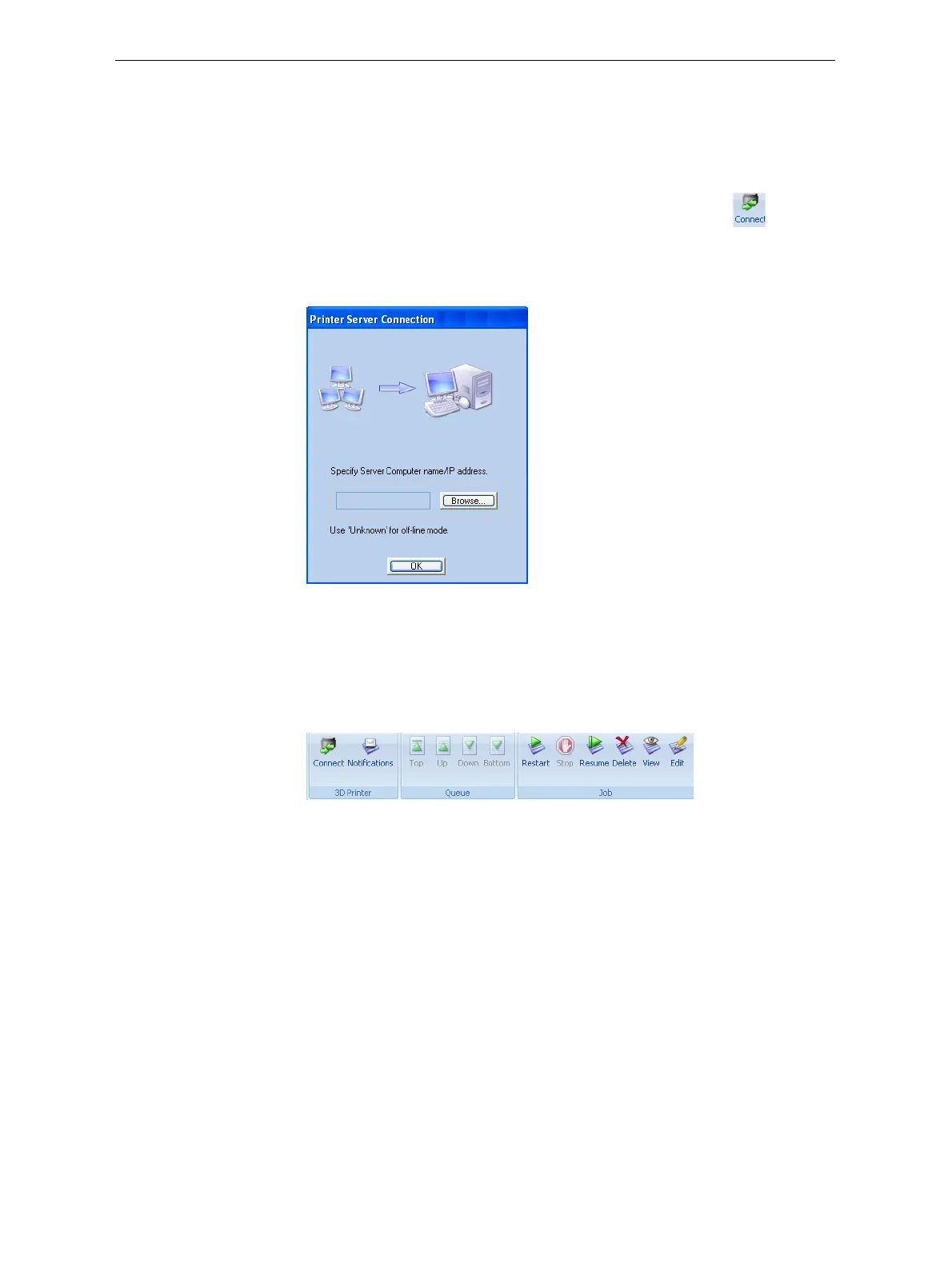
To set (or change) the connection to the server-computer:
1. OntheJobManagerribbon,inthe3DPrintergroup,click .
2. EnterthenameoftheservercomputeroritsIPaddress,orclick
Browse
tofindandselectit.
3. ClickOK.
Figure 5-90: Printer Server Connection dialog box
Job Manager
Commands
TheJobManagerribbonhasthreeicongroups:
• 3DPrinter
• Queue
• Job
Figure 5-91: Job Manager ribbon commands
Iconsareenabledordisabledaccording totheirrelevancy.Forexample,
sinceyoucannotstopprintingajobthatisnotbeingprinted,theStop
commandisdisabledwhentheprinterisidle.













 To Next Page