DOC-34014 Rev. C 5–63
Objet24 User Guide
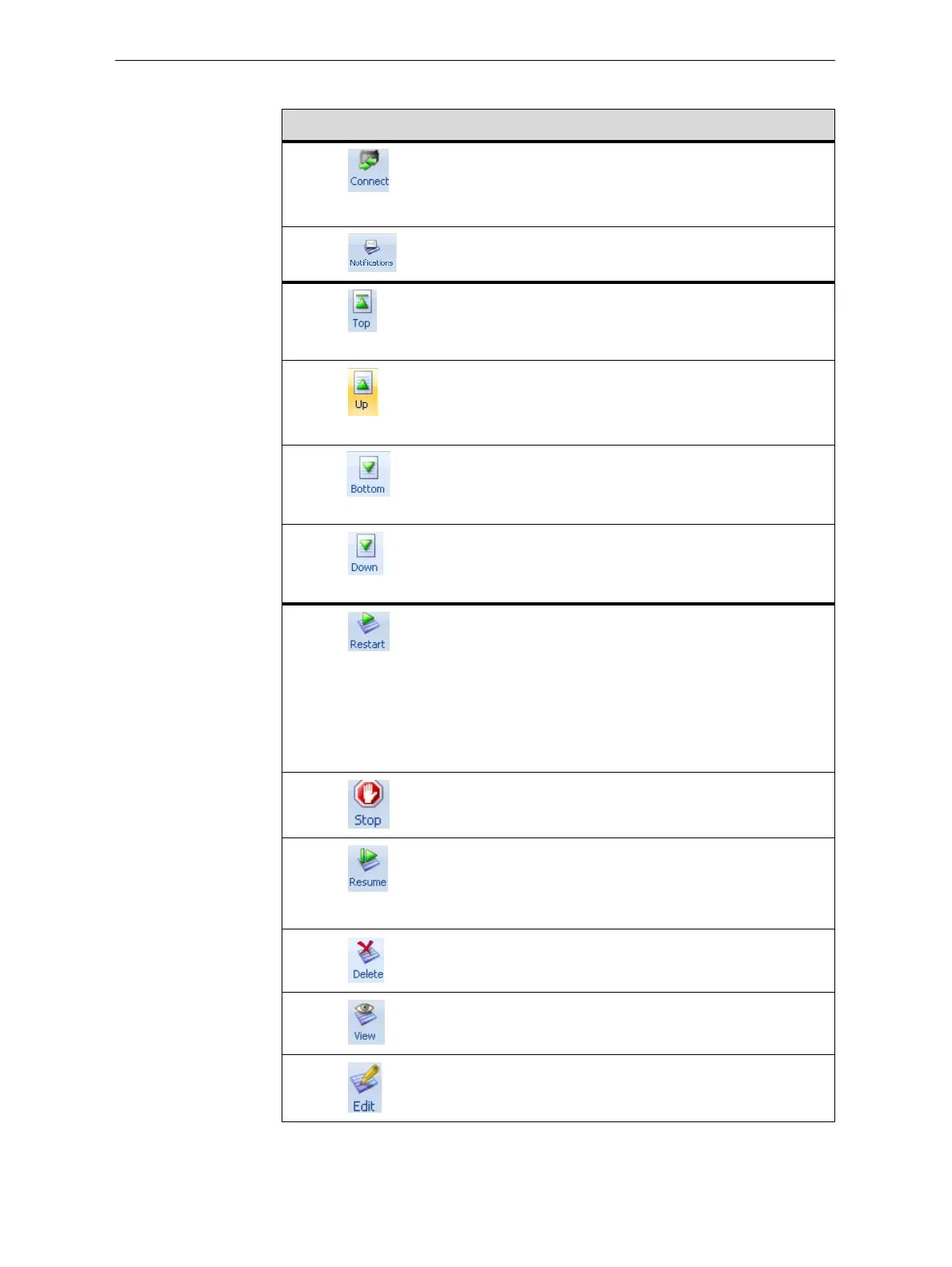
ThefollowingoperationsareavailableontheJobManagerribbon:
Group Icon Purpose
3D
Printer
Client:Setstheserverconnection.See“SettingtheRemote
PrinterConnection(ClientMode)”onpage 71.
Server:Setstheprinterconnection.See“Setti ngthePrinter
Connection”onpage 67.
Configuresoptionsforprinteralerts.See“ConfiguringUser
Alerts”onpage 74.
Queue Server:MovesajobtotheheadoftheJobsQueue.
Client:Disabled.
See“JobsQueue”onpage 65.
Server:MovesajobtoahigherpositionintheJobsQueue.
Client:Disabled.
See“JobsQueue”onpage 65.
Server:MovesajobtothebottomoftheJobsQueue.
Client:Disabled.
See“JobsQueue”onpage 65.
Server:Movesajobtoa
lowerpositionintheJobsQueue.
Client:Disabled.
See“JobsQueue”onpage 65.
Job Server:
• ForajobintheJobsQueue—Printsitagain(fromthe
beginning).
• ForajobintheHistorylist—MovesittotheJobsQueue
forprinting.
Client:Disabled.
See“RestartingJobs”onpage 77.
Server:Stopsajobinprogress.
Client:Disabled.
Server:Continuesprintingthecurrentjobfromthepoint
whereprintingstopped.
Client:Disabled.
See“ResumingJobs”onpage 78.
Removestheselectedjobfromthequeue.
RefreshestheimageoftheselectedjobintheTray
Preview
display.
OpenstheTraySettingsscreenanddisplaysthetray.For
deletedjobs,thisenablesyoutomakechangesbefore
printing.













 To Next Page