Operating & Maintaining the Objet24 3D Printer
6–62
DOC-34014 Rev. C
Built-in Tests
AsanitycheckofthesoftwareparametersisavailablefromtheBuilt‐in
Testsinterface.Becausethiseffectstheoperationoftheprinter,youcan
onlyopentheBuilt‐inTestsinterfacewhenthesystemisnotprinting.
Accessing
Built-in Tests
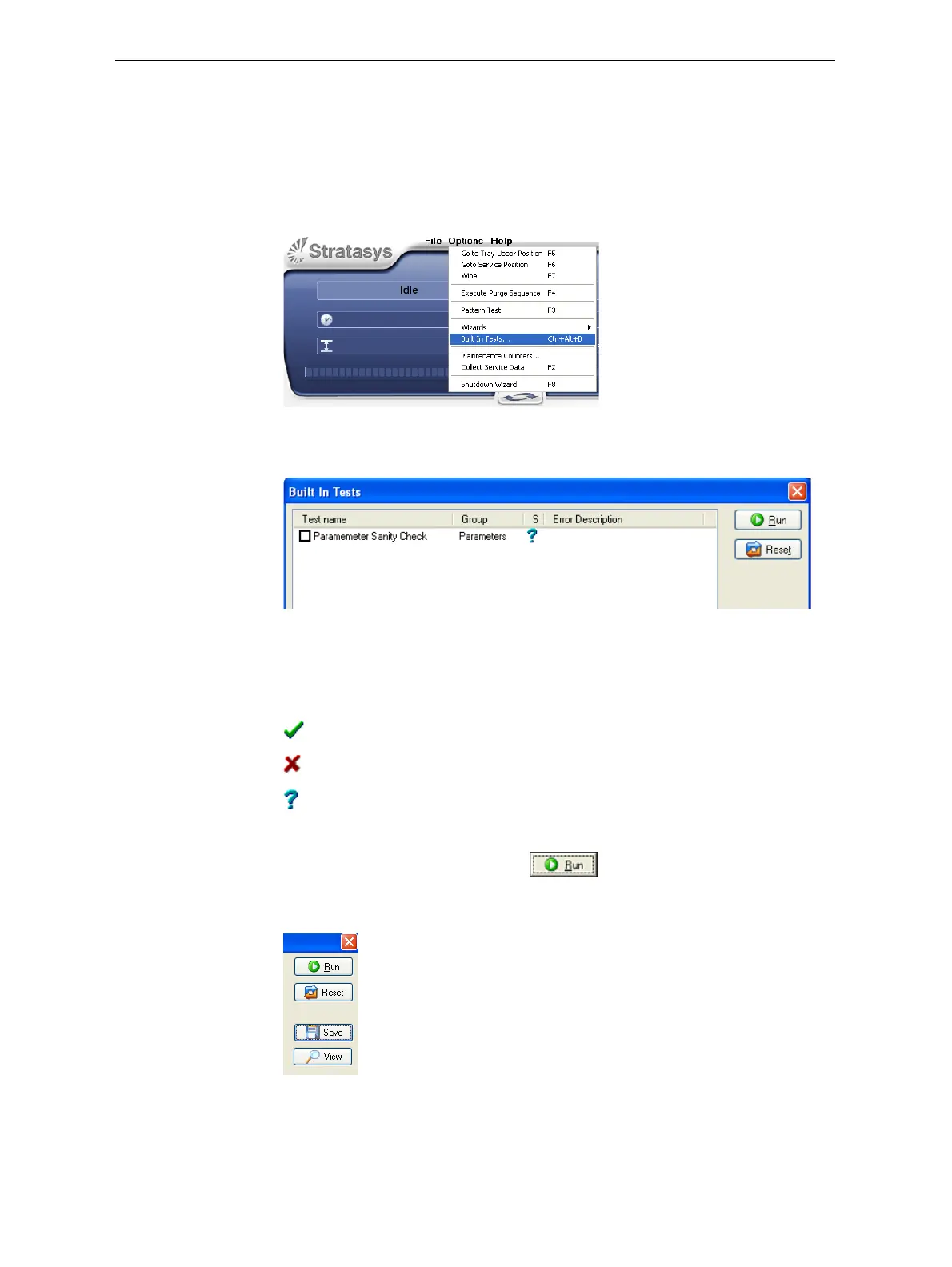
To open the Built-in Tests screen, do one of the following:
• FromtheOptionsmenu,selectBuilt-In Tests.
• PressCtrl+Alt+B.
Figure 6-95: Selecting Built-In Tests from the Options menu
Test Interface TheBuiltInTestsscreenlistspre‐configuredtests.
Figure 6-96: Built In Tests screen
Status
The“S”columnshowstheresultsofthetestafteryourunit:
To run the test:
¾
Selectthecheckboxandclick .
Afteryourunthetest,theSaveandViewcommandbuttonsareaddedto
theBuiltInTestsscreen.
Figure 6-97: BIT command buttons
Test Results To save and view a report of all of the tests:
¾
UsetheSaveandViewcommandbuttons.
Testsuccessfullycompleted.
Testfailed.
Unknownresults.(Thetesthasnotbeenrunyet.)



 To Next Page