DOC-34014 Rev. C 6–61
Objet24 User Guide
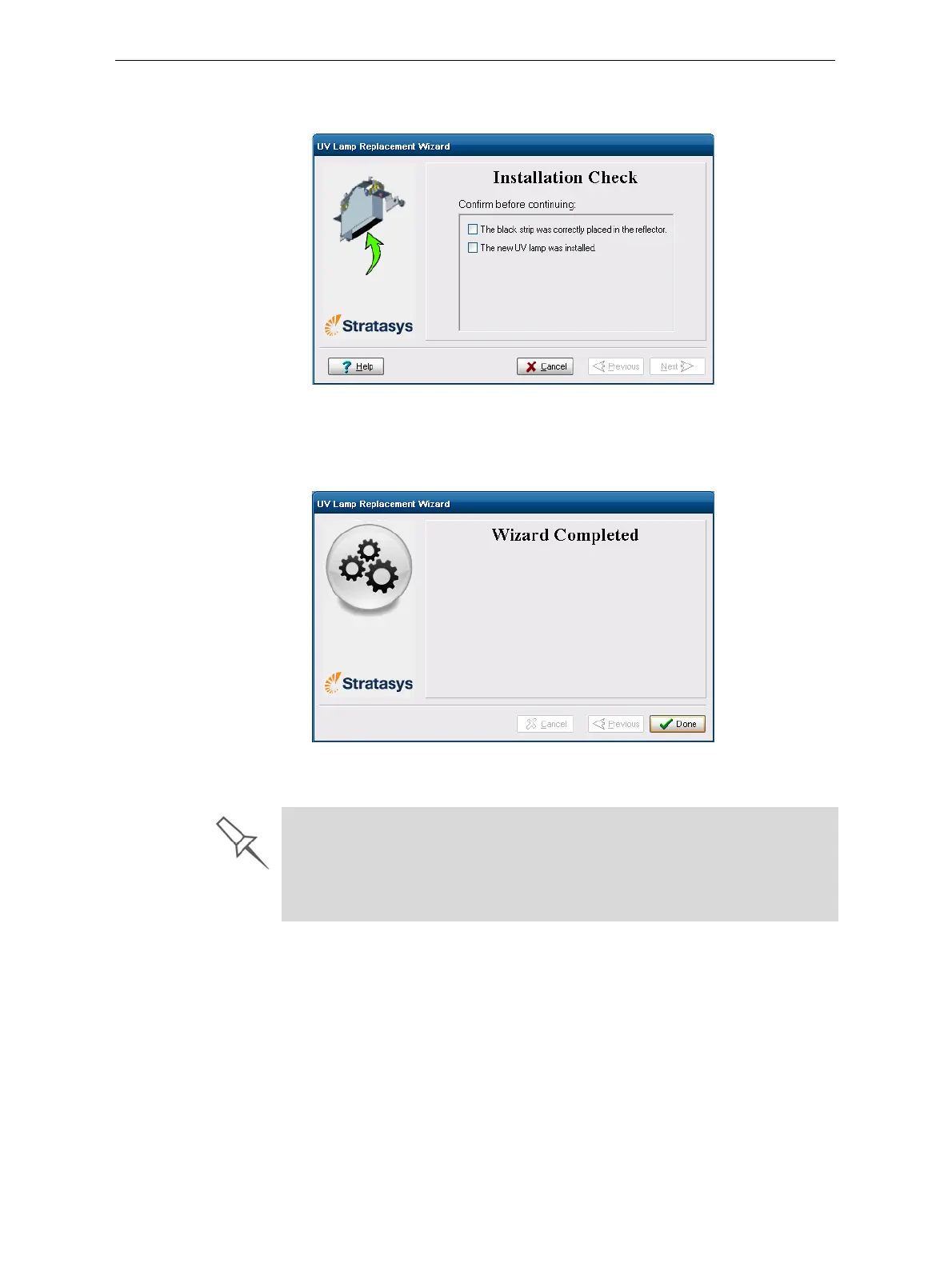
17. Inthewizardscreen,confirmthatyouhavereplacedthelampandthat
theblackstripisattached,thenclick
Next.
Figure 6-93: UV-installation confirmation screen
Thewizardoperatesthelamptotestifitisinstalledcorrectly.Ifthe
lampdoesnotlight,thewizardpromptsyoutocheckthepower
connectionsandtore‐installthelamp.
Figure 6-94: Final wizard screen
Note: The UV lamp remains on until you click Done.
After replacing the UV lamp:
¾ Calibrate its power by running the UV Calibration wizard (see “Testing
and Calibrating the UV Lamp” on page 48). Wait at least two minutes for
the UV lamp to cool before starting the UV Calibration wizard.
¾ Calibrate the new UV lamp again after 100 hours of printing.



 To Next Page