Using Objet Studio
5–60
DOC-34014 Rev. C
Off-line Mode
YoucanuseObjetStudiotopreparetraysforprintinginoff‐linemode,on
aremotecomputerorwhentheprinterconnectionisnotavailable.Youalso
useoff‐linemodetopreparetraysforprintingwithotherprinters.Inthis
case,ifObjetStudioiscurrentlyconnectedtoa
printer,youmustchangeto
off‐linemodebyremovingthisconnection.
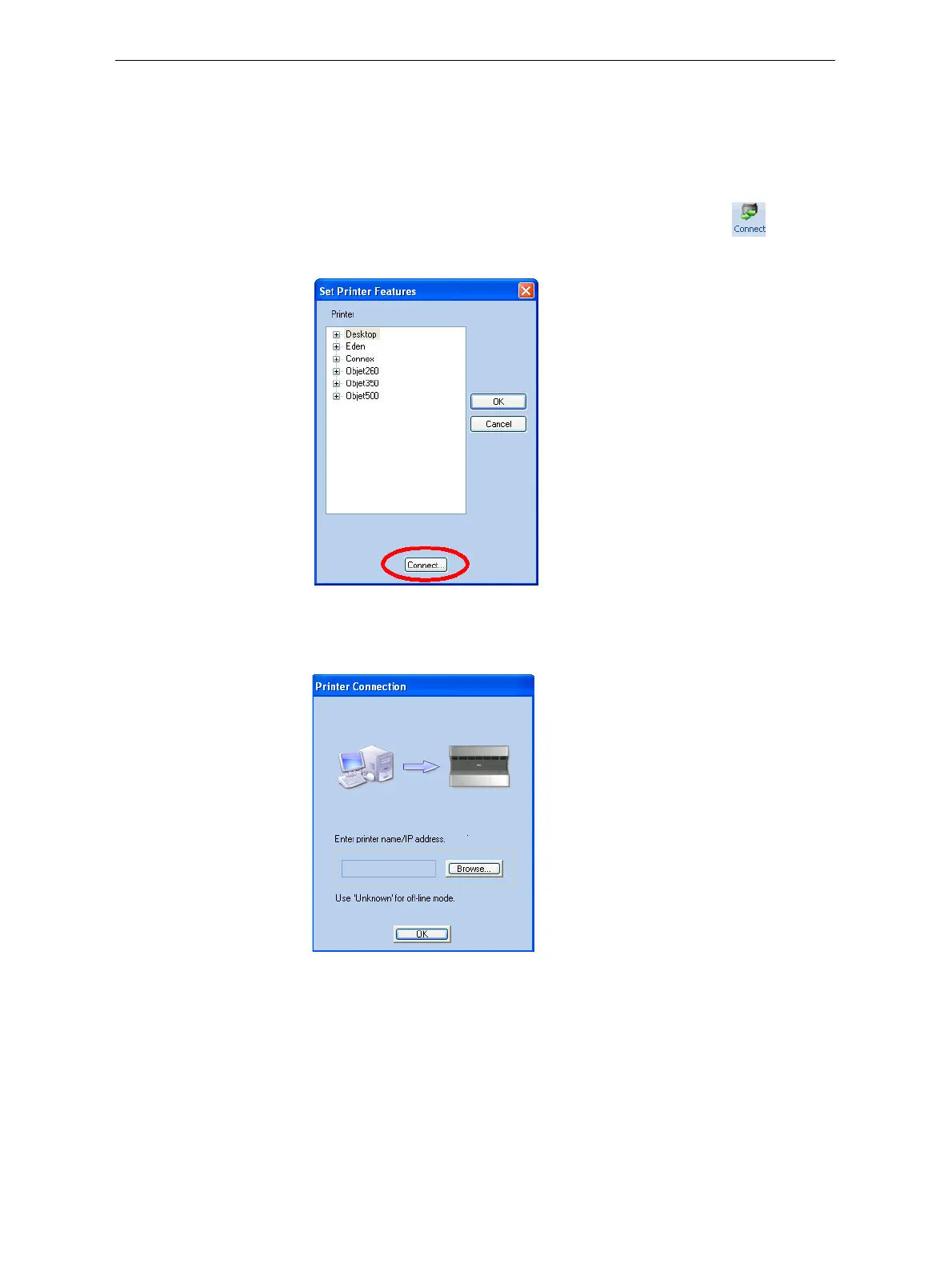
To disconnect Objet Studio from the printer:
1. OntheJobManagerribbon,inthe3DPrintergroup,click .
2. IntheSetPrinterdialogbox,click
Connect(seefigure 5‐84).
Figure 5-86: Disconnecting Objet Studio from a printer (A)
3. InthePrinterConnectiondialogbox,deletethecomputername/IP
address.
Figure 5-87: Disconnecting Objet Studio from a printer (B)
4. ClickOK.
“Unknown”appearsintheprinter‐namefield.
5. Click
OK.













 To Next Page