Operating & Maintaining the Objet24 3D Printer
6–32
DOC-34014 Rev. C
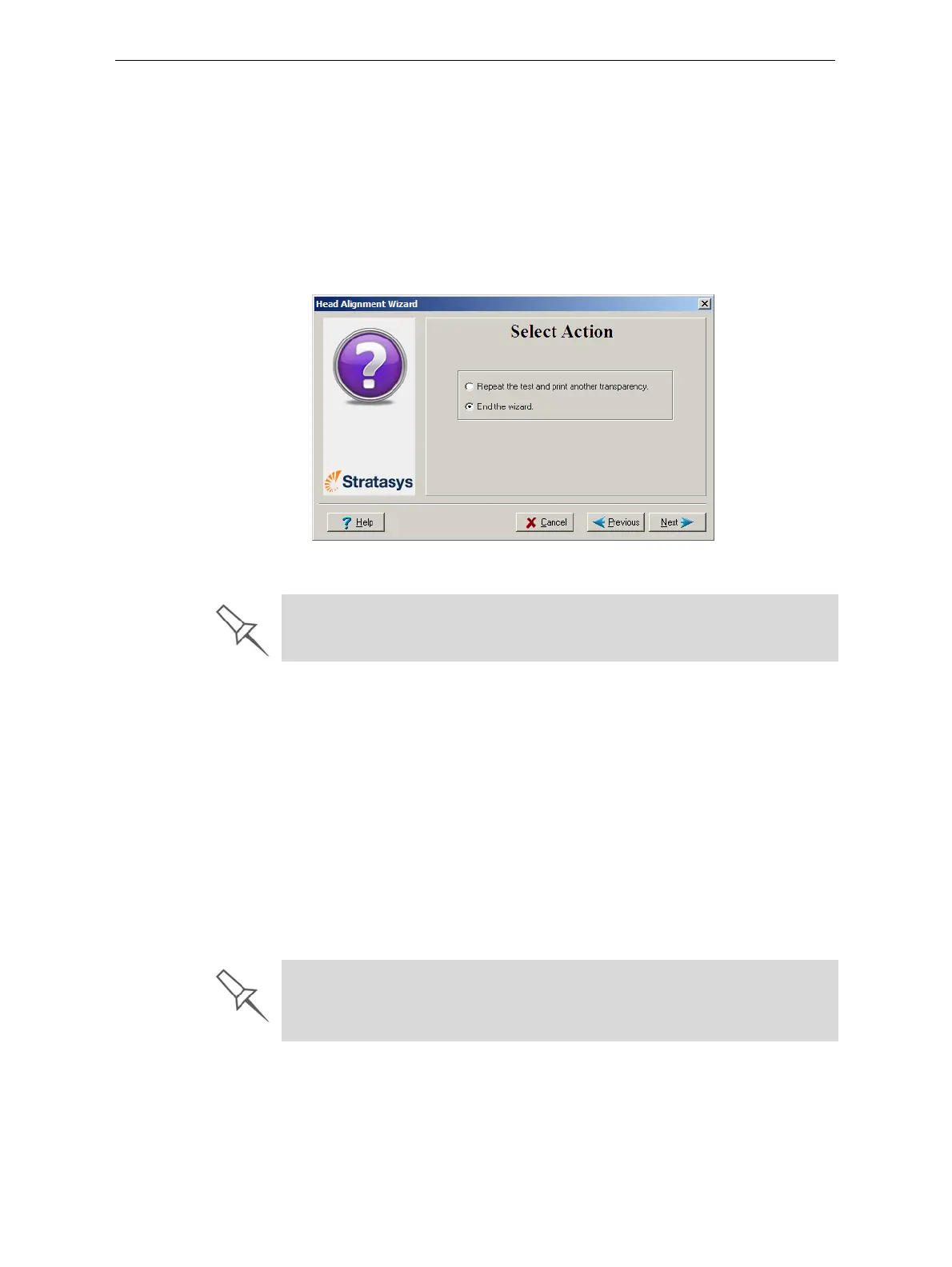
14. Inthefollowingscreen,youcanchoosetoeitherrepeatthehead
alignmentprocedureorclosethewizard.
• Ifthemostclosely alignedverticallinesforaprintheadwereat
eitherextreme,chooseRepeatthetest,thenclick
Next.
Thetransparencytestwillshowiftheheadsarenowproperly
aligned,and—ifnot—thewizardwillallowyouto“finetune”the
alignment.
• Iftheverticallinesfortheprintheadswerenotalignedateither
extreme,chooseEndthewizard,thenclick
Next.
Figure 6-47: Repeat head alignment option
Optimizing
(Calibrating)
Print Heads
Theconditionoftheprint headsdirectlyaffectsthequalityofprinted
models.Tomaintainoptimumprinting,testtheprintheads,andcalibrate
themtothebestworkingconfiguration possiblebyrunningtheHead
Optimizationwizard.Thisproceduretakesaboutonehourtocomplete.
Duringtheoptimizationprocess,samplesareprinted
onthebuildtray.
Aftercarefullyinspectingandweighingeachofthem,youenterdatainthe
wizard.Thewizardusesthisdatatooptimizetheheads.
If,duringtheoptimizationprocess,thewizarddeterminesthataprinthead
isfaulty—orthatitisnegativelyaffectinglayeruniformitywiththecurrent
headconfiguration—thewizardinstructsyoutoreplaceit.Ifthishappens,
youcancontinuethewizardtoreplacetheprinthead,orabortthewizard,
toreplacetheheadatanothertime.Thisproceduretakesabout2.5hours
moretocomplete.
If the Head Alignment wizard was opened from the Head Optimization
wizard after replacing print heads, the printer application closes and re-
opens when you click
Done in the final wizard screen.
Run the Head Optimization wizard every 300 hours of printing or whenever
the condition of print heads is negatively affecting the quality of printed
models, or if you suspect that there is a problem with one or more of the
print heads.













 To Next Page