Operating & Maintaining the Objet24 3D Printer
6–34
DOC-34014 Rev. C
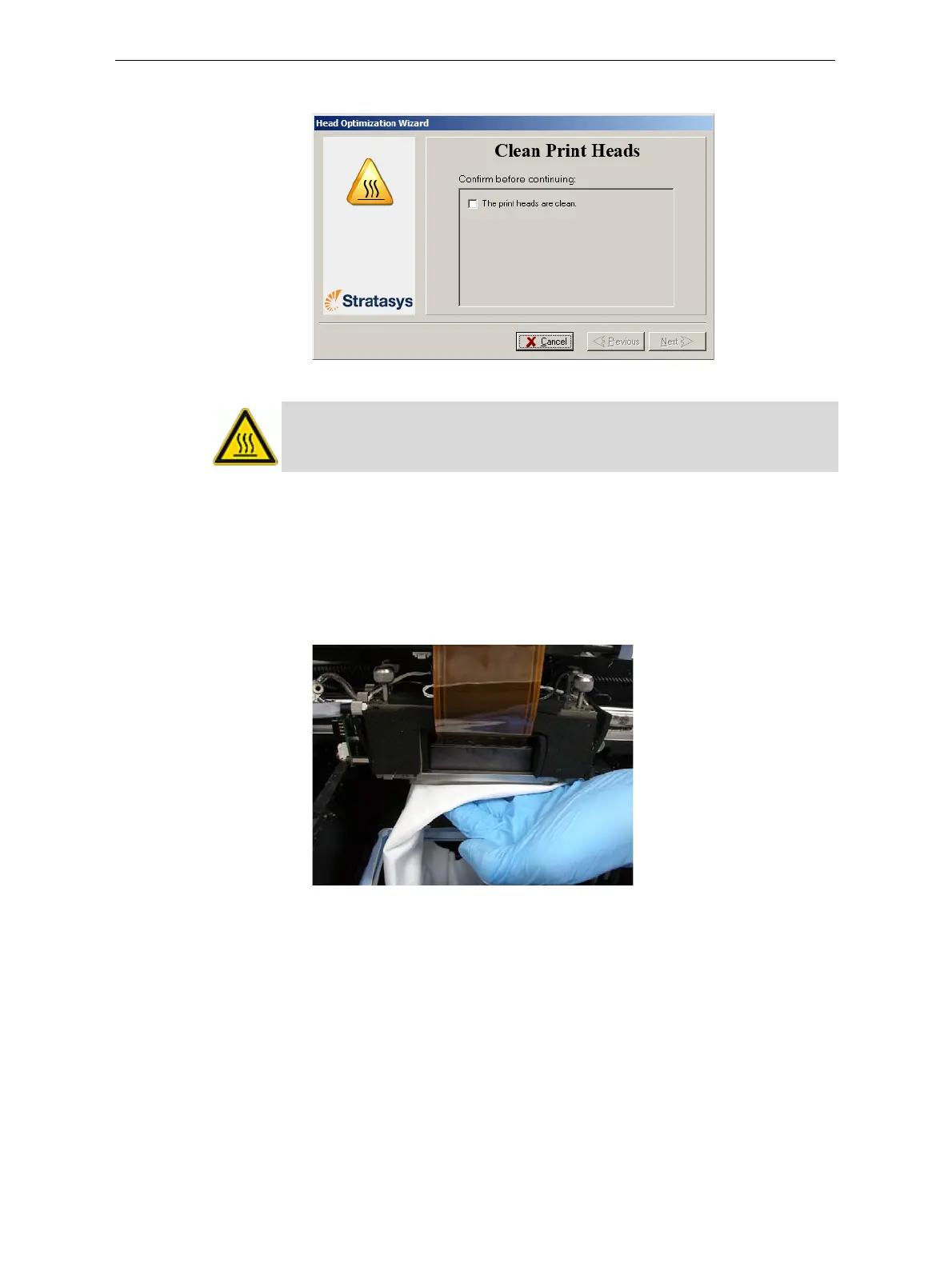
6. Whenthefollowingscreenappears,cleantheprintheads.
Figure 6-50: Clean print heads screen
7. Placethemirroronthebuildtray.
8. Putonthecleaninggloves.
9. Soakthecleaningclothwithalcohol.
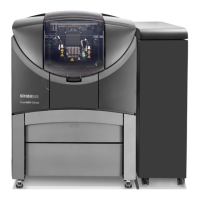
10. Cleantheorificeplates,withaback‐and‐forthmotion.
Usethemirrortomakesurethatyouhaveremovedalloftheresidue
material.
Figure 6-51: Cleaning the print heads
11. Whentheprintheadsareclean,selecttheconfirmationcheckboxin
thewizardscreenandclick
Next.
12. Removethecleaningmaterialsandthemirrorfromtheprinter,and
closethecover.
WARNING: The print head orifice plates (bottom surface) may be hot.
Do not touch them with your bare hands, and proceed with caution.




 To Next Page