DOC-34014 Rev. C 6–49
Objet24 User Guide
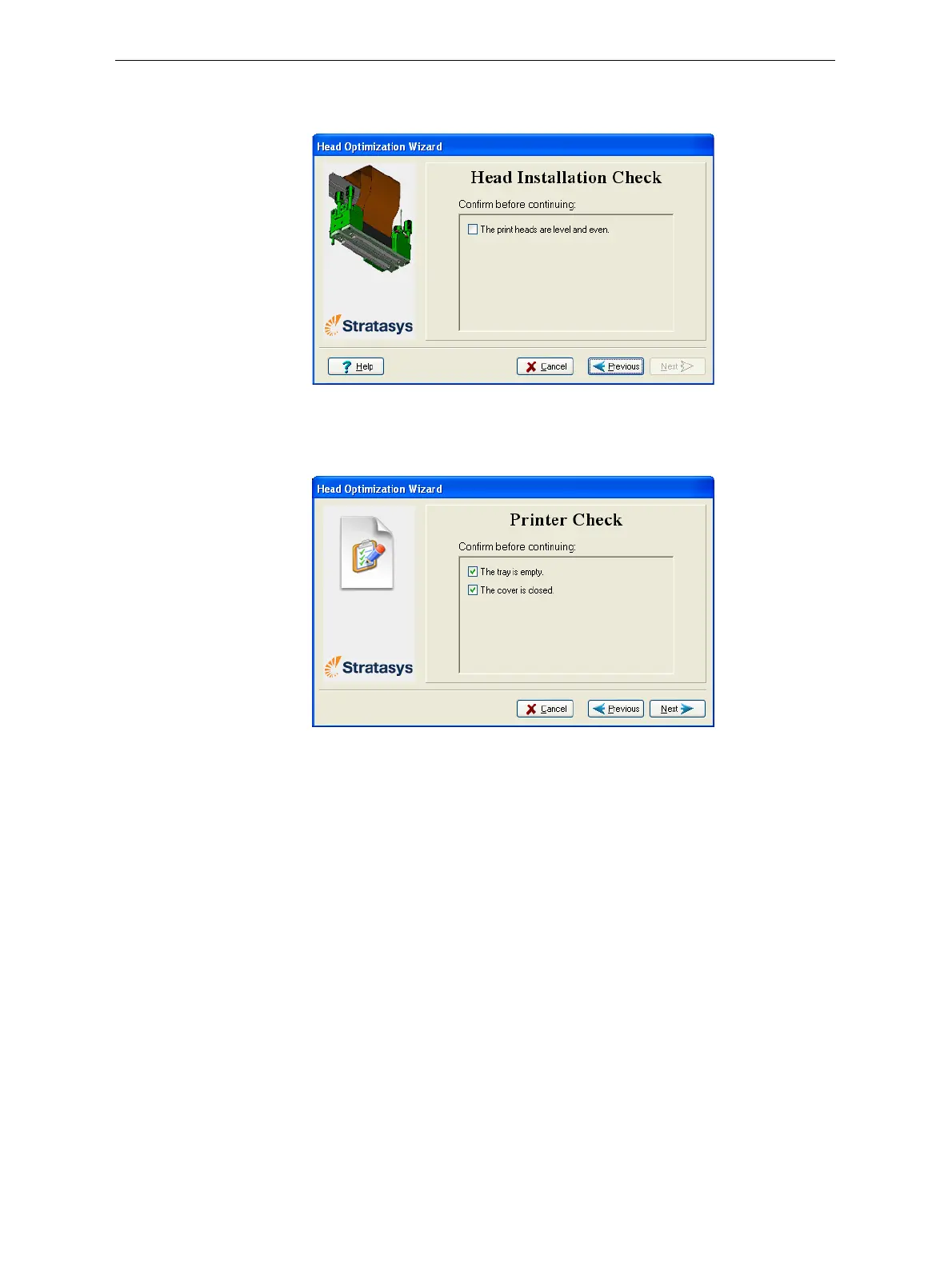
9. Confirmthattheheadsarelevelandevenbyselectingthecheckboxin
thefollowingwizardscreen,andclick
Next.
Figure 6-67: Installation-check screen
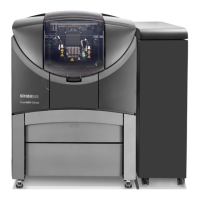
10. Inthenextwizardscreen,confirmthatyouhaveremovedalltoolsand
objectsfromtheprinterandthatthecoverisclosed.
Figure 6-68: Cleared-tray confirmation screen
Thewizardcontinuesbyheatingtheheads,thenfillingandpurgingthem.
Iftherearenoinstallationproblems,theoptimizationprocedurebegins,to
calibratetheprintheadstothebestworkingconfiguration—see
“Optimizing(Calibrating)PrintHeads”onpage 6‐30.Afterthisprocedure,
youshouldruntheHeadAlignmentwizardbeforeprinting
models.
Ifinstallationproblemsaredetected,thewizardalertsyouandinstructs
youhowtocontinue(see“InstallationProblems,”next).




 To Next Page