DOC-34014 Rev. C 5–35
Objet24 User Guide
To use polygon reduction:
1. FromtheToolsmenu,selectOptions.
or—
FromtheObjetStudioCommandsmenu ,click
Options.
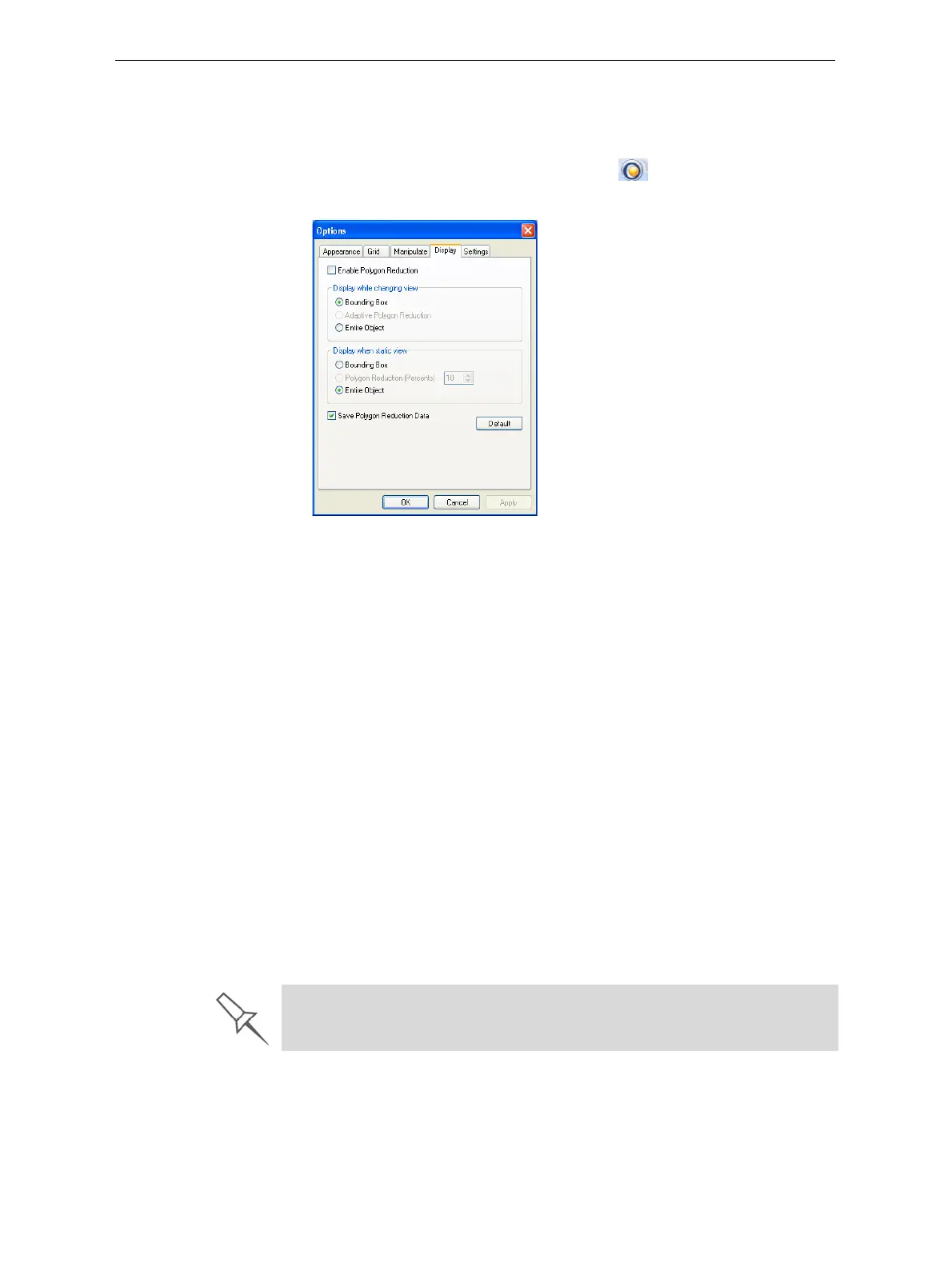
2. IntheOptionsdialogbox,displaythe
Displaytab.
Figure 5-48: Options dialog box, Display tab
3. SelectEnable Polygon Reduction.
4. Select
Polygon Reduction (Percent).
5. Enterthepercentageoftotalpolygonstodisplay.
Whenyouclick
Apply,thedisplaychanges.
Note: The setting affects the static display (when the object is not being
moved).
6. Setdisplayoptionswhentheobjectisbeingmoved(Displaywhile
changingview):
• BoundingBox—Aboxrepresentingtheobject’smaximum
dimensionsisdisplayed.
• AdaptivePolygonReduction—Varyingdegreesofpolygonreduction
areapplied,asnecessary.
• EntireObject—Nopolygonreductionisapplied.
7. Tosavethesesettings,sothattheywillbeappliedeverytimeyouplace
thisobjectonthebuildtray,clickSave Polygon Reduction Data.
8. Click
Applytoseetheresultsofthesettingswithoutclosingthedialog
box.
Selecting the Entire Object option cancels polygon reduction.













 To Next Page