S CLASS™ cutter User’s Manual
Detailed Operation 4-16
4.3.2.4 Calibrate knife
This test will only show when the machine type is set to a tangential machine and if the
current tool is set to a tangential knife. This test is explained in section 2.2.4.
4.3.2.5 Factory defaults
This option defaults all user parameters to factory default.
4.3.2.6 Confidence test
The confidence test performs a quick electrical and mechanical test of the cutter to make
sure that the cutter is fully operational. A media sheet of at least A3/B-size should be used
for this plot. This test is always cut at the left side of the loaded media.
4.3.2.7 Media sensor setup
The media sensor setup option is a useful routine for checking whether the front and rear
media sensors are functioning properly and whether the switching levels of these sensors
are correctly set.
1. Press or to select the sensor that will be tested.
2. Put a piece of media half on the chosen sensor and under the two outer pinch rollers.
Press . There are five levels of sensitivity to choose from.
3. Use or to change sensitivity level.
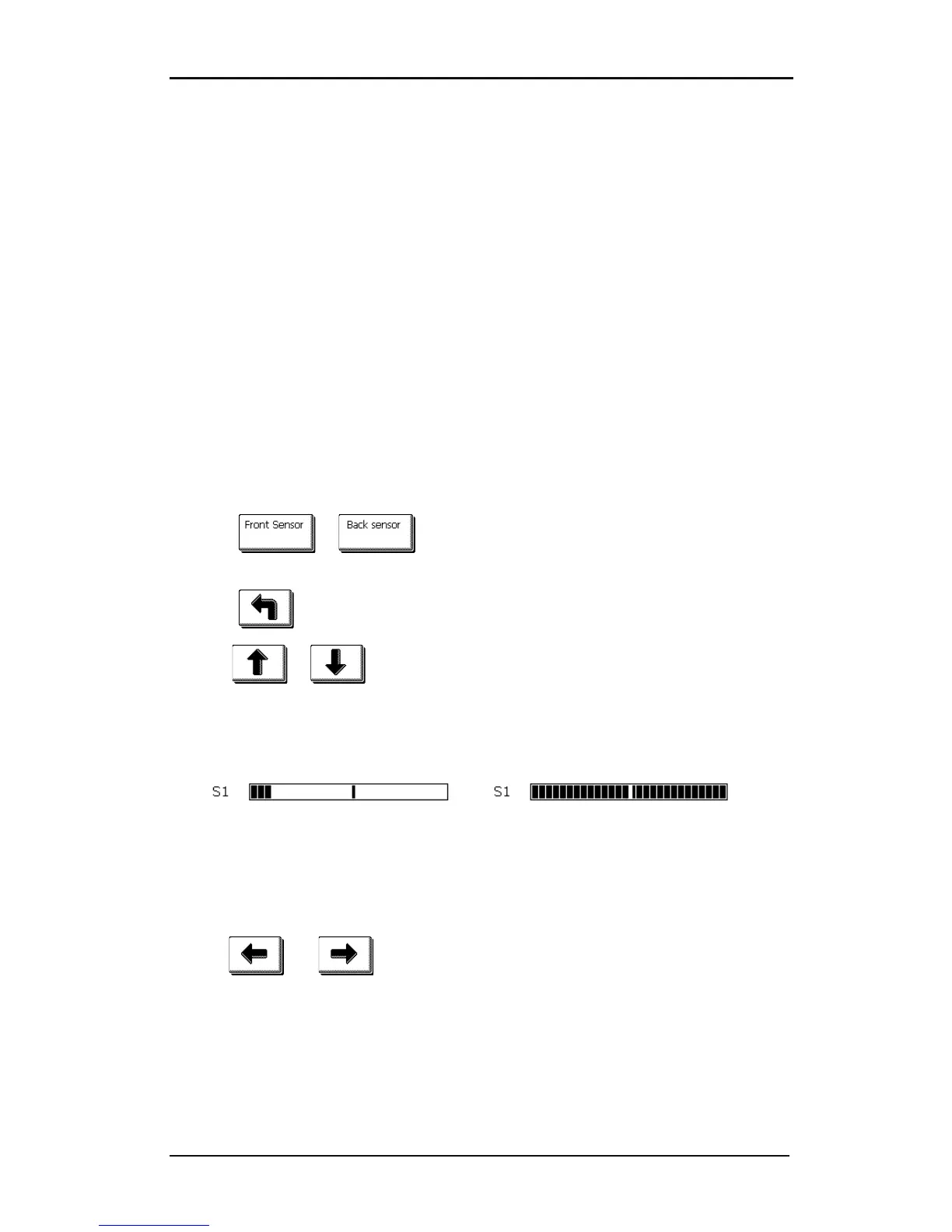
After choosing a sensitivity level, there will be a rectangle next to the sensitivity. When the sensor
is covered then the rectangle will be (completely) filled with black squares. When the senor is
uncovered, there will be (almost) no black squares in the rectangle.
FIG 4-4
4-4 S SENSOR SETUP
The black stripe in the rectangle is the trigger level at which the cutter decides whether there is
media in the machine or not.
4. Use and to change the trigger level if necessary.
Ideally there would be 2 to 4 black squares when the sensor is uncovered, the rectangle is
completely filled when it is covered, and the trigger level is set in the middle










 To Next Page