S CLASS™ cutter User’s Manual
Setup 1-7
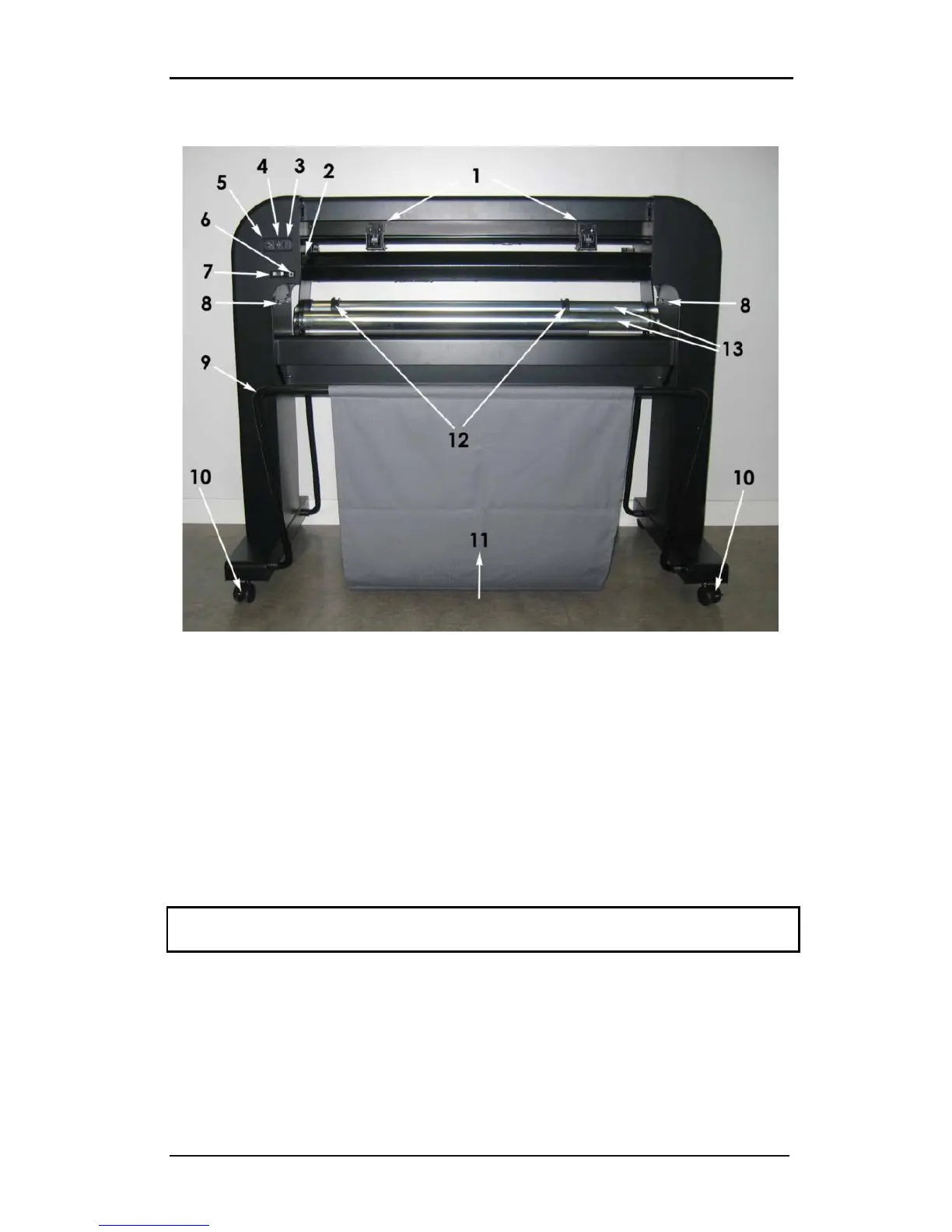
1.2.2 The Cutter as viewed from the back
FIG 1-11
1-11 S CLASS™ CUTTER, REAR VIEW
1. Pinch rollers: The pinch rollers clamp the media to the drive system to ensure accurate
tracking. The S120(T) has one and the SS160(T) and S 140(T) have two extra pinch rollers
to ensure that wide media stays flat in the middle. The outer drive pinch rollers have a
selectable pressure; the extra rollers in the middle can be enabled or disabled. Do not
move the pinch roller assemblies while holding them from this side only.
2. Pinch roller lever: This lever is used to raise and lower the pinch rollers for media
loading.
3. The fuse box: The fuse is located at the right side of the power entry module. Check the
specification section to see which fuse is used in the S CLASS™ cutter.
CAUTION: For continued protection against risk of fire, replace only with the same type and
rating of fuse.
4. Power On/Off switch: This rocker switch, in the middle of the power entry module, sets
the cutter’s power to ON or OFF. To switch on the power, press the “I” side of the rocker
switch. To switch off the power, press the “O” side of the rocker switch.
5. AC power cord receptacle: It is located at the left-hand side of the power entry
module. The power-up procedure is explained in detail in Section 1.3. Always use a
power cord that was delivered with your cutter.










 To Next Page