S CLASS™ cutter User’s Manual
Setup 1-28
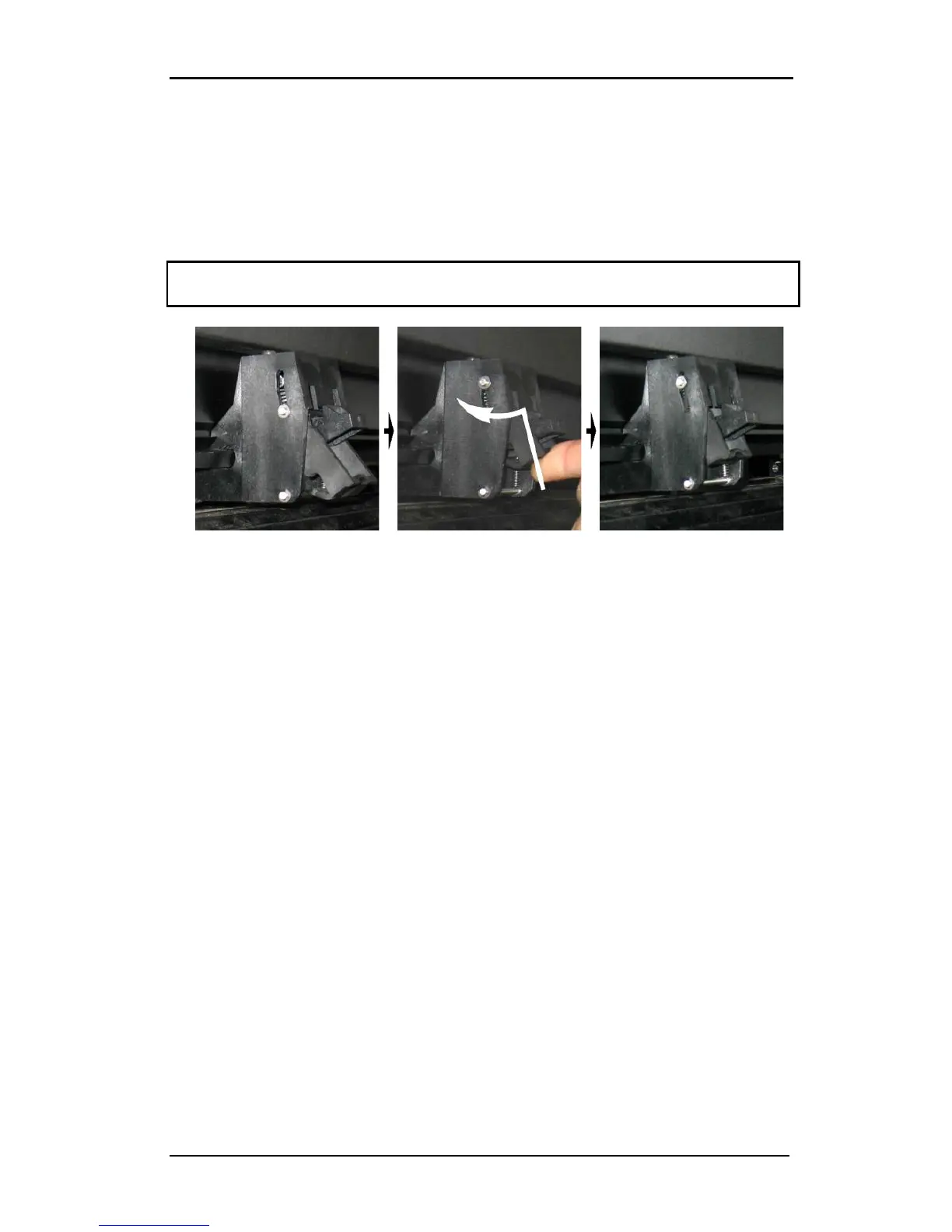
1.5.2.2 Changing pressure on the new models
With the later models, the change in pressure can only be done when the pinch rollers are
in the down position. When reduced pressure is needed, then it is advised to set autoload to
‘ASK’. Then the cutter will not start to load the vinyl when the pinch rollers are set down or
when it is switched on. On the touch screen there will be a message, giving the user time to
change the pressure on the pinch rollers.
NOTE: Each time the pinch rollers are raised, the pressure is automatically set back to full
pressure.
FIG 1-19
1-19 REDUCING PRESSURE
To work with reduced pressure do the following:
1. Set AUTOLOAD to ASK (see section on Autoload:).
2. Load media in the cutter (see section on Media load procedure).
3. Push the lever of the two outer pinch rollers upwards and inwards (toward the
machine) – see figure above.










 To Next Page