S CLASS™ cutter User’s Manual
Basic Operation 2-4
2.1.3 Online/Pause
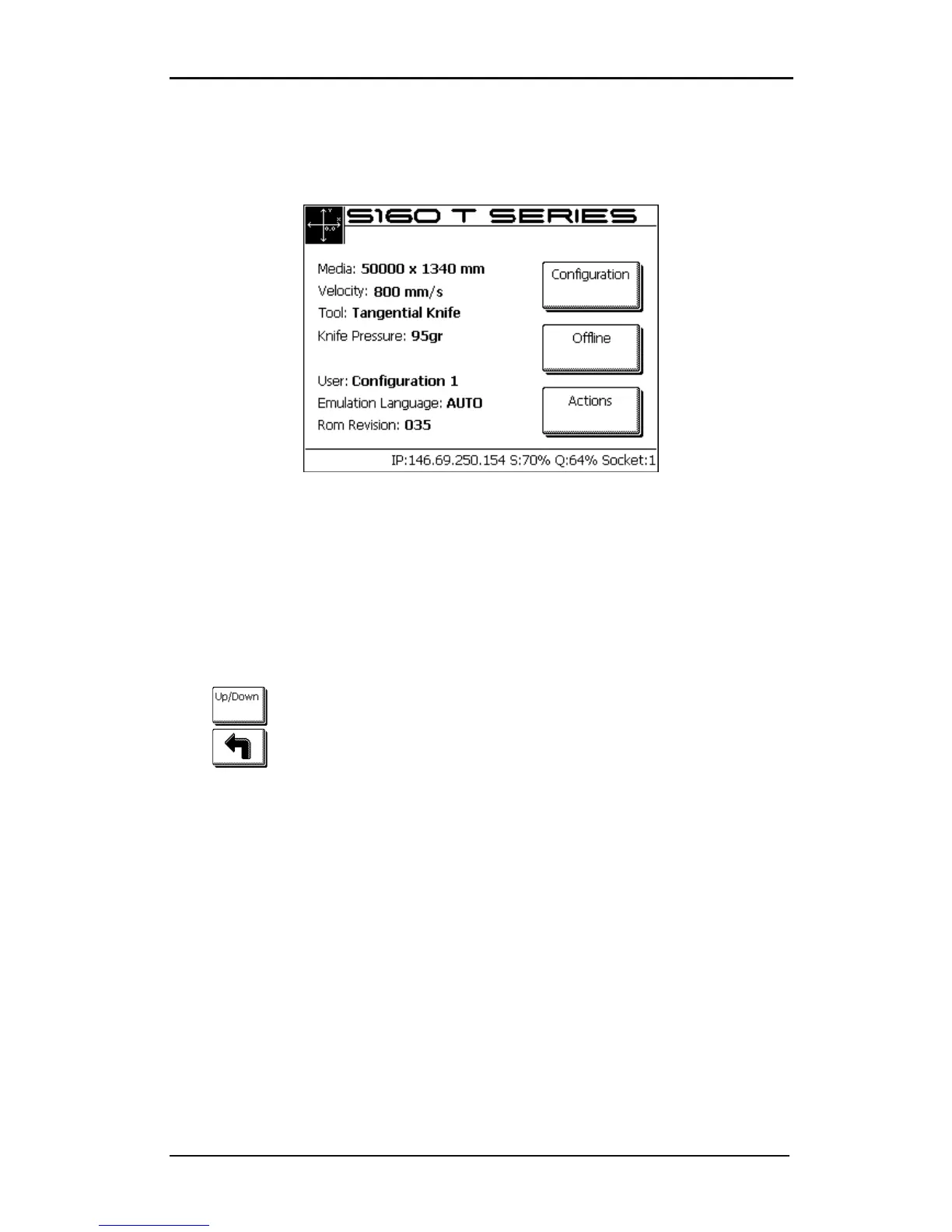
Online and pause are two important concepts when using the S CLASS™ cutters. The cutter
is online only when the status of the touch screen is similar to figure 2-2.
FIG 2-3
2-3 ONLINE STATUS SCREEN
When online, the cutter can be addressed by the host computer, which means that the
cutter will execute cutting or plotting instructions issued by the host computer's application
software. As soon as any other button on the cutter is pressed, the cutter pauses and can no
longer be addressed by the host computer. However if the computer was busy sending
cutting data to the cutter it will be able to do so until the buffer of the cutter is full.
If the pause button is pressed, then the tool can be moved around the working area with
arrow buttons.
Press
to raise or lower the tool (once push toggles the status each time).
Press to set the cutter online again.
2.1.4 Actions
The “Actions” button is used to move the origin (start point for cutting), initiate a load
sequence, abort the cut in progress, or recut the last file.
When the action button is pressed during a job, then the job will halt immidiatelly
The “Set origin” instruction is used to move the knife origin.
The “Load” instruction is used to initiate a load sequence.
The “Reset” instruction performs a complete reset of the cutter.
The “Media alignment” instruction is used to initiate registration of the OPOS markers
just before a contour cut is begun.
The “Recut” instruction recuts the last file sent to the cutter (provided that it fits in the
cutter’s memory (buffer).
The “Cut off” instruction is used to cut of a job done and to reset media origin.










 To Next Page