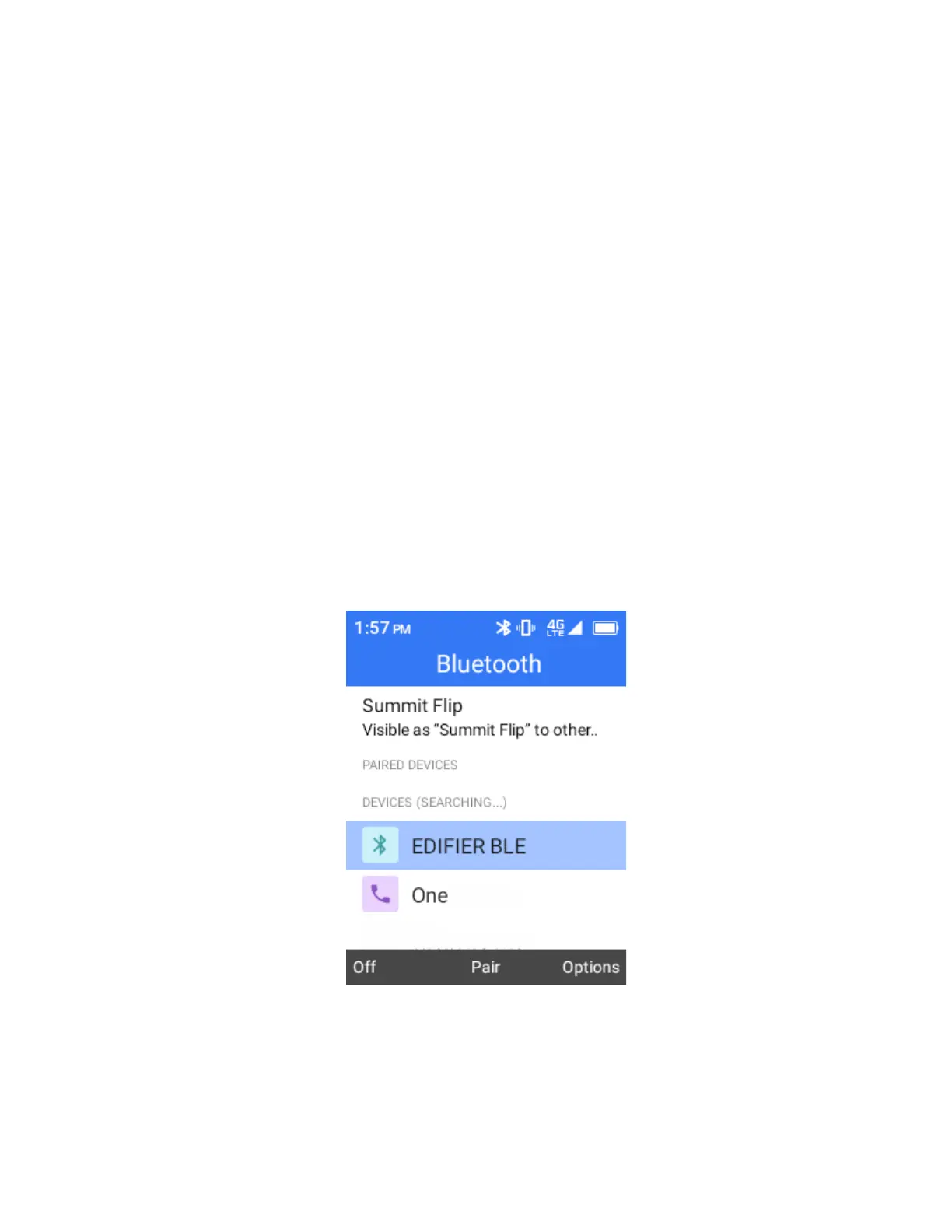
Bluetooth is enabled.
To disable Bluetooth, Press the Left Soft Key again.
Tips:
You can also turn Bluetooth on or off in the Shortcut panel. Press the Right Navigation
Key to enter the Shortcut panel and then select Bluetooth to turn Bluetooth on or off.
Turn off Bluetooth when not in use to conserve battery power, or in places where using a wireless
phone is prohibited, such as aboard an aircraft and in hospitals.
Pair Bluetooth Devices
Search for and pair nearby Bluetooth devices. Registered Bluetooth
®
devices can be connected simply.
To pair Bluetooth devices, complete the following steps:
1.
Enable the Bluetooth function on the Bluetooth devices being paired beforehand.
2.
From the home screen, press OK to enter the Apps List.
3.
then select Settings > Wireless & networks > Bluetooth
The Bluetooth settings open.
4.
Select ON to enable bluetooth
Nearby devices appear in the “Available devices” list.
5.
Select a device from the “Available devices” list and follow the onscreen instructions to pair with
the device.
The Bluetooth device is paired to your phone.
Note: Methods to accept a Bluetooth connection differ depending on the devices used.



 To Next Page