6-12 Sun Blade 150 Service Manual • June 2002
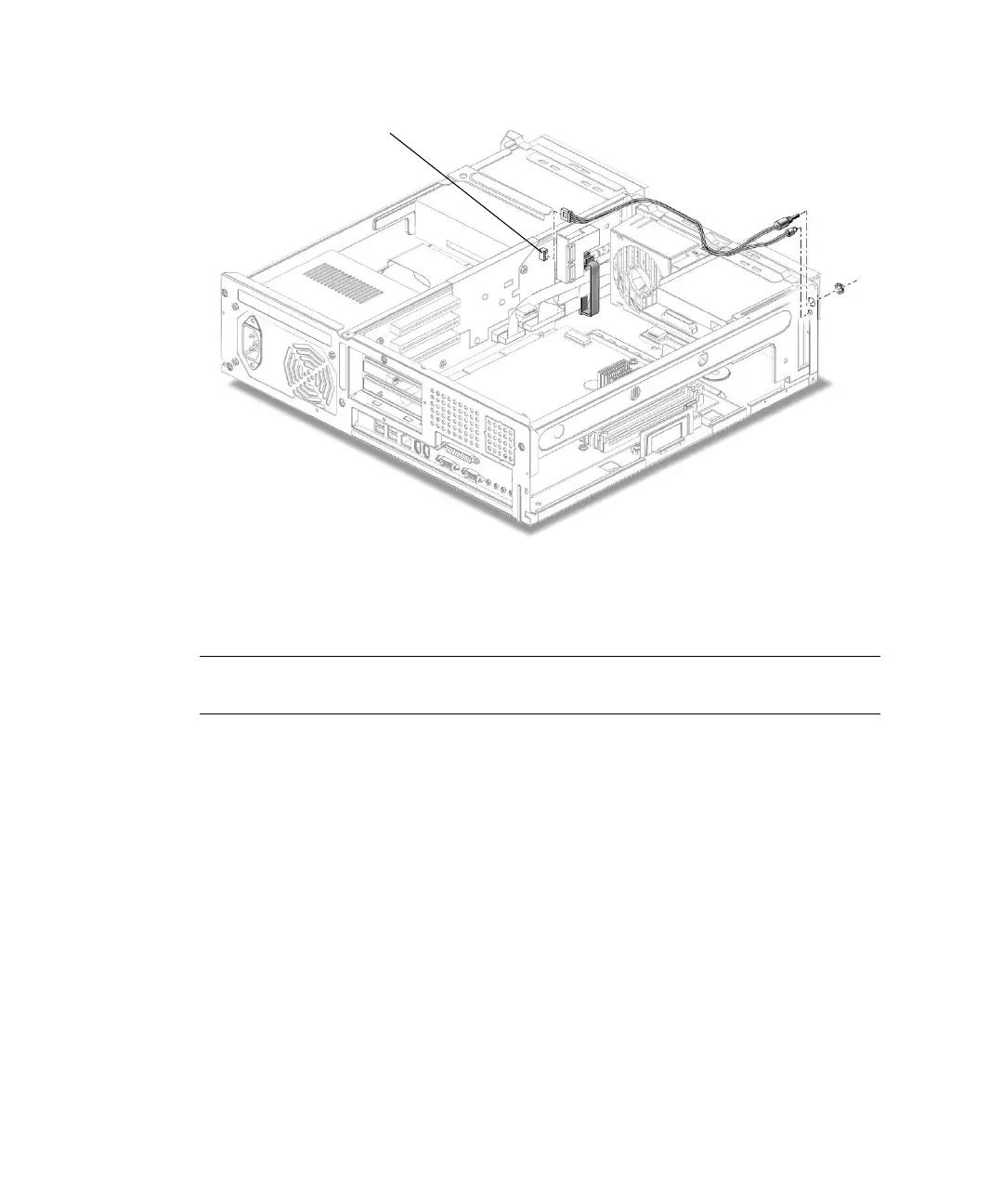
FIGURE 6-8 Removing and Replacing the Power Switch/LED Assembly
6. Open the two cable routing clips on the chassis.
Note – You can move the fan assembly for easier access to the cables. See
Section 6.4.1, “Removing the Fan Assembly” on page 6-15.
7. Remove the nut and washer retaining the power switch to the chassis.
8. Press the LED out of the chassis from the front panel side.
9. Remove the power switch/LED assembly from the chassis.
6.2.12 Replacing the Power Switch/LED Assembly
1. Position the power switch/LED assembly into the chassis (FIGURE 6-8).
2. Attach the power switch to the chassis with the washer and nut.
3. Press the LED into the chassis from the rear of the front panel.
4. Route the cable along the chassis.
J2 connector



 To Next Page