Chapter 6 Removing and Replacing Major Subassemblies 6-9
3. Detach the wrist strap, replace the system cover, and power on the system as
described in Chapter 9.
6.2.9 Removing the Smart Card Reader Cable Assembly
1. Power off the system, remove the system cover, and attach an antistatic wrist strap
as described in Chapter 5.
Caution – Use proper ESD grounding techniques when handling components. Wear
an antistatic wrist strap and use an antistatic mat. Store ESD-sensitive components in
antistatic bags before placing them on any surface.
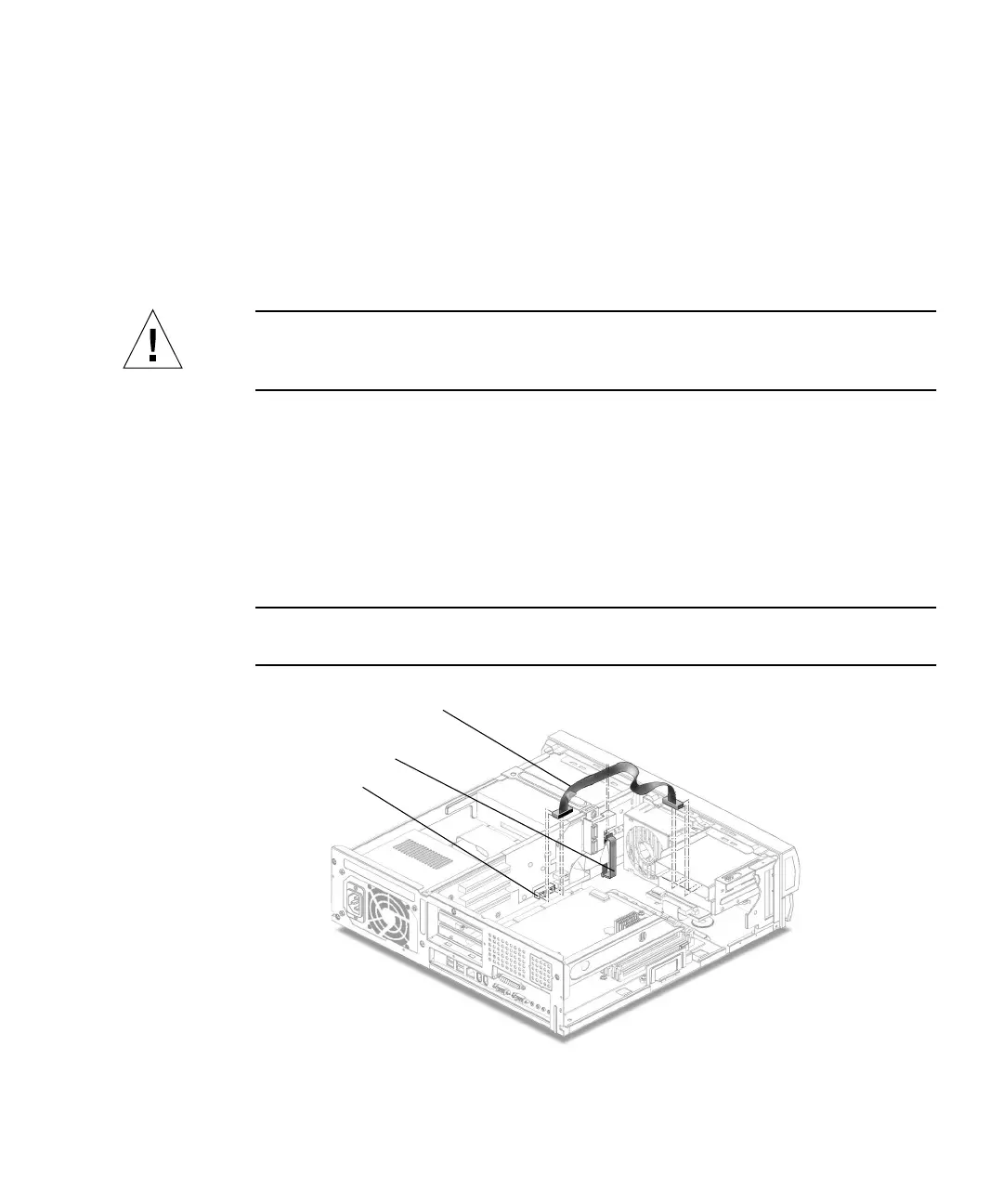
2. Disconnect the smart card reader cable assembly connectors from the following
(
FIGURE 6-6):
■ Smart card reader
■ Riser board (J8)
3. Open the cable routing clip.
4. Remove the smart card reader cable assembly from the chassis.
Note – You can move the fan assembly for easier access to the cables. See
“Removing the Fan Assembly” on page 6-15.
FIGURE 6-6 Removing and Replacing the Smart Card Reader Cable Assembly
Smart card reader cable
Cable routing clip
J8 connector



 To Next Page