Chapter 7 Removing and Replacing Storage Devices 7-11
14. Connect the power cable to the primary hard drive.
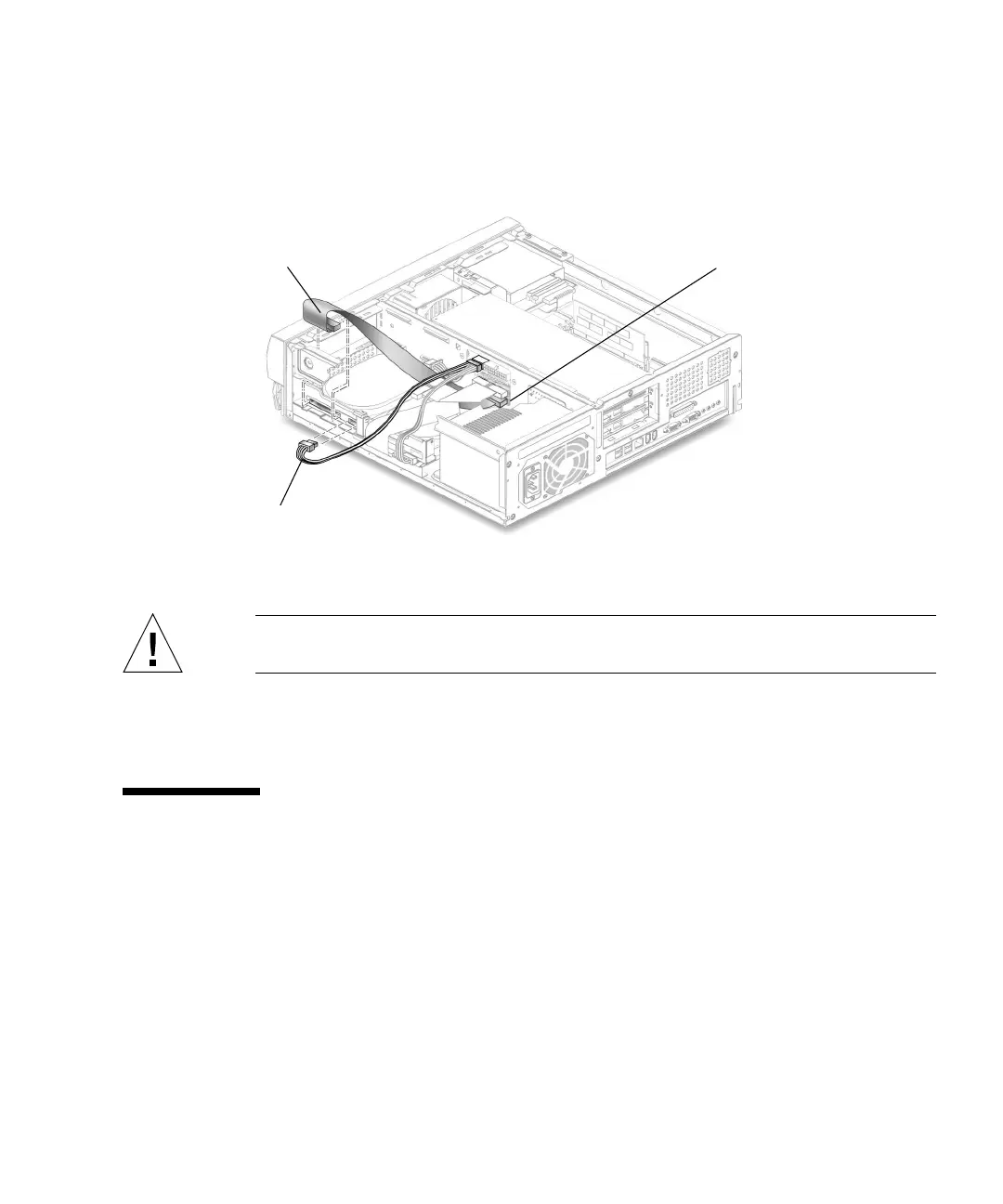
15. Connect the secondary hard drive to the cable connector labeled Secondary HDD.
The following diagram shows the cabling for the secondary hard drive.
FIGURE 7-6 Secondary Hard Drive Cabling Configuration
Caution – Ensure that the cables will not be damaged when you replace the system
cover.
16. Detach the wrist strap, replace the system cover, and power on the system as
described in Chapter 9.
7.4 CD-ROM or DVD-ROM Drive
To remove and replace a CD-ROM drive, proceed as follows.
7.4.1 Removing a CD-ROM or DVD-ROM Drive
1. Remove any CD or DVD from the drive.
2. Power off the system, remove the system cover, and attach an antistatic wrist strap
as described in Chapter 5.
IDE2 (J503)
Power cable
Secondary HDD



 To Next Page