Chapter 3 Power-On Self-Test 3-3
3.3.1 Setting Up a TIP Connection
A TIP connection enables a remote shell window to be used as a terminal to display
test data from the system you are testing. The easiest method is to connect serial port
A of the system you plan to test to another Sun workstation monitor or a TTY-type
terminal.
Note – There is a second serial port (serial port B) on the Sun Blade 150 system riser
card. However, you will need a special connector and cable, and you will need an
empty PCI card slot to access the serial port. See Appendix C, FIGURE C-5.
To set up a TIP connection, proceed as follows:
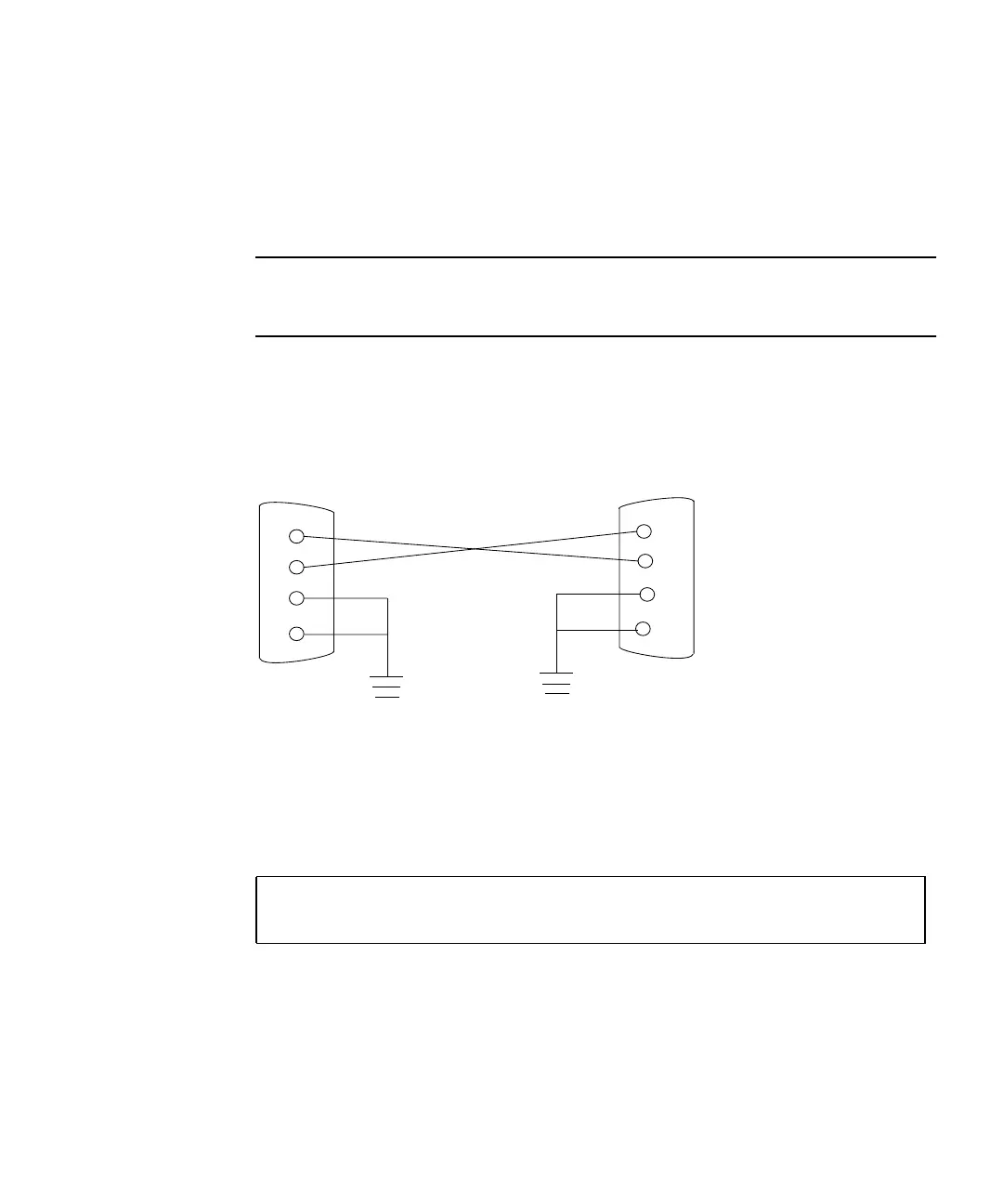
1. Connect the serial port of the tested system to the serial port of a second Sun
workstation using a serial null modem cable.
Connect cable pins 2-3, 3-2, 7-20, and 20-7), as shown in FIGURE 3-1.
FIGURE 3-1 Setting Up a TIP Connection
2. At the second Sun workstation, check the /etc/remote file by changing to the
/etc directory and editing the remote file.
The sample remote file text below shows connection to serial port B of the second
Sun workstation:
hardwire:\
/dv=/dev/term/a:br#9600:el=^C^S^Q^U^D:ie=%$:oe=^D:
2
3
7
20
2
3
7
20



 To Next Page