7-2 Sun Blade 150 Service Manual • June 2002
4. Disconnect the following:
■ Smart card reader power cable
■ Diskette drive power cable
■ Diskette drive data cable
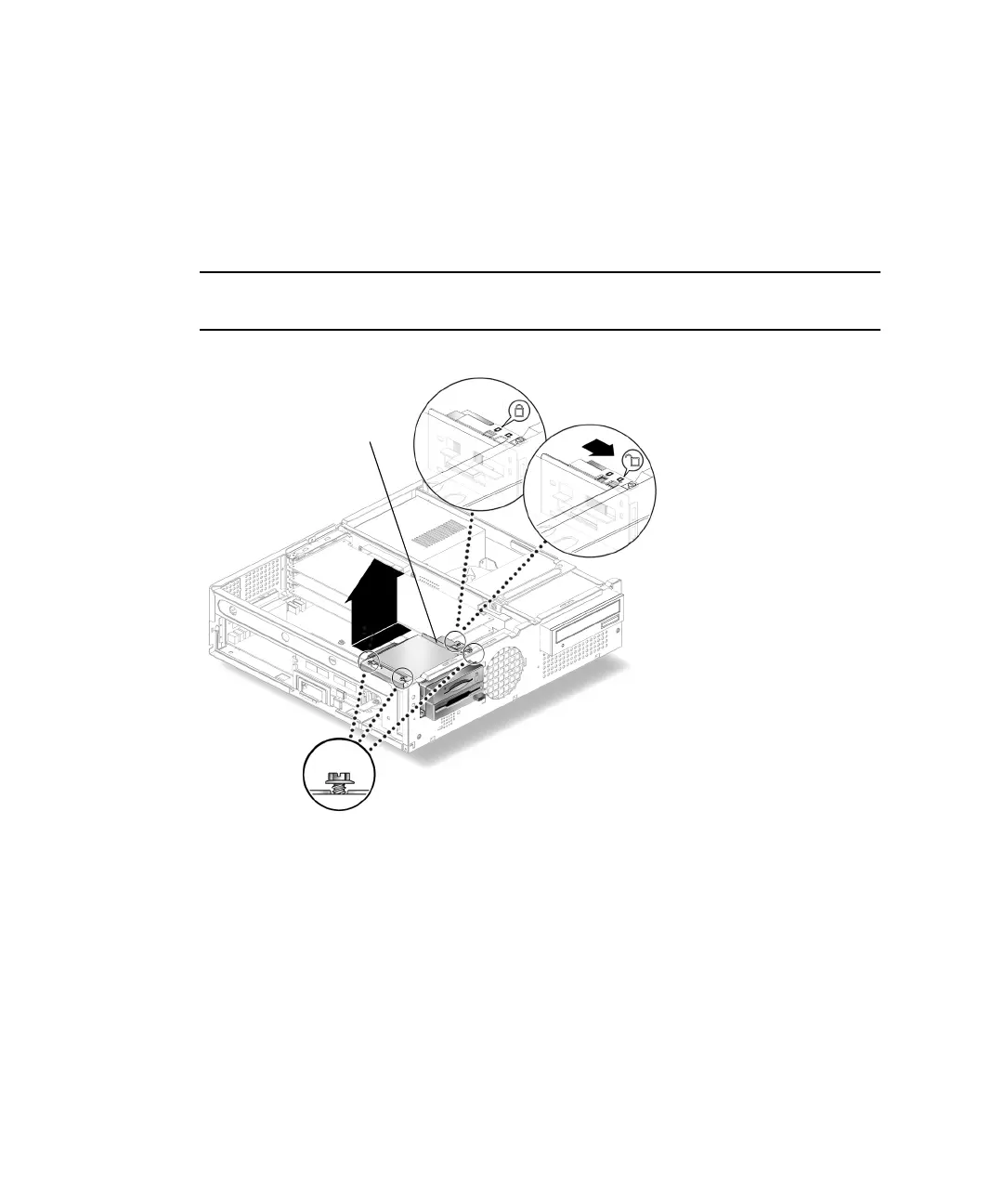
5. Using a No. 2 Phillips screwdriver, loosen (but do not remove) the three screws
securing the peripheral assembly to the chassis (
FIGURE 7-1).
Note – Do not remove the three screws securing the peripheral assembly to the
chassis.
FIGURE 7-1 Removing and Replacing the Peripheral Assembly
6. Slide the peripheral assembly to the rear of the chassis and lift it from the chassis.
7. Using a No. 2 Phillips screwdriver, remove the three screws securing the diskette
drive to the peripheral assembly.
8. Remove the diskette drive from the peripheral assembly (
FIGURE 7-2).
Peripheral assembly



 To Next Page