Chapter 8 Removing and Replacing the Motherboard and Related Components 8-17
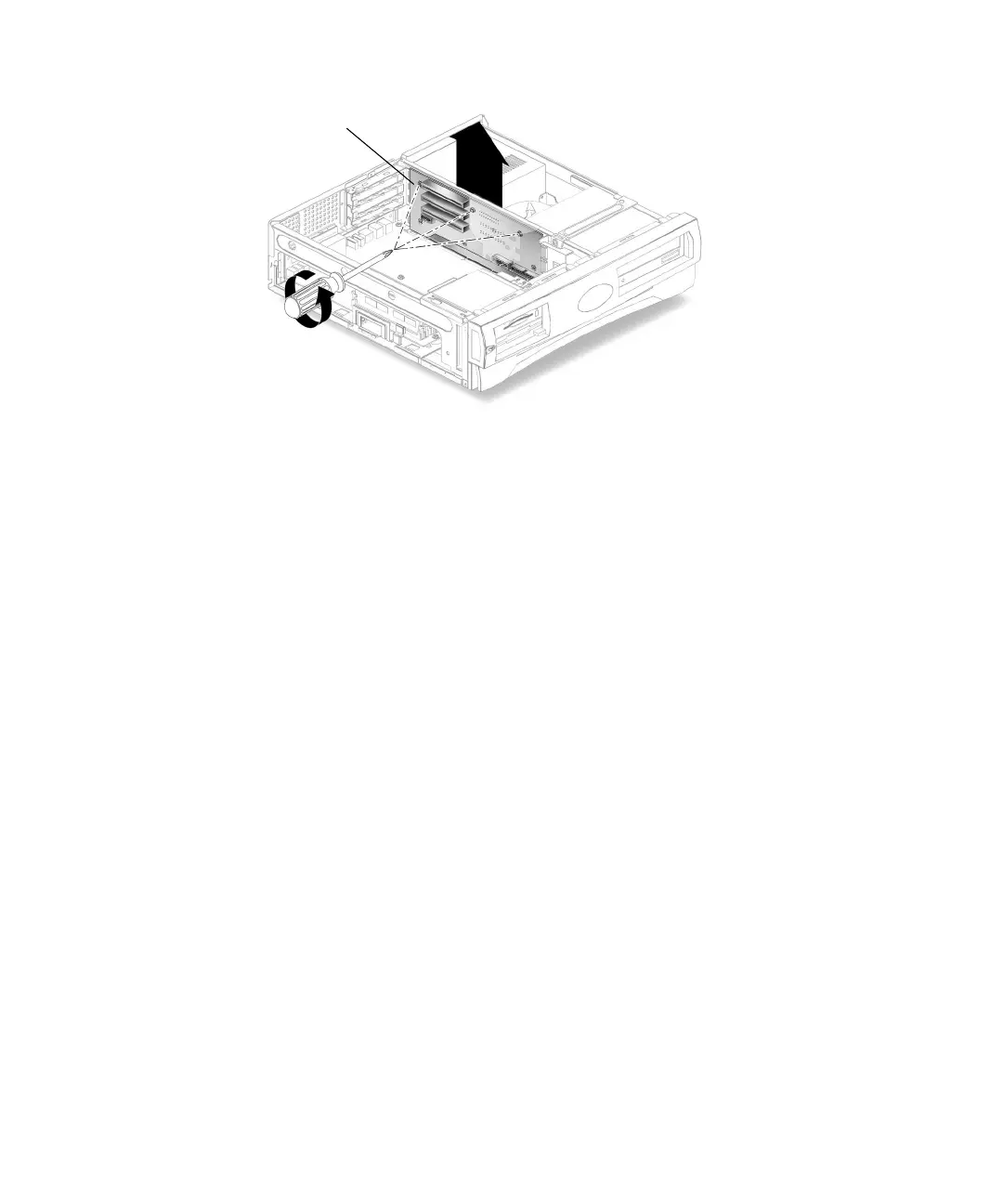
FIGURE 8-9 Removing and Replacing the Riser Board
8.6.2 Replacing the Riser Board
1. Position the riser board into the chassis (FIGURE 8-9).
The riser board fits between the staggered tabs on the chassis.
2. Using a No. 2 Phillips screwdriver, replace the three screws securing the riser
board to the system chassis.
3. Replace the motherboard.
See Section 8.5.2, “Replacing the Motherboard” on page 8-14.
4. Reconnect all the cables to both sides of the riser board.
5. Replace the PCI card(s) into the riser board.
See Section 8.4.2, “Replacing a PCI Card” on page 8-11.
6. Detach the wrist strap, replace the system cover, and power on the system as
described in Chapter 9.
Screws (3)



 To Next Page