Chapter 5 Preparing for Component Removal and Replacement 5-5
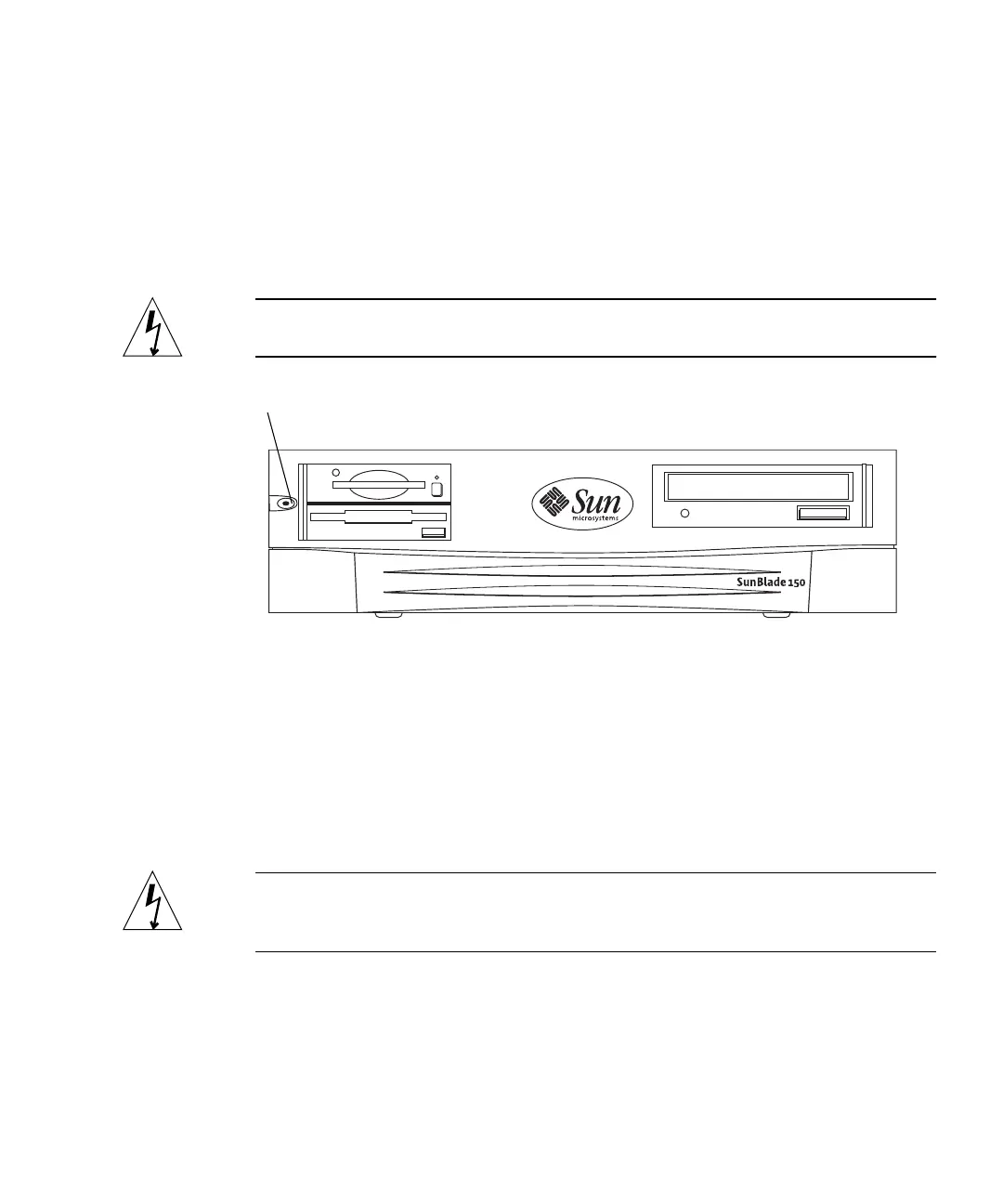
Momentarily press and release the front panel power switch (FIGURE 5-1)to
automatically shut down all programs, the operating system, and power off the
system.
From the system shutdown menu displayed on the monitor, select “Shutdown.”
■ If Solaris is not running in a windowing environment:
Press and hold the front panel power switch (
FIGURE 5-1) for four seconds to
power off the system.
Caution – This action forces an immediate power off of the system and unsaved
data is lost.
FIGURE 5-1 Front Panel Power Switch
2. Verify the following:
a. The front panel power-indicator LED is off.
b. The system fans are not spinning.
3. Turn off the power to the monitor and any peripheral equipment.
4. Disconnect cables to any peripheral equipment.
Caution – Pressing the power switch does not remove all power from the system; a
trickle current remains in the power supply. To remove all power from the system,
disconnect the power cord.
Power switch



 To Next Page