8-6 Sun Blade 150 Service Manual • June 2002
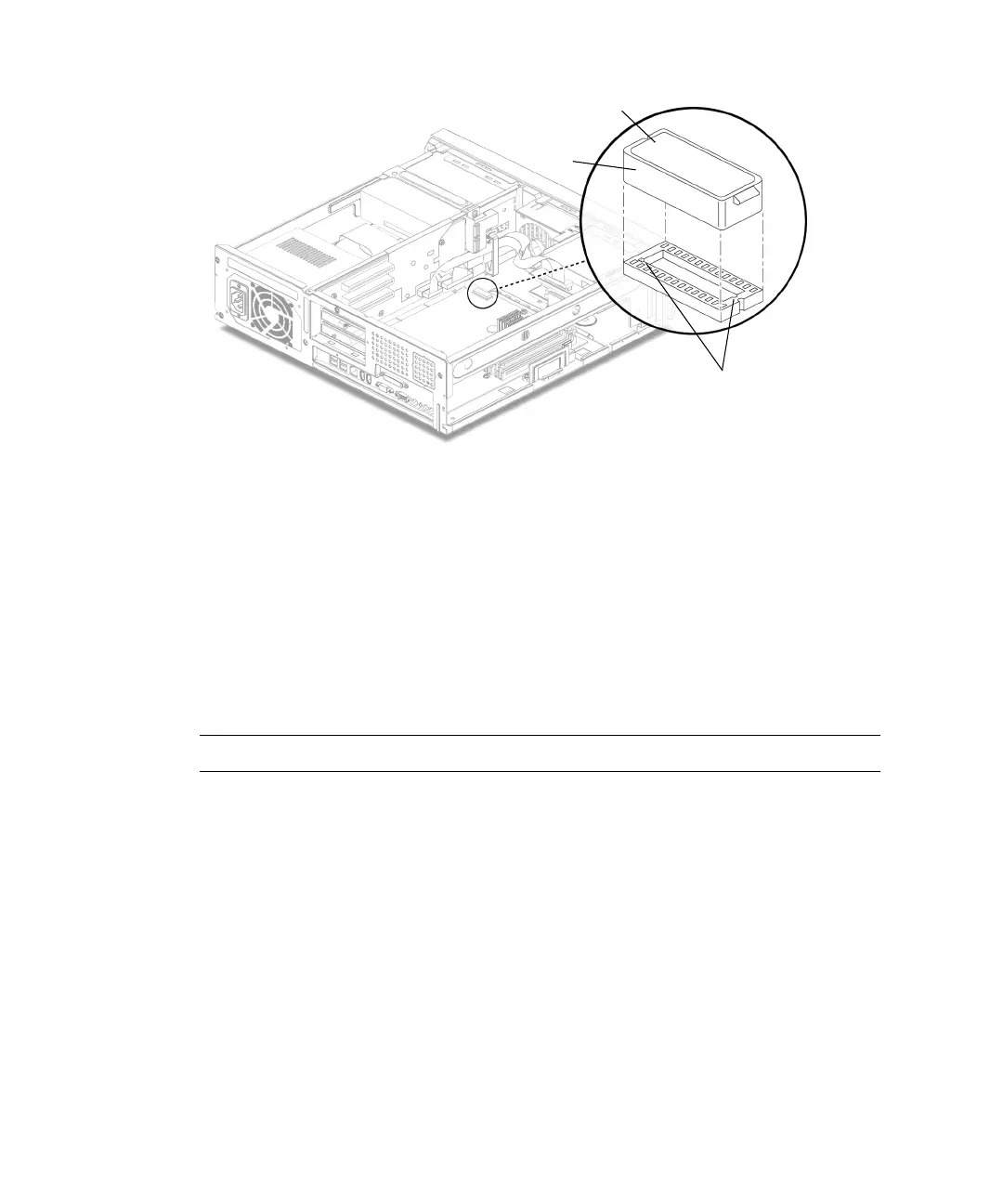
FIGURE 8-3 Removing and Replacing the NVRAM/TOD
8.2.2 Replacing the NVRAM/TOD
1. Replace the NVRAM/TOD as follows (FIGURE 8-3):
a. Position the NVRAM/TOD carrier on the motherboard.
For another view of the NVRAM/TOD, see
FIGURE C-2 in Appendix C.
b. Carefully insert the NVRAM/TOD carrier into the motherboard socket.
Note – The carrier is keyed so that the NVRAM/TOD can be installed only one way.
c. Push the NVRAM/TOD carrier into the socket until it is properly seated.
2. Replace any PCI card(s) removed from slots 1 and 3.
See Section 8.4.2, “Replacing a PCI Card” on page 8-11.
3. Detach the wrist strap, replace the system cover, and power on the system as
described in Chapter 9.
NVRAM/TOD
Socket keys
Carrier



 To Next Page