Chapter 7 Removing and Replacing Storage Devices 7-7
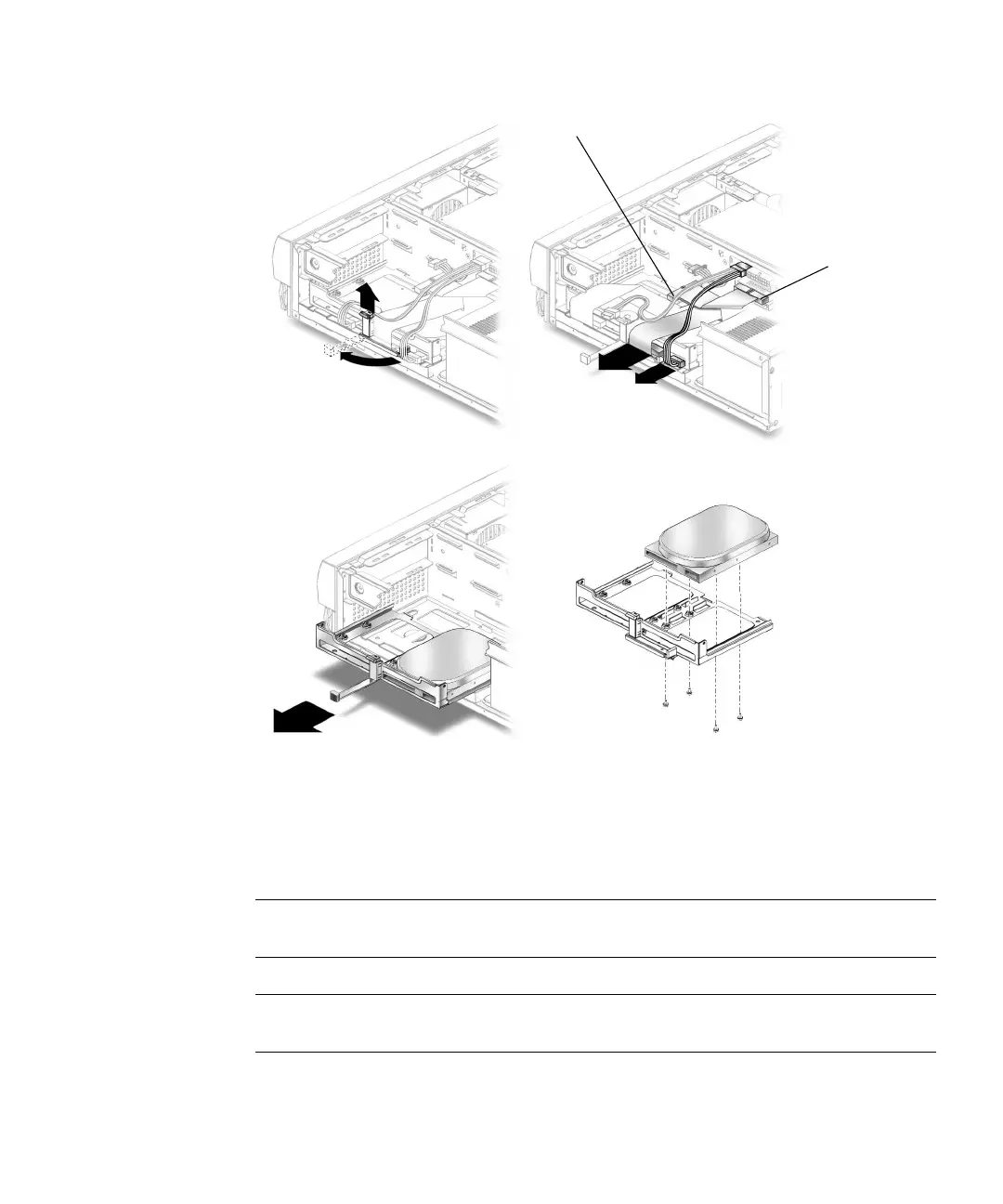
FIGURE 7-4 Removing and Replacing a Primary Hard Drive
7.3.2 Replacing a Primary Hard Drive
Note – Read the hard drive product guide for information about jumpers, switch
settings, or other installation tasks.
Note – Before you replace any hard drive, verify that the hard drive mode-select
jumper is set to “CS,”“Enable Cable Select,” or “Cable Select.”
1. Position the hard drive into the hard drive tray (
FIGURE 7-4).
1
2
3
4
CD/DVD-ROM drive
IDE 1
IDE cable connector



 To Next Page