GB.GOLDSKE.160901
www.swegon.com 15
We reserve the right to alter specifi cations without notice.
4. IQnavigator Hand-held
Terminal and Image Manage-
ment
4.1 IQnavigator Hand-held Ter-
minal
4.1.1 General
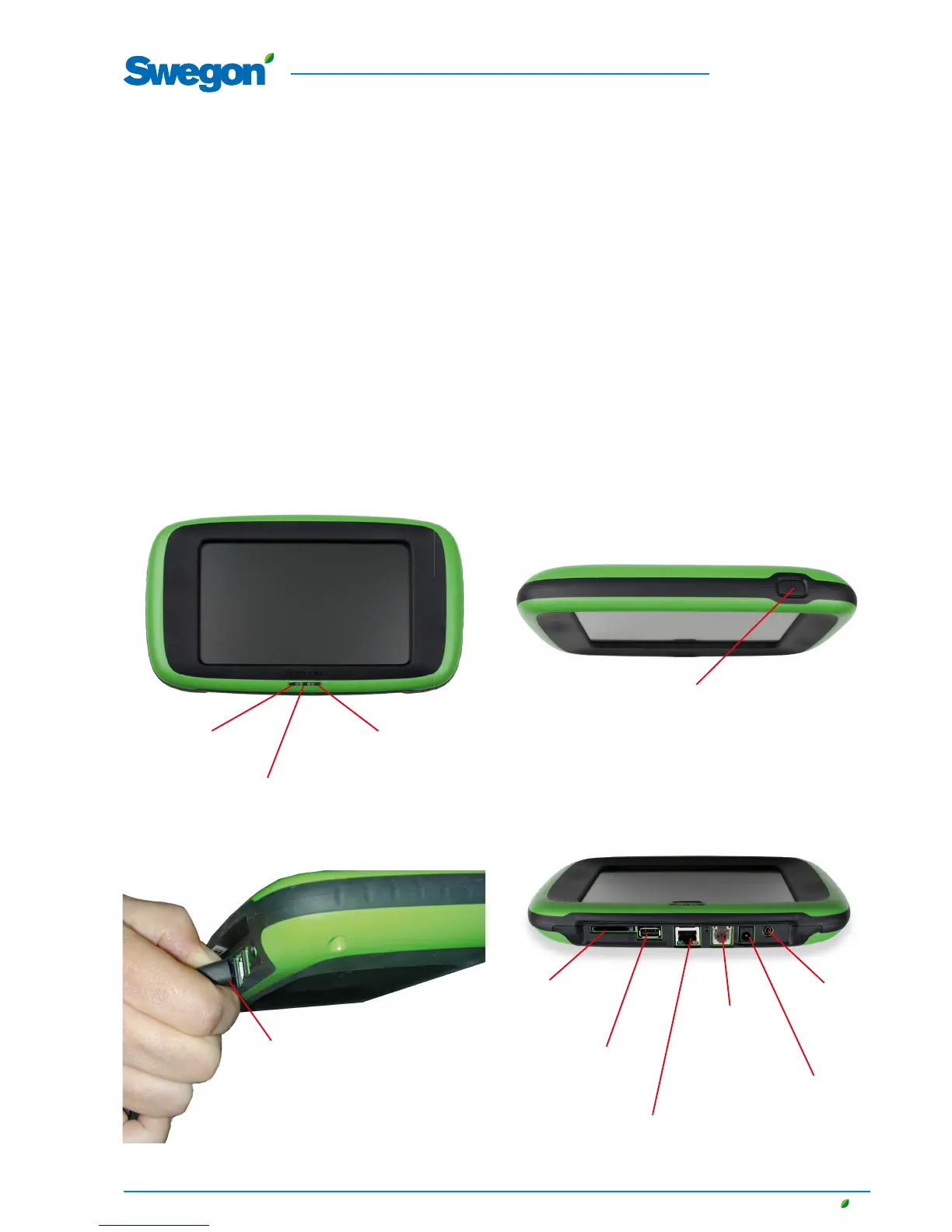
The hand-held terminal consists of a 7” capacitive touch screen
with a 3 metre long cable for connection to the air handling
unit's control circuit card by means of a quick-fi t connector.
The hand-held terminal is switched on/off with an on/off button
located on the top side of the terminal. If the hand-held terminal
is not used for 45 minutes, it switches over to the sleep mode.
See the illustrations below for particulars of the connections,
buttons and LEDs.
N.B.! When you disconnect the cable
from IQnavigator, squeeze the con-
nector so that you press in the catch
inside the connector (hidden under the
protective rubber covering).
Alarm indicating LED
Flashes red in event of
an alarm
In operation indicating LED
Green steady glow while unit is operating
Light sensor
SD card
for
future
function
USB con-
nection for
future func-
tion
Connection for ex-
ternal power supply
(accessory)
Headphone
connection
For future
function
IQnavigator can be used outdoors, but it must be kept at a
weatherproof place.
Data:
Operating temperature: -20 - + 50C
Height from which it can be
dropped without damage: 1 metre
On/off button:
When the touch screen is at rest or is switched off:
Brief press of the On/Off button = touch screen awakens or starts up
When the touch screen is on:
Brief press of the On/Off button = touch screen at rest
Long press of the On/Off button = Question, "Do you want to power
off IQnavigator?" is displayed, press OK, touch screen switches off
RJ45 connection for power and com-
munication cable for IQnavigator (PoE)
or connection to the network (requires
a TBLZ-1-70 net adapter accessory)
RJ12 contact
for future
function




 To Next Page