GB.GOLDSKE.160901
www.swegon.com 59
We reserve the right to alter specifications without notice.
6.4.10.5 Automatic functions
Start up sequence
The air handling unit has a start up sequence with a factory-
preset time delay between each step as follows:
1. The damper relay is energized and opens the shut-off damper
(if installed). The heat exchanger is controlled to max. heat
recovery (not the GOLD SD without heat exchanger). The
valve for reheating opens to 40% (if installed)
Time delay: 30 seconds.
2. The extract air fan starts in the current operating mode (not
for ventilation systems with GOLD SD supply air handling unit
only)
Time delay: 60 seconds.
3. The supply air fan starts (not for ventilation systems with
GOLD SD extract air handling unit only)
Time delay: 30 seconds.
4. The reheating function is ramped up or down depending on
the heating load. Ramp time: 180 seconds. After that the
heat exchanger is ramped up or down depending on the
heating load. Ramp time: 180 seconds.
The entire start up sequence can be followed in the dashboard
image.
The start up sequence prevents the extract air fan from starting
up if the shut-off damper is closed. By first starting up the extract
air fan and the heat exchanger, you can avoid chilling the prem-
ises with supply air on a start up under cold weather conditions.
Operation time
6.4.10.3 Operation time
In operation times (in days) can if applicable be viewed for fan
controls, heat exchanger/cooling recovery, preheating, extra
heating regulation sequence, Xzone heating, AHU reheating,
ReCO
2
heating, extra cooling regulation sequence, Xzone cool-
ing, AHU cooling, ReCO
2
cooling, AYC heating water and AYC
cooling water.
Fan status
6.4.10.2 Fan status
The fan control speed setting can be viewed in percent of max.
speed here.
6.4.10.4 VOC/CO
2
sensor
You can select here the operating mode for the VOC sensor
and the CO
2
unit. The VOC level can be read. The VOC sensor
position in the flow chart can be selected if only monitoring has
been selected.
Settings:
Value Setting
range
Factory
setting
VOC sensor mode Inactive/Monitor-
ing only/Monitor-
ing and regulation
Inactive
CO
2
unit %/ppm %
Flow chart, VOC sensor
position
Supply air/
Extract air
Supply air
VOC/CO
2
sensor
Zero point calibration
The pressure sensor of the AHU is automatically calibrated. The
calibration process takes about 70 seconds after the AHU has
stopped (a notification is shown if the AHU has not stopped).
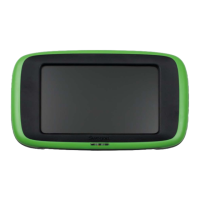
The zero point calibration text is displayed in the hand-held ter-
minal. The fans cannot start while calibration is in progress.




 To Next Page