GB.GOLDSKE.160901
20 www.swegon.com
We reserve the right to alter specifications without notice.
Dashboard
Stop
Alarm log
Timer, low speed
Flow chart
4.2.1 Selection of language
When the air handling unit starts up for the first time, a lan-
guage selection image is displayed. Select required language and
press OK.
If you want to change to a different language later on – or
if you’ve selected the wrong language – you can change the
language under Functions in the hand-held terminal. See Section
5.3.7.
4.2.2 Dashboard
4.2.2.1 General
The dashboard is normally displayed if no other image has been
selected.
The touch screen switches to the sleep mode after 45 minutes.
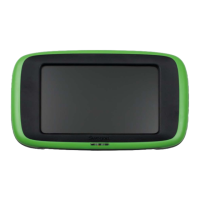
To leave the sleep mode, press on the touchscreen's On/Off
button.
The content in the flow chart changes depending on the selected
type of air handling unit and other functions that affect the
relevant operating conditions.
4.2.2.2 To change the operating mode
You can start and stop the air handling unit or change over to
manual or automatic operation from the dashboard.
The air handling unit should normally be started and
stopped from the hand-held terminal; not by switching
the safety isolating switch on and off.
4.2.2.3 Alarm log
Active alarms, pending alarms and alarm history (50 latest) can
be viewed under Alarm log. See also Section 8.
Shows number of
current alarms
Shows current
operation status
Log graph




 To Next Page