GB.GOLDSKE.160901
84 www.swegon.com
We reserve the right to alter specifi cations without notice.
Connect to IQlogic
IQnavigator
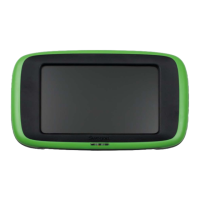
6.4.25 IQnavigator
(hand-held terminal)
6.4.25.1 Connect to IQlogic
The method of connection between the IQnavigator and IQlogic
can be selected here.
Can be selected as direct (standard cable), DHCP or static IP (re-
quires connection to network), and direct/wireless (requires the
IQnavigator hand-held terminal with WLAN TBLZ-1-71-2 acces-
sory. See separate instructions).
Settings:
Value Setting
range
Factory
setting
Connect to IQlogic Direct/DHCP/Static IP/
Direct/Wireless
Direct
IQnavigator IP address Optional
IQnavigator Netmask Optional
Pre-selected
IQnavigator gateway
Optional
IQlogic IP address Optional
Brightness mode
6.4.25.2 Backlight brightness
The hand-held terminal can be set to four different backlight
brightness settings.
Settings:
Value Setting
range
Factory
setting
Brightness mode Auto adjust/Low/
Medium/High
Auto adjust
Acoustics
6.4.25.3 Acoustics
Button sound effects on the hand-held terminal can be activated
and the volume can be set in fi ve steps.
Settings:
Value Setting
range
Factory
settings
Button sound effects On/Off
Off
Volume 1-5
3




 To Next Page