GB.GOLDSKE.160901
www.swegon.com 87
We reserve the right to alter specifications without notice.
8. Alarms and
Troubleshooting
8.1 General
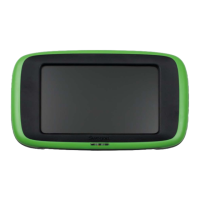
Alarms are displayed by a flashing red LED in the hand-held
terminal.
When the LED flashes, go in under Alarm log in the dashboard.
See Section 4.2.2.3.
Active alarms, pending alarms and alarm history (50 latest) can
be viewed under Alarm log.
For resetting alarms, you can select individual alarms or all the
alarms.
The reset time can also be viewed under History.
A fault can be traced by examining the function or functional
component indicated in the alarm text.
If the fault cannot be immediately remedied:
Consider whether the air handling unit can continue to operate
until the fault has been remedied. Choose to block the alarm
and/or to change it from stop to operation. See Section 6.4.8.6.
8.1.1 A and B alarms
A alarms send an indication to the output for alarm relay A
(IQlogic module
+
).
B alarms send an indication to the output for alarm relay B
(IQlogic module
+
).
Alarms can be forwarded with different priority via these relays.
8.1.2 Resetting the alarm
Alarms with manual resetting can be reset from the hand-held
terminal. Select reset in the alarm log.
Alarms that reset themselves automatically will do so as soon as
the fault has been remedied.
Alarms can also be reset via a communication network (not
applicable to frost guard alarm).
8.1.3 Changing alarm settings
See Section 6.4.8.6.




 To Next Page