GB.GOLDSKE.160901
30 www.swegon.com
We reserve the right to alter specifi cations without notice.
5.3.4 Energy monitoring
Status of the power consumed by fans and other AHU compo-
nents can be viewed here. SFP status for the AHU fans and the
effi ciency on heat transfer of the rotary heat exchanger can also
be viewed.
Energy
monitoring
5.3.5 Filters
Basic functions can be set under Installation and the values can
be read and set under User (local).
The fi lter status and the current alarm limit status for fi lters with
activated monitoring can be viewed here. Relevant fi lters are
the Supply air prefi lter, Extract air pre-fi lter, Supply air AHU fi lter,
Extract air AHU fi lter, SA and EA AHU fi lter and Supply air end
fi lter.
Filter calibration can be manually activated for each fi lter. For
more detailed information, see Section 5.2.
Filters
5.3.6 Software
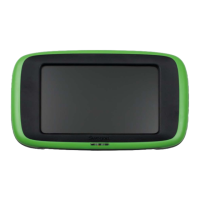
The relevant program versions for the IQlogic control unit, IQnav-
igator hand-held terminal and input units on the communication
bus can be viewed and updated from the SD circuit card inserted
in the IQlogic control unit (this can take a few minutes).
Software
5.3.7 Language
The language desired can be set here. The appropriate language
is normally selected the fi rst time the AHU is started up. How-
ever, the language setting can be changed at any time.
Settings:
Value Setting
range
Factory
setting
Language Available
languages are
displayed
English
Language




 To Next Page