GB.GOLDSKE.160901
18 www.swegon.com
We reserve the right to alter specifications without notice.
4.1.5 Keyboard
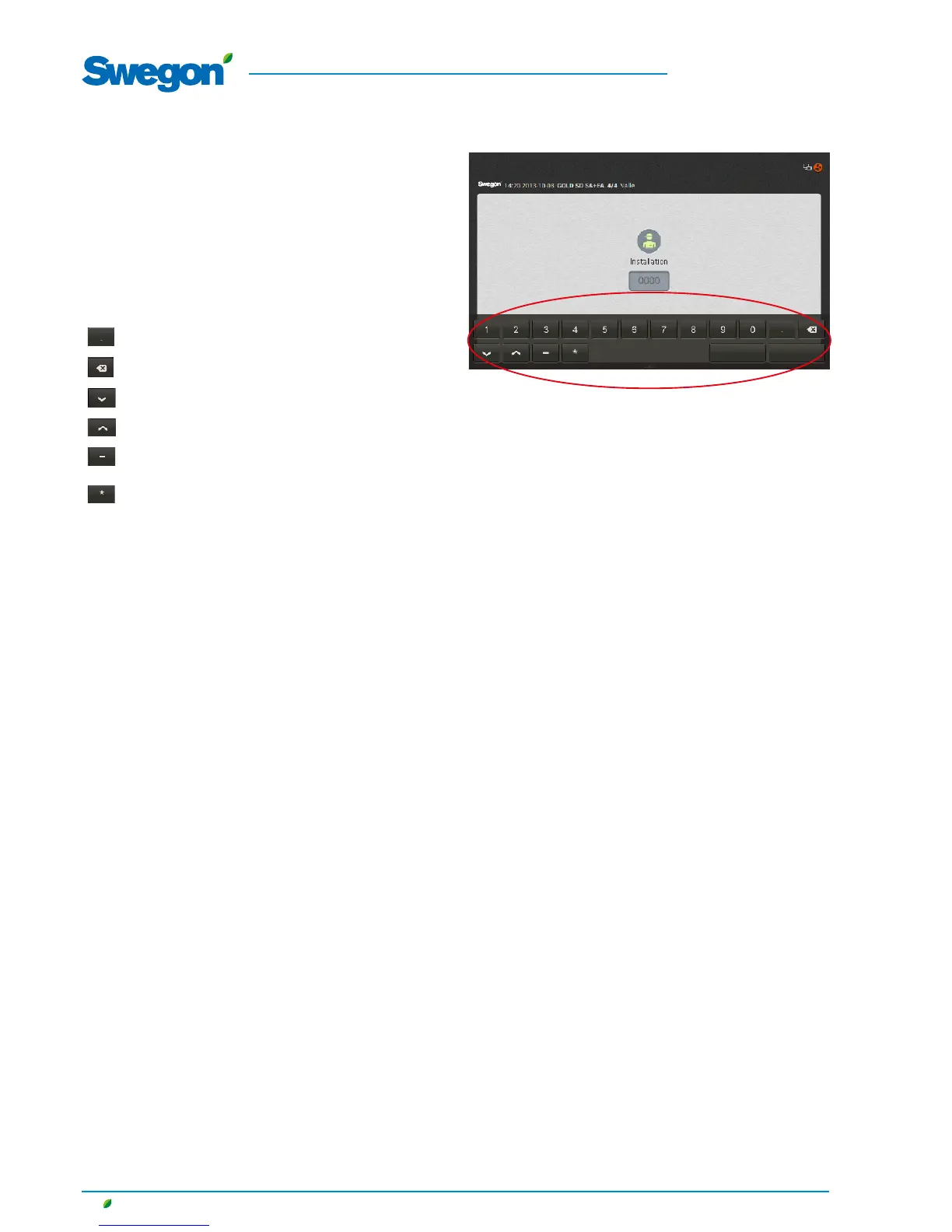
The value that can be changed is highlighted in grey. A keyboard
is displayed at the lower edge of the touch screen when you log
on and enter settings.
A value you want to change can be highlighted by pressing it on
the touch screen.
Then enter the required value and save it by pressing on the
Done button.
The function of the buttons:
Decimal point
Deletes previous character
Decreases the highlighted value
Increases the highlighted value
Minus sign.
Used for writing negative values.
Unspecified value.
Used for the time and schedule function.
User selection
Enter PIN code
Cancel Done







 To Next Page