TCP/IP Receiver
Thermo Scientific Smart-Vue
®
Wireless Monitoring Solution Administrator Guide v 2.2 55
CAUTION: Here you will need to know the IP address and “Local port”
configured in the previous section.
Follow these steps to add a network receiver to your Smart-Vue Server/
Smart-Vue Client system:
1. Open Smart-Vue Client and log in.
2. Click on the Settings tab Sensor settings ( ) or press F11.
3. If prompted, enter your login name and password, and click on OK.
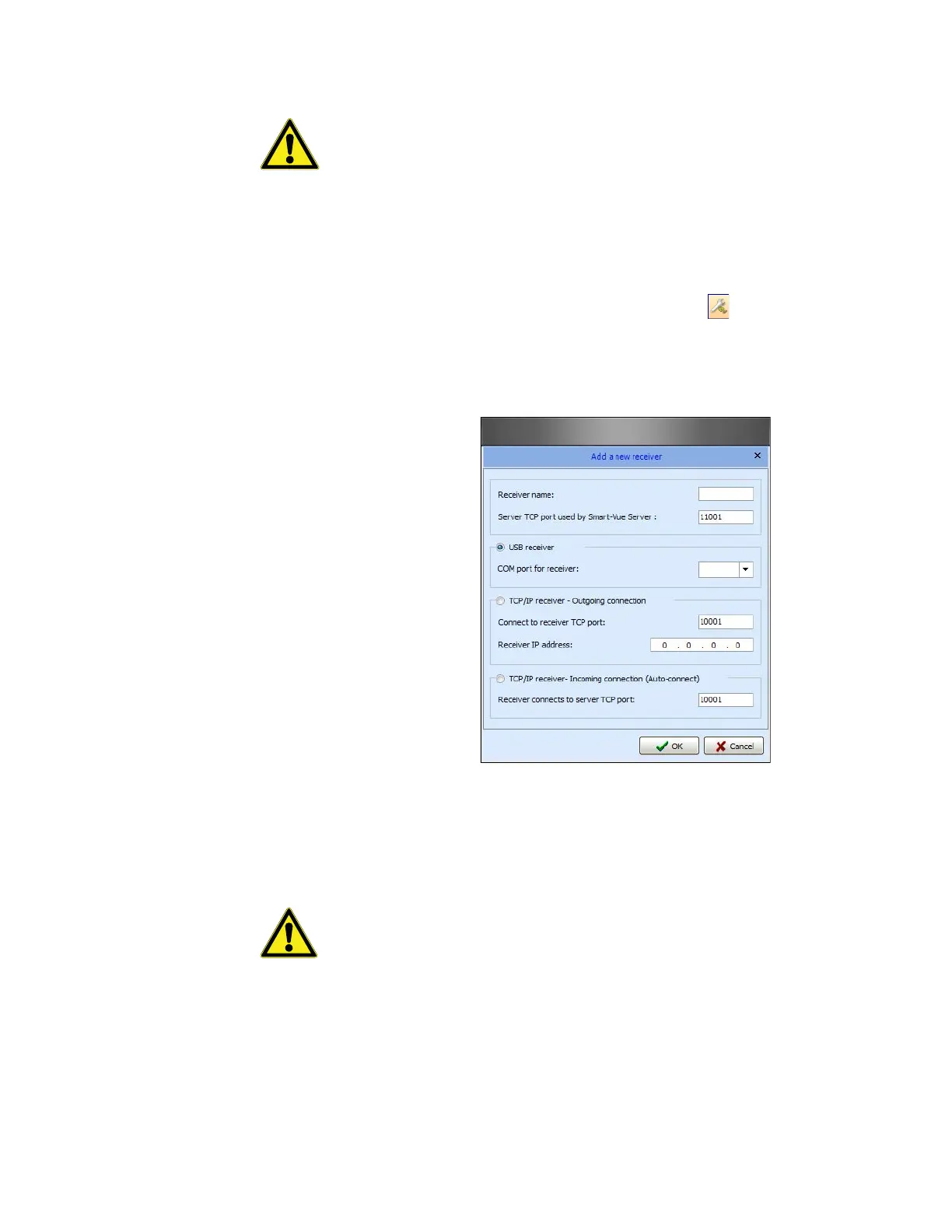
4. Click on Add/Update a module Create a receiver.
Figure 33. Add the new receiver in Smart-Vue Client
5. Enter a name (maximum of 8 characters) for the receiver in the Receiver
name field.
CAUTION: The following characters may be used in Site/receiver names:
Numbers: 0 to 9
Letters: A to Z (capital or lower case)
Special characters: “_” (underscore)
Enter the port number used by Smart-Vue Server for this receiver in the
“Server TCP port used by Smart-Vue Server” field.


 To Next Page
 Loading...
