16. SETTING-OUT LINE
98
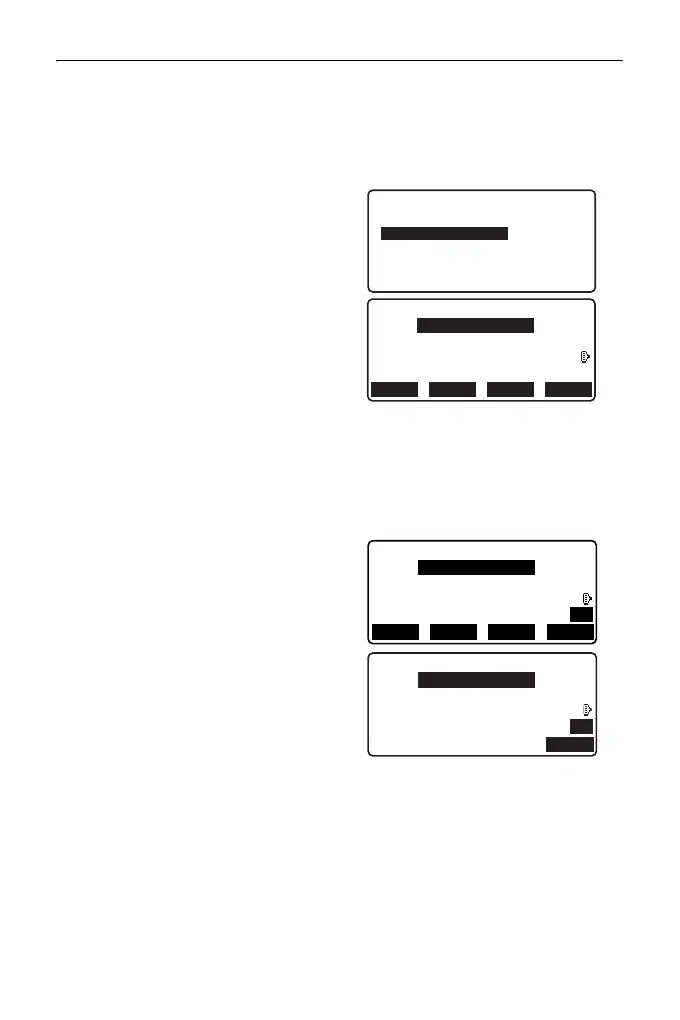
2. Enter the instrument station data.
"13.1 Entering Instrument
Station Data and Azimuth
Angle"
3. Select “Define baseline” in <Set-
out line>.
4. Enter the first point data and press
[OK].
• When [LOAD] is pressed,
registered coordinates can be
recalled and used.
"13.1 Entering Instrument
Station Data and Azimuth
Angle PROCEDURE Reading
in Registered Coordinate
Data"
5. Enter the second point data.
6. Press {FUNC}.
[OBS] is displayed.
• When not observing the first
point and the second point, go to
step 11.
7. Press [OBS] on the screen of step
6 to move to observation of the
first point.
Occ.Orien.
Define baseline
Set-out line
Set-out line
Define 1st PT
Np:
Ep:
Zp:
12.122
113.464
91.088
C
RECLOAD MEAS OK
Define 2nd PT
Np:
Ep:
Zp:
11.775
112.706
104.069
P1
RECLOAD MEAS OK
Define 2nd PT
Np:
Ep:
Zp:
11.775
112.706
104.069
P2
OBS
C



 To Next Page