99
16. SETTING-OUT LINE
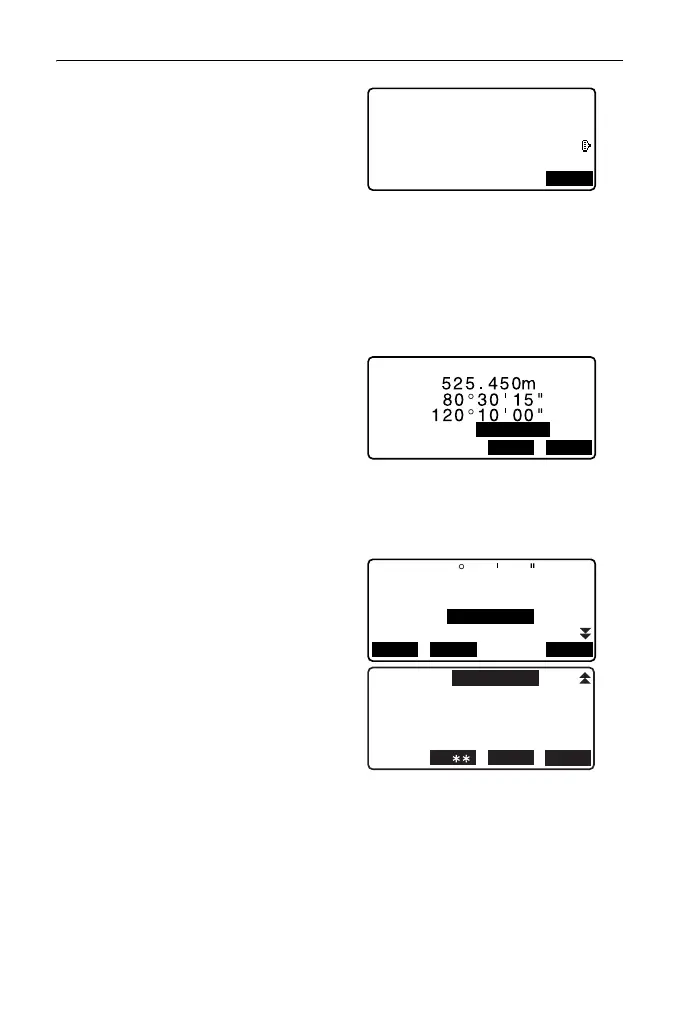
8. Sight the first point and press
[MEAS].
The measurement results are
displayed on the screen.
•Press [STOP] to stop the
measurement.
• You can input target height here.
• The tilt screen is displayed if the
instrument is out of level.
Level the instrument.
"7.2 Levelling"
9. Press [YES] to use the
measurement results of the first
point.
•Press [NO] to observe the first
point again.
10. Sight the second point and press
[MEAS].
11. Press [YES] to use the
measurement results of the
second point.
The distance between the two
measured points, the distance
calculated from inputting the
coordinates of two points and the
scale factors are displayed.
Measure 1st PT
12.122
113.464
91.088
Np:
Ep:
Zp:
MEAS
Measure 1st PT
NO
YES
HR 1.400m
SD
ZA
HA-R
Grade
1:
%
OK
%-2.669
Azmth
Hcalc
Hmeas
ScaleX
Sy=1
Sy=Sx
OK
1.000091
13.003m
17.294m
ScaleY
1.000091
93 20 31



 To Next Page