75
PREPARATIONS
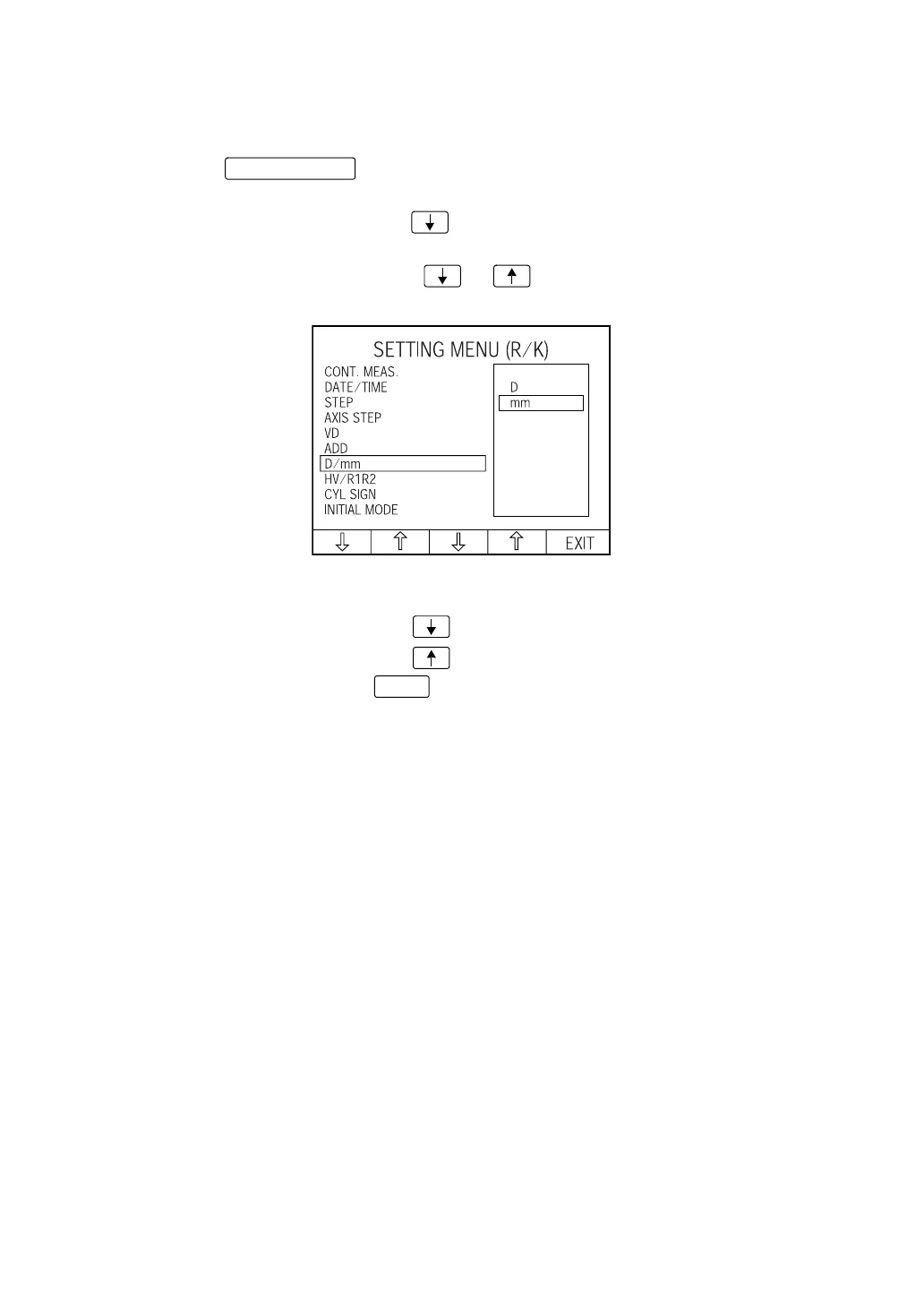
SETTING D/mm
The unit of kerato measurement result displayed on the monitor screen can be selected from
D (refractory power) or mm (curvature). Before shipment, it is set to "mm" (curvature).
1 Press the of control panel and get the "SETTING MENU (R/K) screen."
"CONT. MEAS." is highlighted, and "ON" and "OFF" are displayed on the right.
2 Press the Set item change button and bring the cursor to "D/mm." The unit of kerato
measurement result is displayed on the right, and the set unit is highlighted.
3 Press the Set value change button or and bring the cursor to the desired unit
of kerato measurement result:
D: The unit of kerato measurement result is set to refractory power.
mm:The unit of kerato measurement result is set to curvature.
4 Press the Set item change button ; cursor moves to the next item (HV/R1R2).
Press the Set item change button ; the cursor moves to the previous item (ADD).
5 To exit from the menu, press and return to the MEASUREMENT screen.
MENU button
EXIT














 To Next Page