4. INSTALLATION PROCEDURE FOR OPTIONAL EQUIPMENT EO18-33027
4.5 RTC/USB Host Interface Board (B-EX700-RTC-QM-R)
4-35
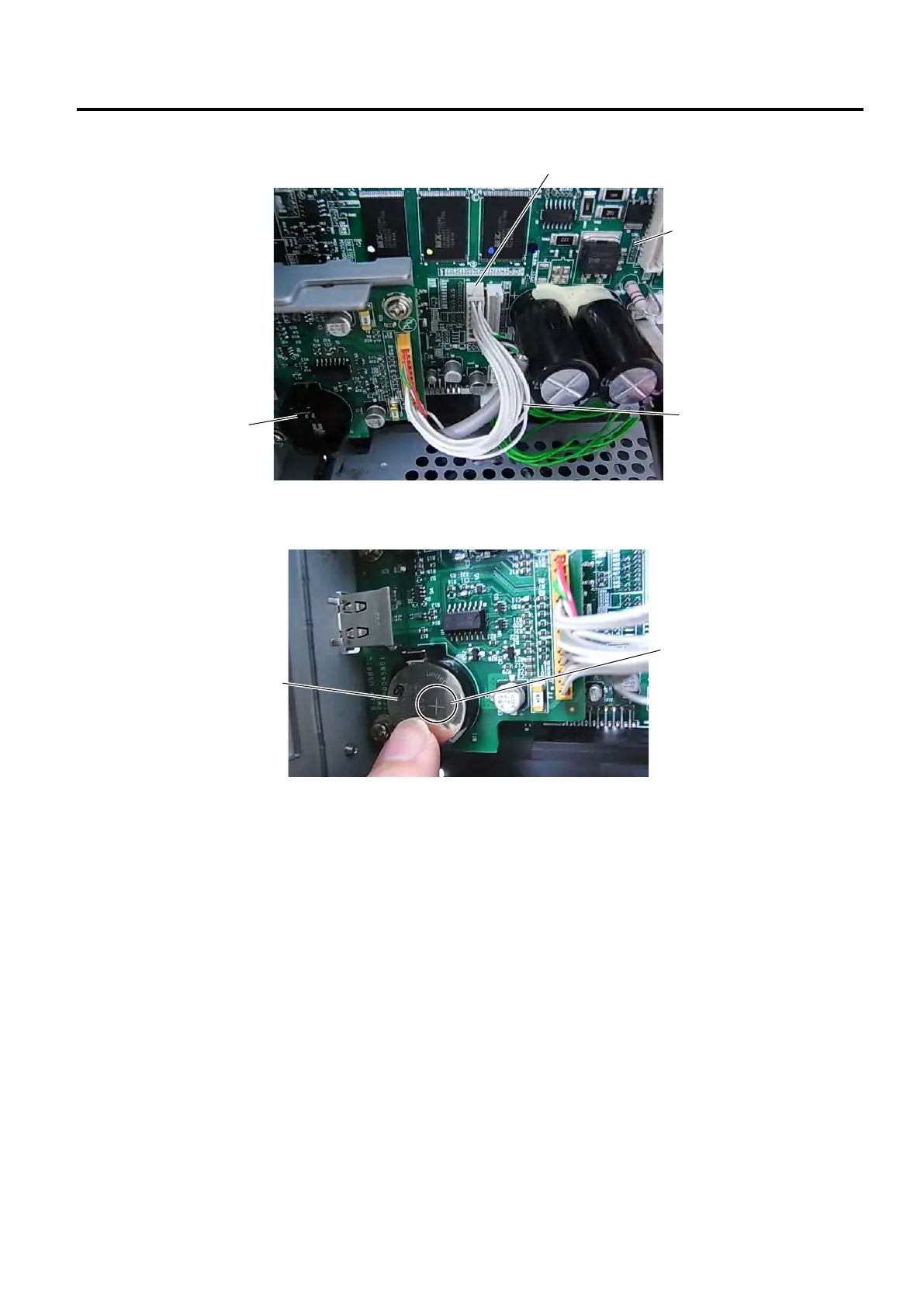
6. Connect the interface cable to J21 on the Main PC board.
7. Place the Battery into the Battery Socket with the “+” symbol facing up.
NOTE: A new battery is supposed to last about 2 years or more, but it varies depending on the operating
conditions. When a new battery is loaded, write down the battery replacement date on a supplied
Battery Label, and attach it to the reverse side of the Side Panel (L) as a reminder.
8. Re-install the side panel (L).
9. Refer to the Owner’s Manual for how to set the real time clock.
RTC/USB Host
Interface Board



 To Next Page
 Loading...







