4. INSTALLATION PROCEDURE FOR OPTIONAL EQUIPMENT EO18-33027
4.8 Parallel Interface Board (B-EX700-CEN-QM-R)
4-43
4.8 PARALLEL INTERFACE BOARD (B-EX700-CEN-QM-R)
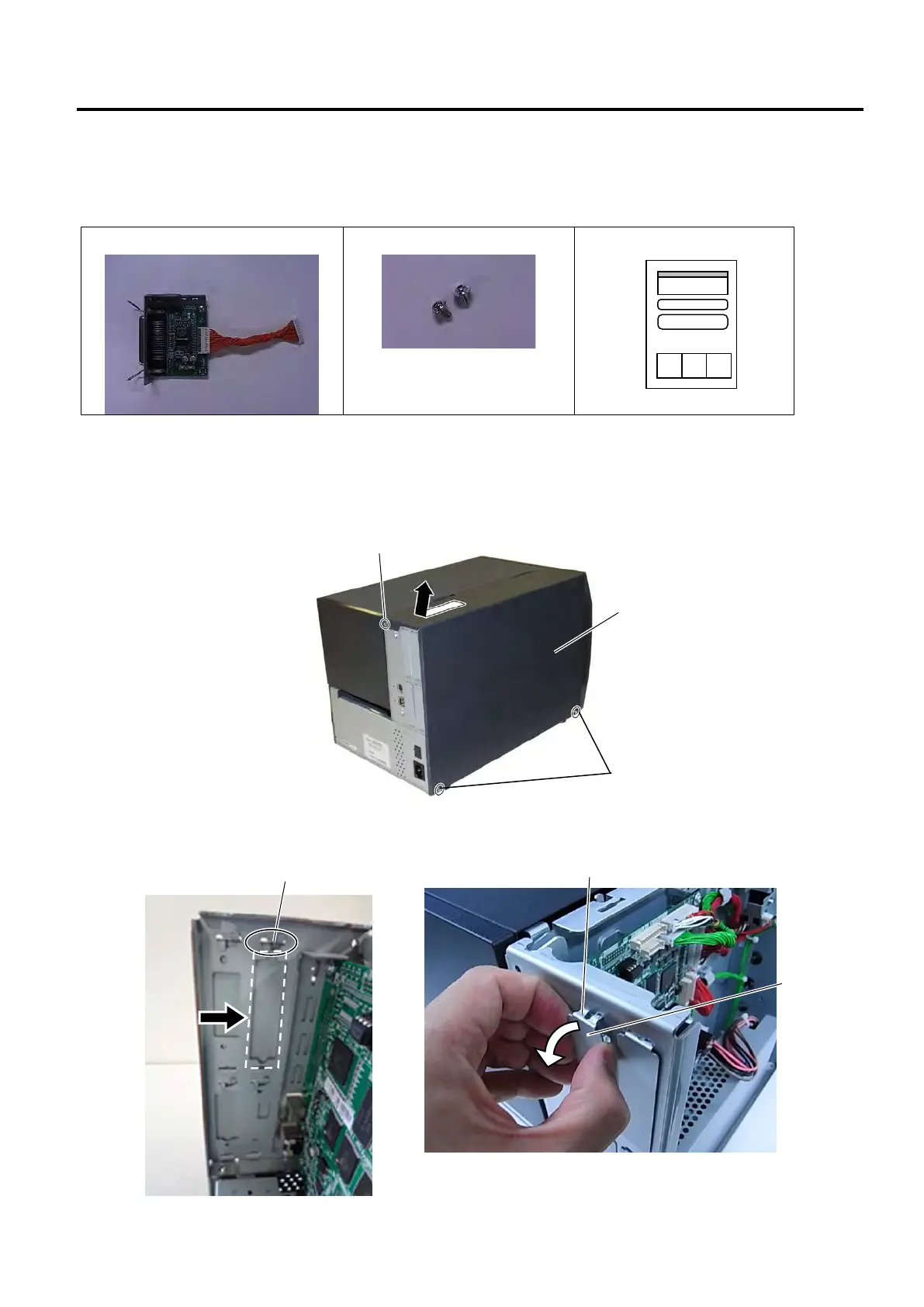
The following parts are supplied with the kit. Make sure you have all items shown below.
Parallel Interface Board (1 pc.)
Installation Manual (1 copy)
1. Turn the printer power off and disconnect the Power Cord.
2. Remove the three B-4x5 screws from the Side Panel (L).
3. Slide the Side Panel (L) backward, and raise it to remove from the printer.
4. Unfold the upper tabs of the blind plate indicated by the arrow, then pull and remove the blind plate
from the printer back.



 To Next Page
 Loading...







