SonixTablet Service Manual 00.053.129, Revision C Chapter 7: Field Service Components
7-13
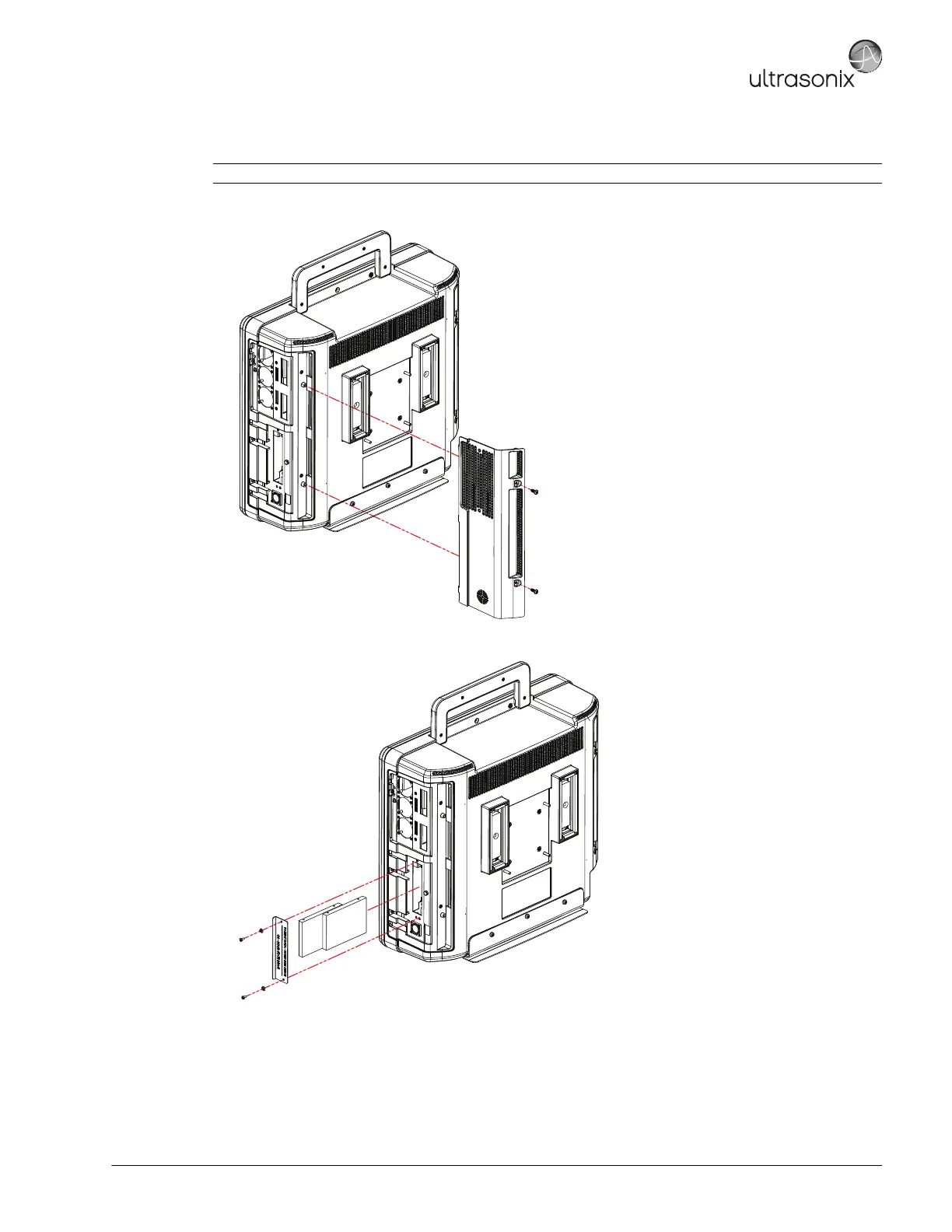
To Remove the Hard Drives from the System:
1. Using a 2.5mm Allen key, remove the two (2) screws securing the hard drive cover.
2. Using a # 1 Phillips screwdriver, remove the two (2) screws and washers securing the hard drive cover plate.
3. Using your fingers, pull the relevant hard drive from its slot.
Note: For a detailed mechanical drawing, refer to Hard Drive Removal 1.0 in Appendix C.



 To Next Page