SonixTablet Service Manual 00.053.129, Revision C Chapter 8: DICOM
8-5
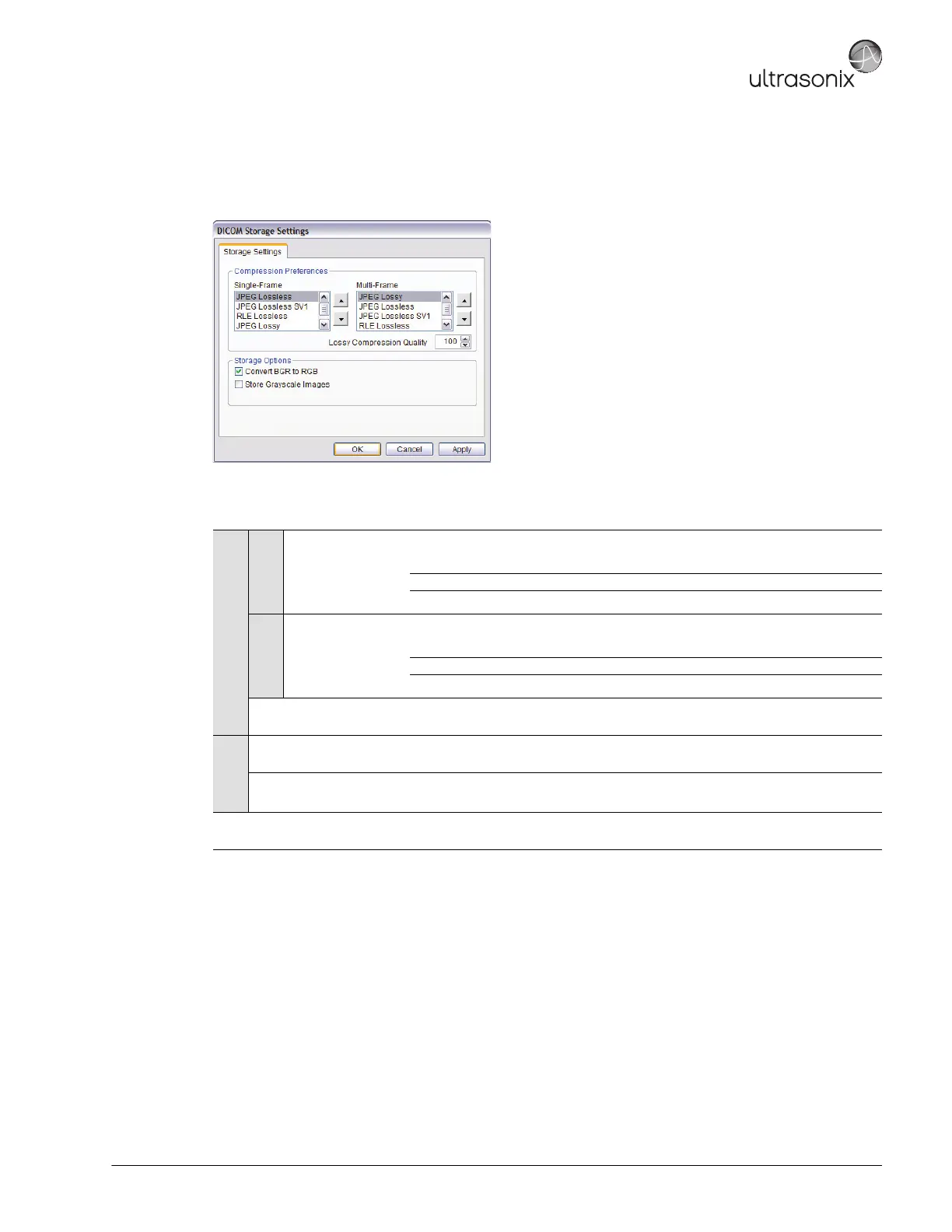
The DICOM Storage Settings dialog specifies how images are stored.
Figure 8-4: DICOM Storage Settings – Storage Settings
Table 8-3: DICOM Storage Settings – Storage Settings
Compression Preferences
Single-Frame
JPEG Lossless
JPEG Lossless SV1
RLE Lossless
JPEG Lossy
No Compression
Set DICOM image format storage order for single frame images.
Note: Refer to the DICOM Standard for details on image formats.
Multi-Frame
JPEG Lossy
JPEG Lossless
JPEG Lossless SV1
RLE Lossless
No Compression
Set DICOM image format storage order for Cine loops.
Note: Refer to the DICOM Standard for details on image formats.
Lossy Compression
Quality
Select the quality (1% – 100%) of image compression.
Storage
Options
Convert BGR to RGB
Select to swap the color components of the image pixel data – the blue colors are
swapped with the red colors.
Store Grayscale Images Select to store images in grayscale format.
Insert (Symbol)
Enables the insertion of text symbol(s) not available on the keyboard (e.g.,
punctuation, symbols and letters from other languages).



 To Next Page