SonixTouch Q+ Service Manual 00.053.204, Revision A Chapter 8: DICOM
8-15
8.2.2 Configuring the Network
If the DHCP is enabled, the network is DICOM-ready.
If the DHCP is not
enabled, configure the network with the details supplied in 8.2.1.2, 8.2.1.3, and 8.2.3.1
8.2.3 Configuring DICOM
8.2.3.1 Local Host
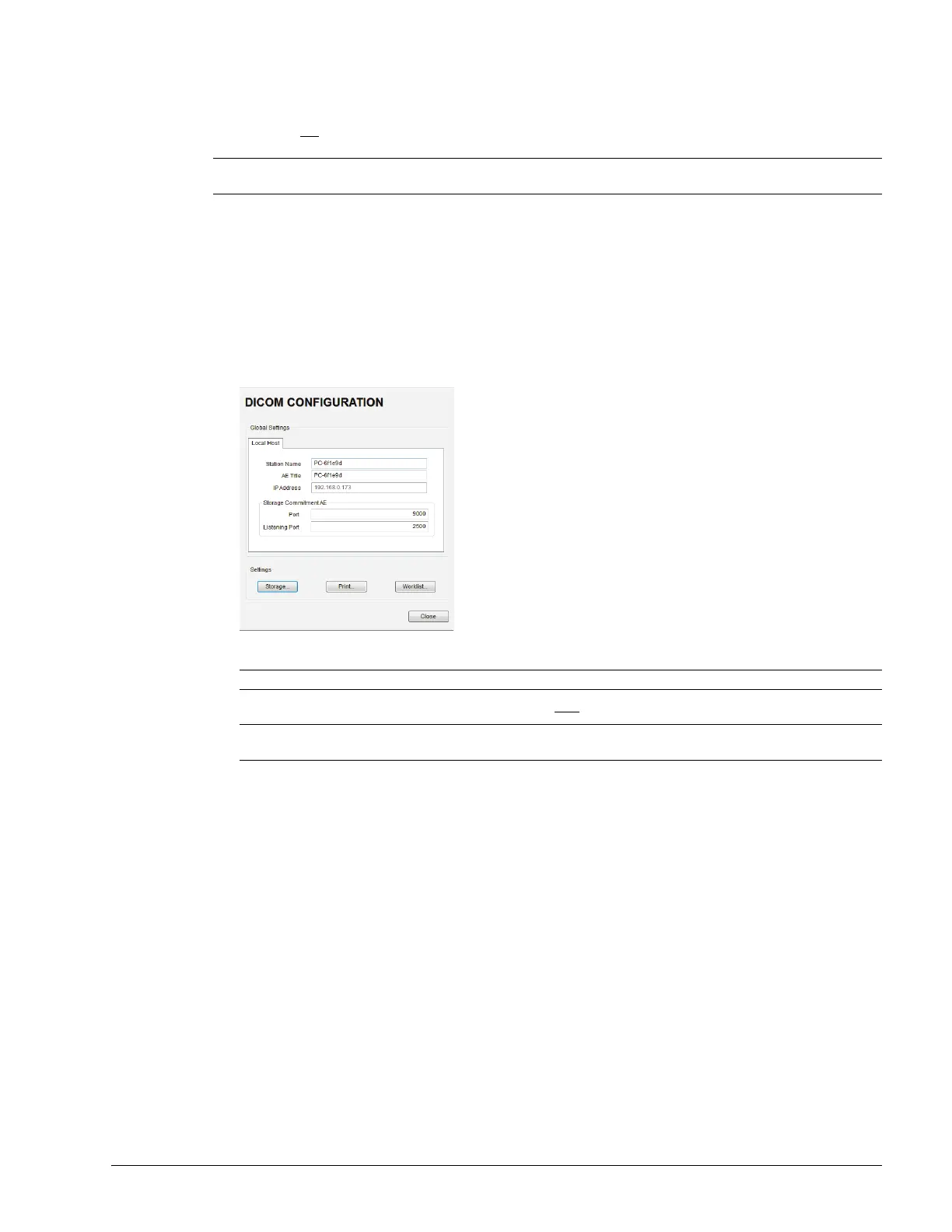
To Configure Local Host Settings:
1. Tap the touch screen Menu button.
2. Select Administrator > DICOM.
3. If required, update Station Name and AE Title to match the data collected in 8.2.1.2.
4. The Storage Commitment AE data should be edited only by a highly competent IT Administrator.
Note: Using the information gathered in 8.2.1, the IT department is responsible for ensuring the network is
configured correctly.
Note: If the fields are empty and nothing is entered, the contents will default to the computer name.
Note: Storage Commitment AE data configures local ports, enabling the SCU to communicate with the SCP
re: the Storage Commitment service.



 To Next Page