SonixTouch Q+ Service Manual 00.053.204, Revision A Chapter 3: System Installation
3-21
3.3.7.2 Printer Installation (without Peripheral Tray)
If the USB printer was purchased from Ultrasonix, it can be mounted on the system without the peripheral tray
using a specially designed printer mounting kit.
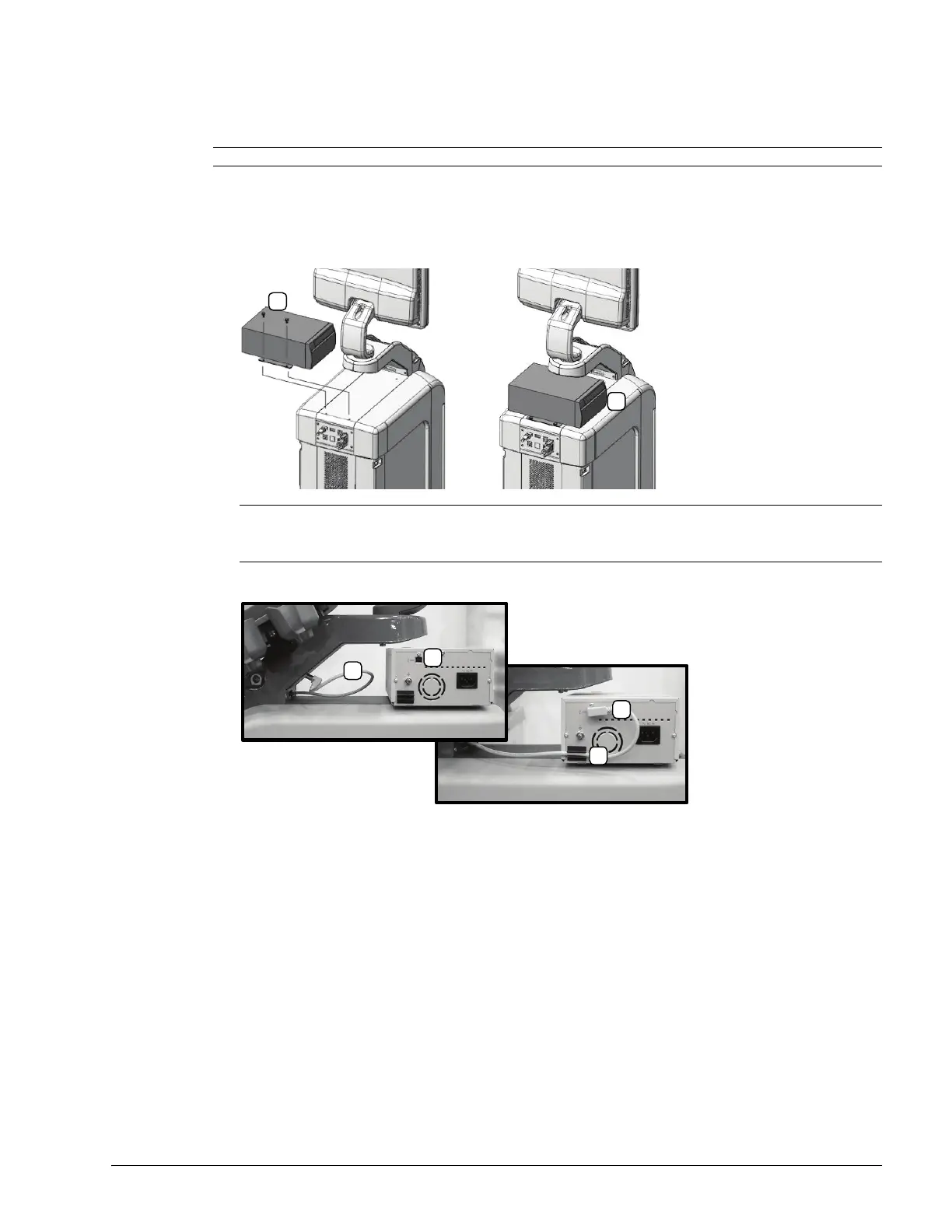
To Mount the USB Printer Directly to the System:
1. Using the two supplied thumbscrews (1), attach the printer mounting plate to the system.
2. Plug the USB cable extending from the system's cable chase (1) into the USB connector on the printer (2).
3. To minimize cable clutter, press the USB cable into the cable retaining clip (3).
Note: Refer to 6.3.1 Local Printer Setup for details on configuring the USB printer.
Note: Ensure the printer front (2) faces in the correct direction.
If the system order included a USB printer, it will be delivered with the appropriate USB cable already
installed.



 To Next Page