Chapter 9: Network Configuration 00.053.204, Revision A SonixTouch Q+ Service Manual
9-8
9.3 REMOTE SUPPORT
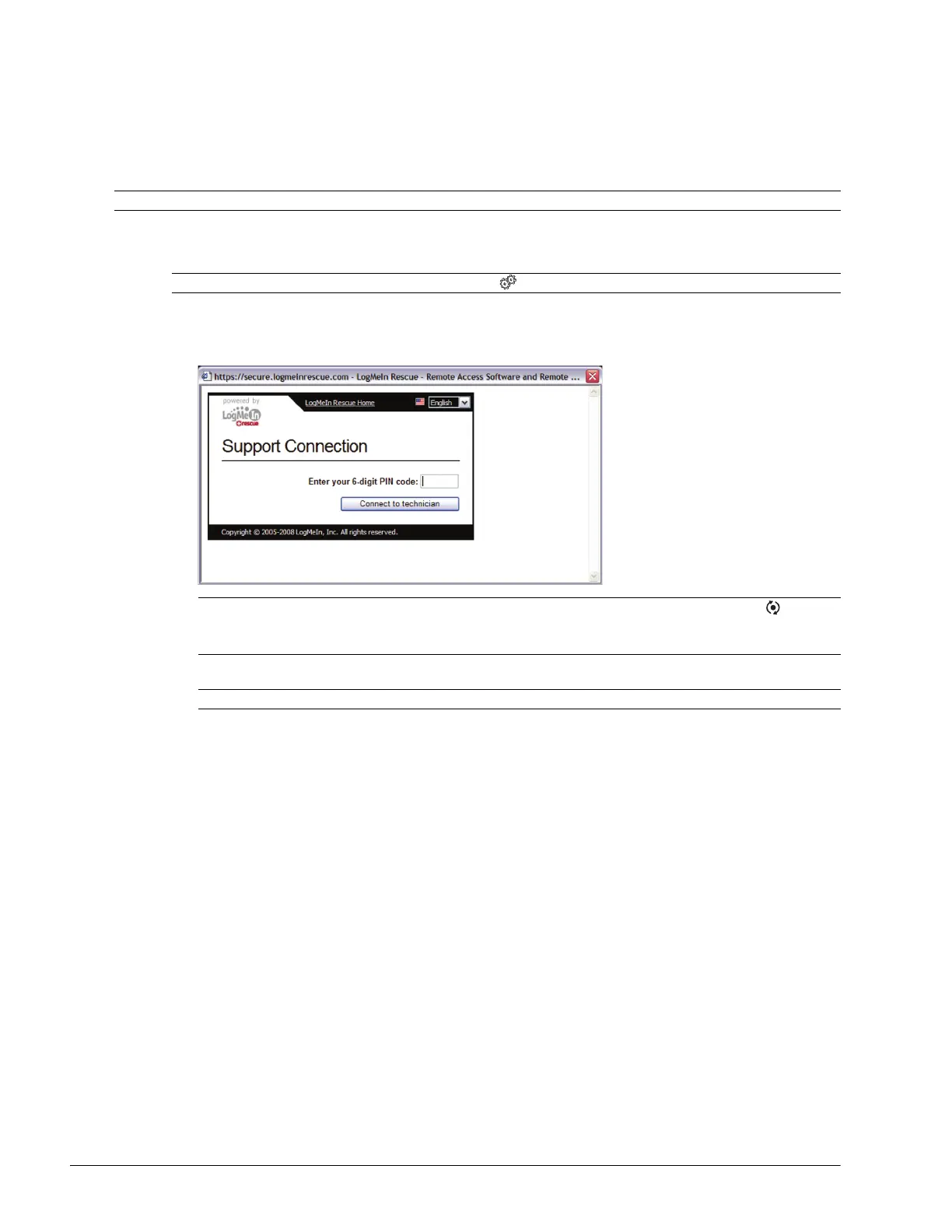
Remote Support is a licensed option that allows Ultrasonix Technical Support to remotely view and control a system for
diagnostic purposes.
In order to use Remote Support, the Network must be configured (9.1 Network) and a PIN (Personal Identification
Number) must be obtained from Ultrasonix Technical Support.
To Access Remote Support:
1. Tap the touch screen Menu button.
2. Select Remote Support.
3. Enter the PIN (Personal Identification Number) provided by Ultrasonix Technical Support.
4. When prompted, select Download > Run > Run in order to install the required programs.
5. The system can now be remotely controlled.
Note: The PIN is valid for 20 minutes only, so be sure to use it right away.
Note: Remote Support can also be accessed from the button.
Note: To access the touch screen keyboard, select Remote Support while pressing the console button.
If Remote Support does not appear to be available, contact the IT Department and have them check to
make sure the network connection is active and the Remote Support option has been configured for use.
Note: The PIN is valid for 20 minutes only, so be sure to use it right away.



 To Next Page