SonixTouch Q+ Service Manual 00.053.204, Revision A Chapter 4: Performance Testing
4-1
CHAPTER 4: PERFORMANCE TESTING
This section describes the various tests performed on the system immediately following installation, updating and repair. The
purpose of performance testing is to verify the correct operation of both hardware and software as well as mechanical items. During
these tests, the system should be running in normal operating mode.
4.1 CONSOLE TEST
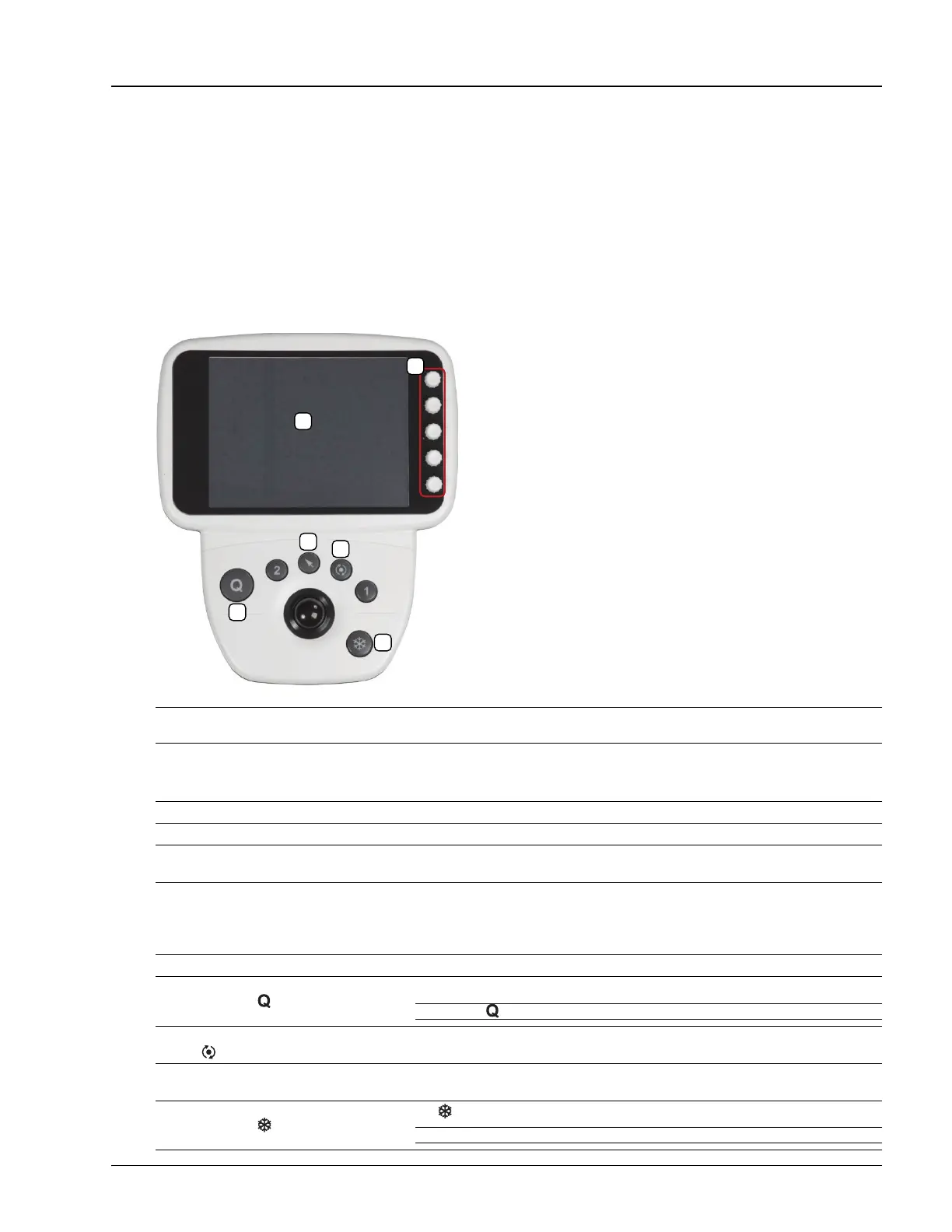
To ensure the console is functioning properly, test the console and touch screen buttons/dials listed in Table 4-2 and verify
the operation corresponds to the expected result. Note and report any operations that do not function correctly.
Figure 4-1: Console
Table 4-1: Console
Table 4-2: Console Operation
Note: Between each test, return the system to B-Mode (tap the touch screen the B button, ensuring that it changes to a solid
green color).
1QSONIX button 4 FREEZE button
2 SELECT button 5 Touch screen
3UPDATE button 6
Touch screen dials. Each dial is associated with the touch
screen buttons that are directly to the dial’s left.
Console/Touch Screen Button/Dial Expected Response
Press the console button once.
The QSonix page will appear on both the touch screen and the LCD display.
Note: Press again to exit QSonix.
Tap M on the touch screen, then press the
console button.
The LCD display will move to M-Mode imaging.
Tap the touch screen B button. Tap Clarity on
the touch screen and turn the associated dial.
The Clarity reading on the LCD display will move through the available settings as
the dial is turned (Off, Low, Med, High and Max).
Press the console button.
The button will change from blue to orange and the touch screen will display Cine options.
Note: Look for the red Record button on the touch screen.



 To Next Page