Chapter 7: Field Service Components 00.053.204, Revision A SonixTouch Q+ Service Manual
7-16
7.2.6 Replacing the Side Shrouds
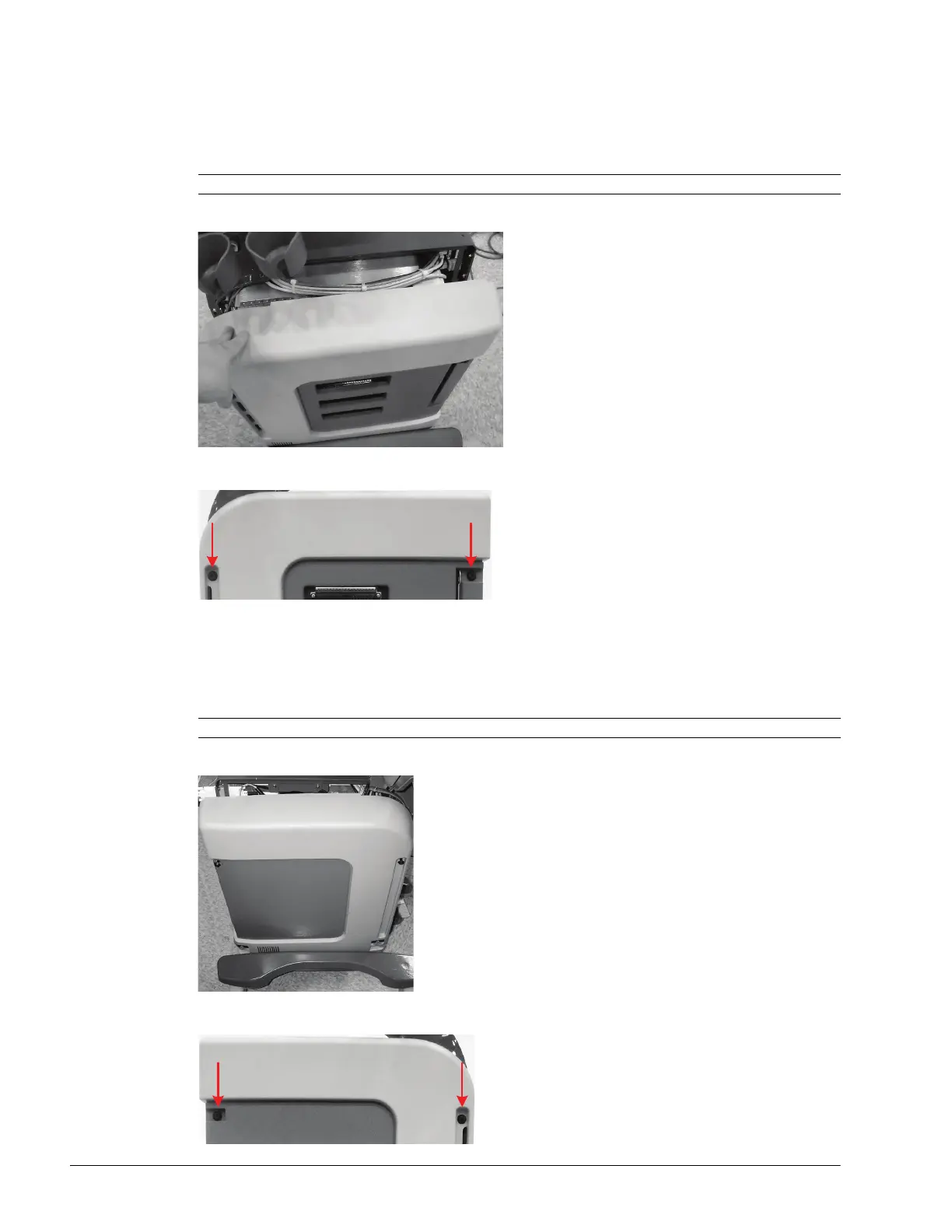
To Reinstall the Right Side Shroud:
1. Insert the tabs on the bottom of the shroud into the slots in the frame.
2. Ensure the bottom sides of the shroud are clear of all cables and are sitting in the correct position.
3. Tip the top of the shroud into place.
4. Using a 4mm Allen key, position the two fasteners and give each a quarter turn to the right.
To Reinstall the Left Side Shroud:
1. Insert the tabs on the bottom of the shroud into the slots in the frame.
2. Ensure the bottom sides of the shroud are clear of all cables and are sitting in the correct position.
3. Tip the top of the shroud into place.
4. Using a 4mm Allen key, position the two fasteners and give each a quarter turn to the right.
Note: This may take a little bit of maneuvering.
Note: This may take a little bit of maneuvering.



 To Next Page