SonixTouch Q+ Service Manual 00.053.204, Revision A Chapter 3: System Installation
3-11
3.3 INSTALLATION
3.3.1 Mechanical Inspection
3.3.1.1 Wheels
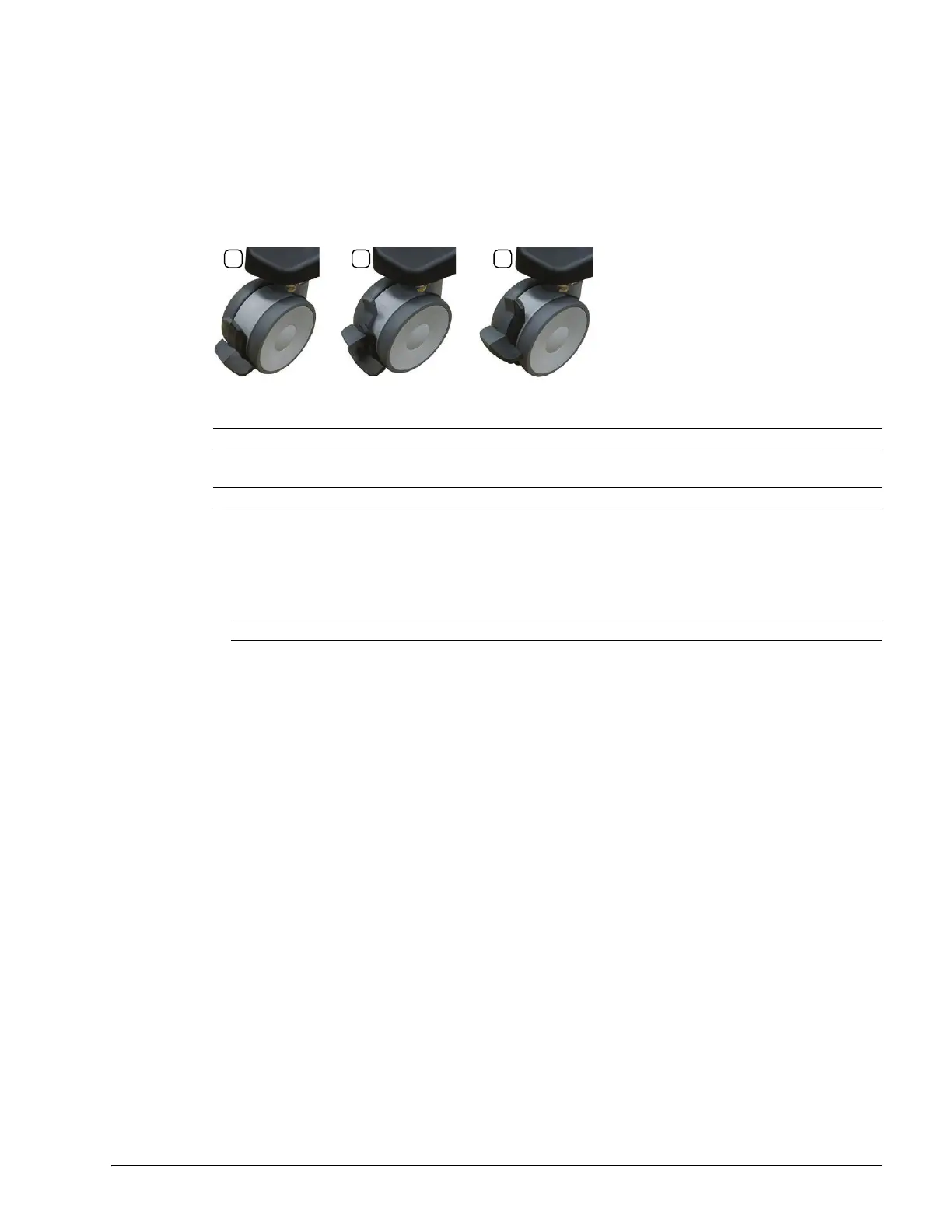
The system is equipped with dual lock castors that can be set in three distinct positions.
Figure 3-2: Dual Lock Brakes
Table 3-1: Dual Lock Brakes
Ensure brakes function as expected in all three positions:
• Setting 1: system cannot move at all
• Setting 2: system moves only back and forth (ensure it cannot move sideways)
• Setting 2: system moves freely in any direction.
3.3.1.2 LCD Display
Tip/rotate the LCD display to ensure that it:
• tips forward and back as required
• rotates from side to side
• stays firmly in position once the required angle and rotation is achieved.
1 Total lock: casters cannot move (both levers in lowest position).
2
Directional lock: casters are directionally locked, restricting them to front/back movement only (dark gray lever in
lowest position, light gray lever in highest position).
3 Completely unlocked: casters can move freely in any direction (both levers in highest position).
Note: The system will be more difficult to move around on carpeting due to increased friction on the casters.



 To Next Page