SonixTouch Q+ Service Manual 00.053.204, Revision A Chapter 7: Field Service Components
7-23
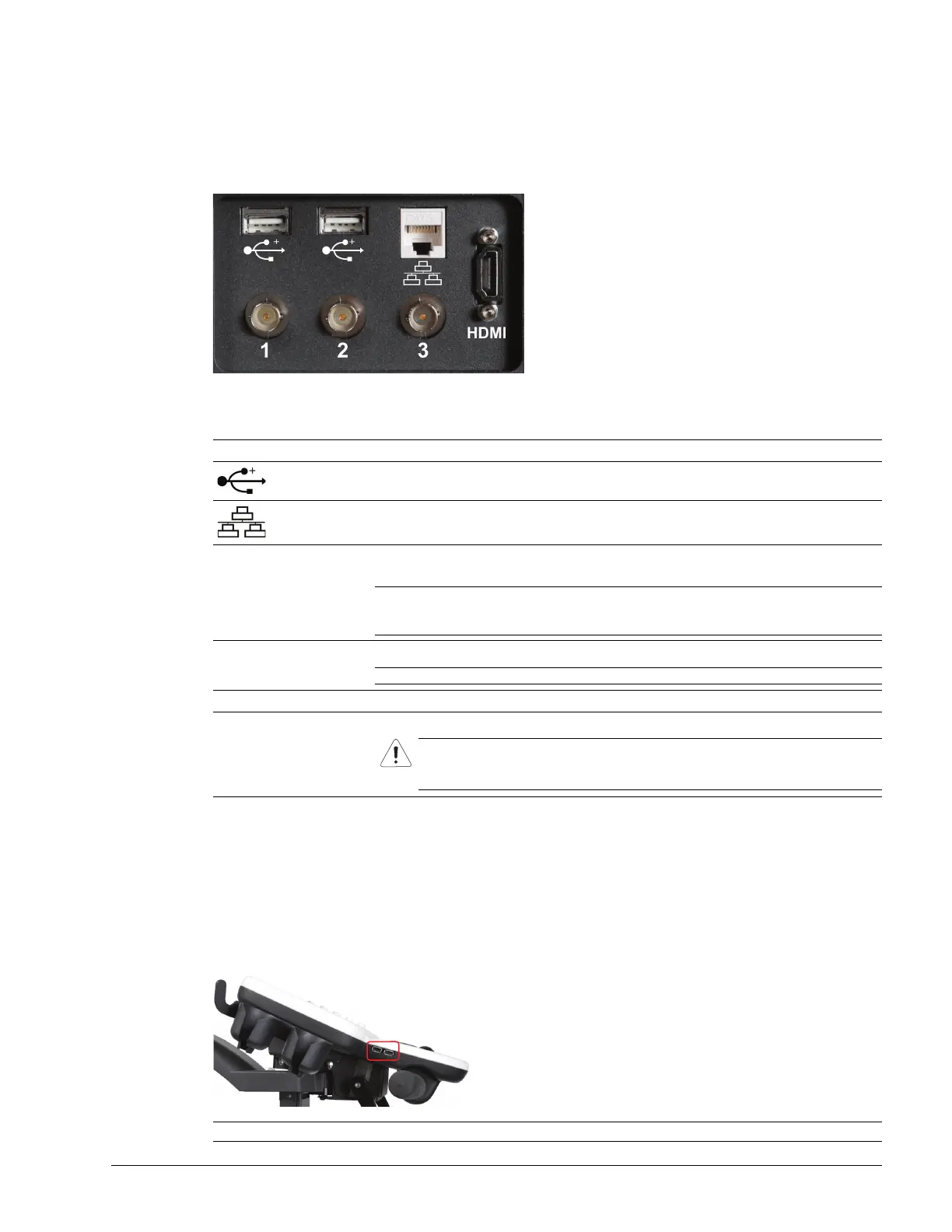
7.3.3.2 Back Connectivity Panel
The Back Connectivity Panel can be accessed from the rear of the system. The connectors are routed internally to
the system case connectivity panel which enables easy configuration.
Figure 7-5: Back Connectivity Panel
Table 7-2: Back Connectivity Panel
7.3.3.3 Console Connectivity
The system provides two USB ports at the side of the operator console. They can be used to connect Ultrasonix-
approved USB devices (such as a USB thumb drive for image file transfer).
Figure 7-6: Console Connectivity
Icon Label Description
USB (x2)
Use to connect Ultrasonix-approved USB devices (e.g., printer, barcode reader, memory
stick, etc.).
LAN Use to connect the system to a network. This port supports 10 MB/100 MB.
1
BNC (Input)
Connector
Connected to the console 1 button, use to connect an Ultrasonix-approved peripheral
(including a Footswitch).
Note: The device connected to this BNC is controlled by the settings configured for the
console (Custom) 1 button (refer to Custom Keys in Chapter 8 of the Extended User
Manual).
2
BNC (Output)
Connector
Connected to the console 2 button, use to connect an Ultrasonix-approved peripheral.
Note: The device connected here is controlled by the settings configured for Custom Key 2.
3 BNC Connector Not in use.
HDMI HDMI Connector
Use to connect a second (HDMI-compatible) LCD display or television.
Caution: DO NOT plug the extra (DVI-compatible) LCD display into the peripheral
receptacle (Figure 3-7).
For details on connecting an external TV, refer to 6.6.
Note: Invert USB media before connecting to USB port.



 To Next Page